range Pi 用户手册 深圳市迅龙软件有限公司版权所有
www.orangepi.cn 84 www.xunlong.tv
opening method of uart is as follows:
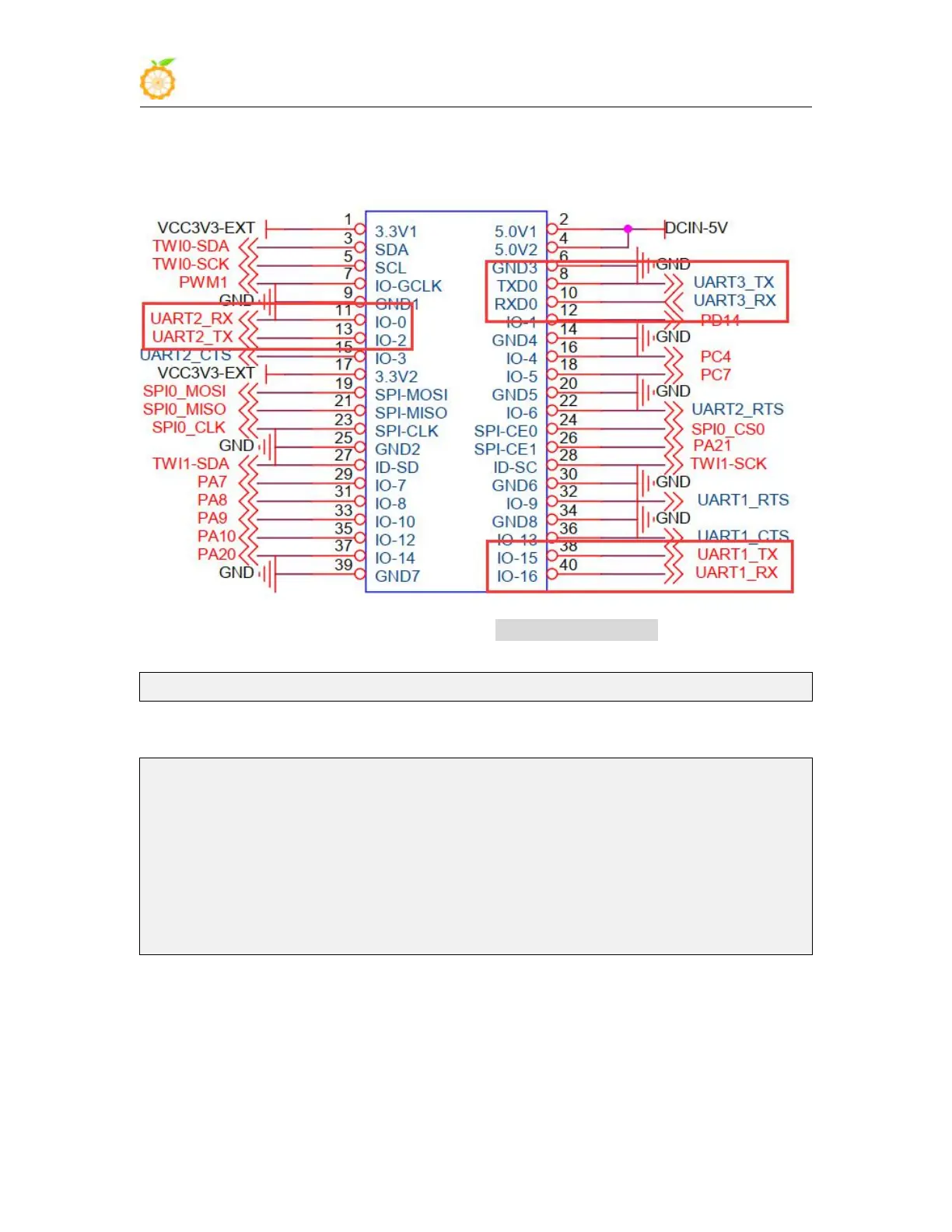
a. According to the 40pin schematic diagram, the uart available for Orange Pi Pc
Plus are uart1, uart2 and uart3
b. Then set overlays=uart1 uart2 uart3 in /boot/orangepiEnv.txt to open the
configuration of uart1, uart2 and uart3 at the same time
overlays=uart1 uart2 uart3
c. Then restart the system. When booting, you can see the configuration output of
UART DT overlays in the boot log of u-boot
Applying kernel provided DT overlay sun8i-h3-uart1.dtbo
502 bytes read in 10 ms (48.8 KiB/s)
Applying kernel provided DT overlay sun8i-h3-uart2.dtbo
502 bytes read in 5 ms (97.7 KiB/s)
Applying kernel provided DT overlay sun8i-h3-uart3.dtbo
4155 bytes read in 4 ms (1013.7 KiB/s)
Applying kernel provided DT fixup script (sun8i-h3-fixup.scr)
d. After the system is started, you can see the information of ttyS1, ttyS2 and ttyS3
under /sys/class/tty, where
a) uart1 in 40pin corresponds to /dev/ttyS1
b) uart2 in 40pin corresponds to /dev/ttyS2
c) uart3 in 40pin corresponds to /dev/ttyS3



 To Next Page