range Pi 用户手册 深圳市迅龙软件有限公司版权所有
www.orangepi.cn 73 www.xunlong.tv
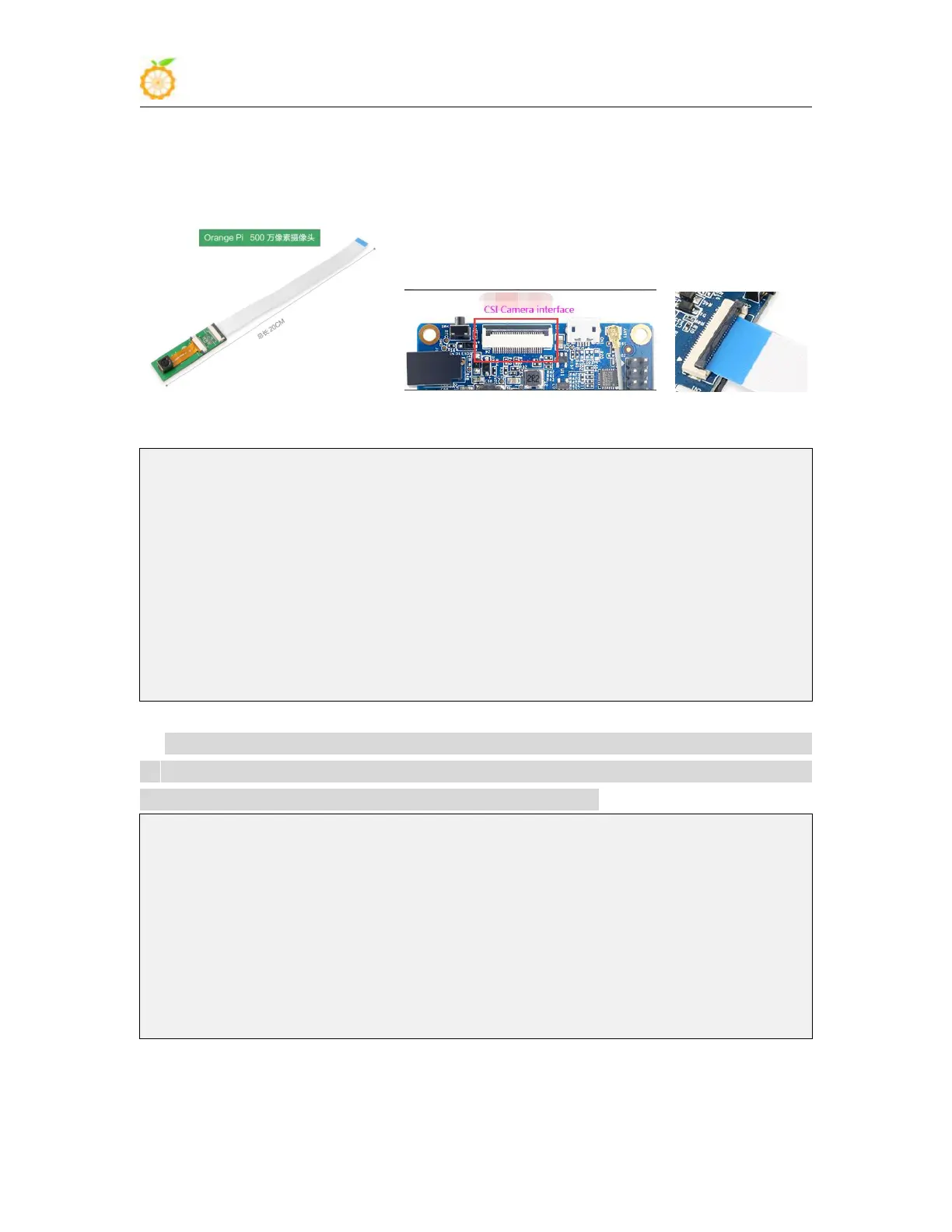
2) First connect the Ov5640 camera adapter board to the CIS camera interface of the
development board through a cable, and then start the linux system after connecting the
camera (don’t plug in the camera after powering on)
3) After entering the system, check the loading status of the ov5640 kernel module
root@orangepi:~# lsmod | grep "ov5640"
ov5640 28672 1
v4l2_fwnode 24576 2 ov5640,sun6i_csi
videodev 151552 7
ov5640,v4l2_fwnode,sunxi_cedrus,videobuf2_common,sun6i_csi,v4l2_mem2mem,video
buf2_v4l2
mc 36864 7
ov5640,sunxi_cedrus,videobuf2_common,videodev,sun6i_csi,v4l2_mem2mem,videobuf
2_v4l2
4) Then use v4l2-ctl (note that l in v4l2 is a lowercase letter l, not a number 1) command
to view the device node of the CSI camera. From the output below, we can see that the
device node corresponding to the USB camera is /dev/video0
root@orangepi:~# apt update
root@orangepi:~# apt install v4l-utils
root@orangepi:~# v4l2-ctl --list-devices
sun6i-csi (platform:camera):
/dev/video0
cedrus (platform:cedrus):
/dev/video1
5) Then start to install the camera test software motion



 To Next Page