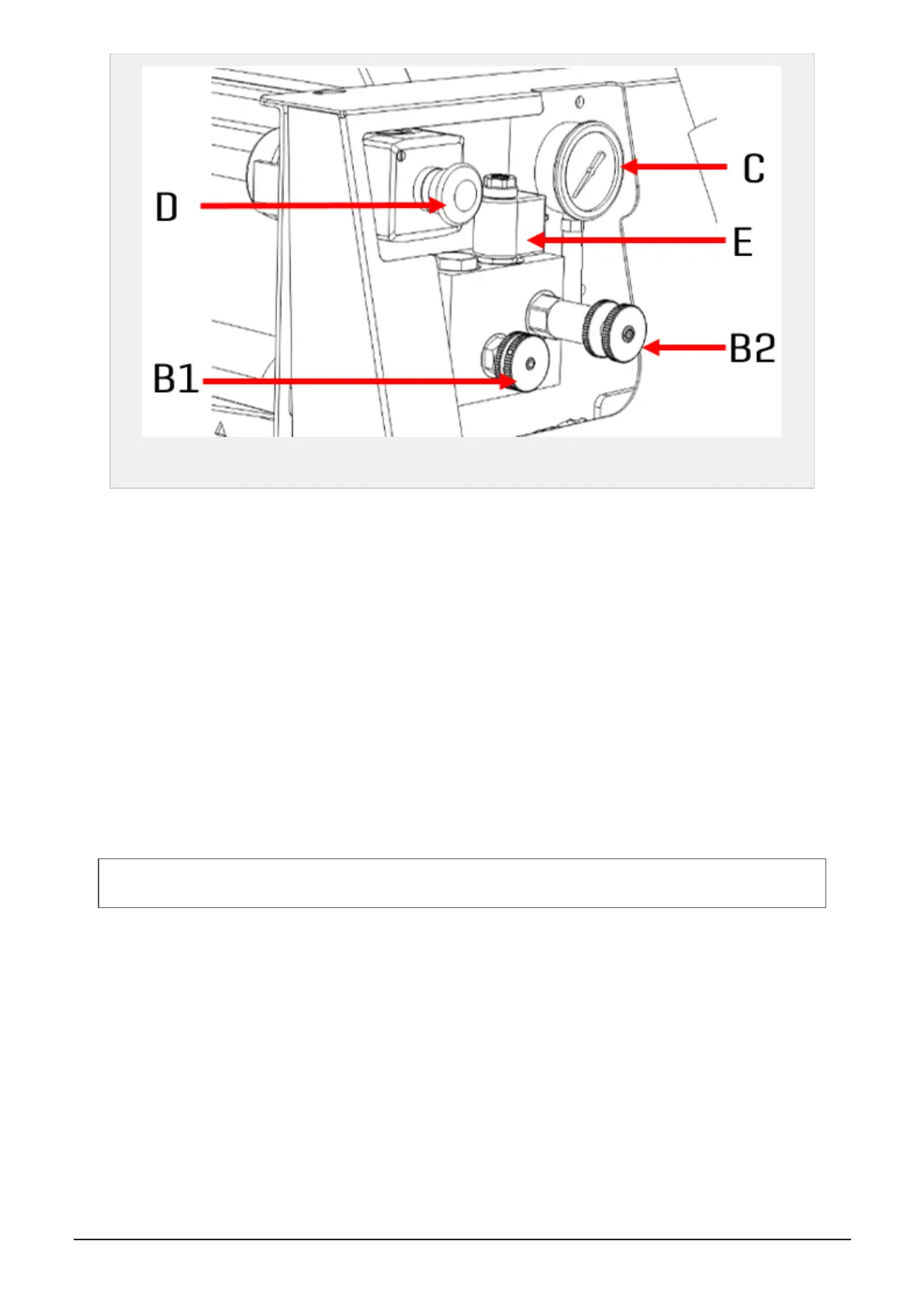
Figure 3.4 :
Brake and feed speed controls
B1 Valve for feed speed
B2 Valve for brake force
C Gauge
D Emergency stop switch
E Electrical valve for brake release/engagement
3.6.3 Settings
Feed speed: Adjusting the feed speed is done by turning the B1 valve. Clockwise decreases the speed. Coun-
terclockwise increases the speed.
Default setting: Close the valve and then open 3/4 turn.
Brake force: In order to maintain tension, the film roller is slowed down when being laid on the bale. Adjust-
ing this brake force is done by turning the B2 valve. Clockwise increases the brake force. Counterclockwise
decreases the brake force.
Default setting: Increase the pressure and notice the pressure on the manometer when the film breaks.
Then slightly decrease the pressure.
NOTE: When starting the machine cold, the brake pressure might be higher. Therefore, set the pressure by cold
oil or readjust when the oil temperature has increased.
Brake release valve: The brake is controlled electrically from the display unit or from the remote control on
the platform. See and section 3.6.4 "Remote control"
3.6.4 Remote control
The plastic tying unit may be operated from the platform using the remote control. Each button activates a
programmed sequence, including several functions running in order:
Open film system:
Press and hold red and blue buttons until the sequence is finished (knife and feed
rollers open).
Close film system:
Press and hold red and yellow buttons until the sequence is finished (feed rollers
and knife close).
3 SETTINGS AND HYDRAULIC ADJUSTMENTS 25


 To Next Page