Used for switching between main menus
Cancel - Back button:
Use to cancel a on-going process, leave a menu or go back to start menu.
Re-start of program:
If the programme stop by any reason (e.g. overload), you might complete the interrupted cycle manually to
unload the bale. To get started in “AUTO” again, the control box must be restarted.
By pressing the tree buttons, marked with a ring (picture above) at the same time, the box is reset. No data
is lost during this operation.
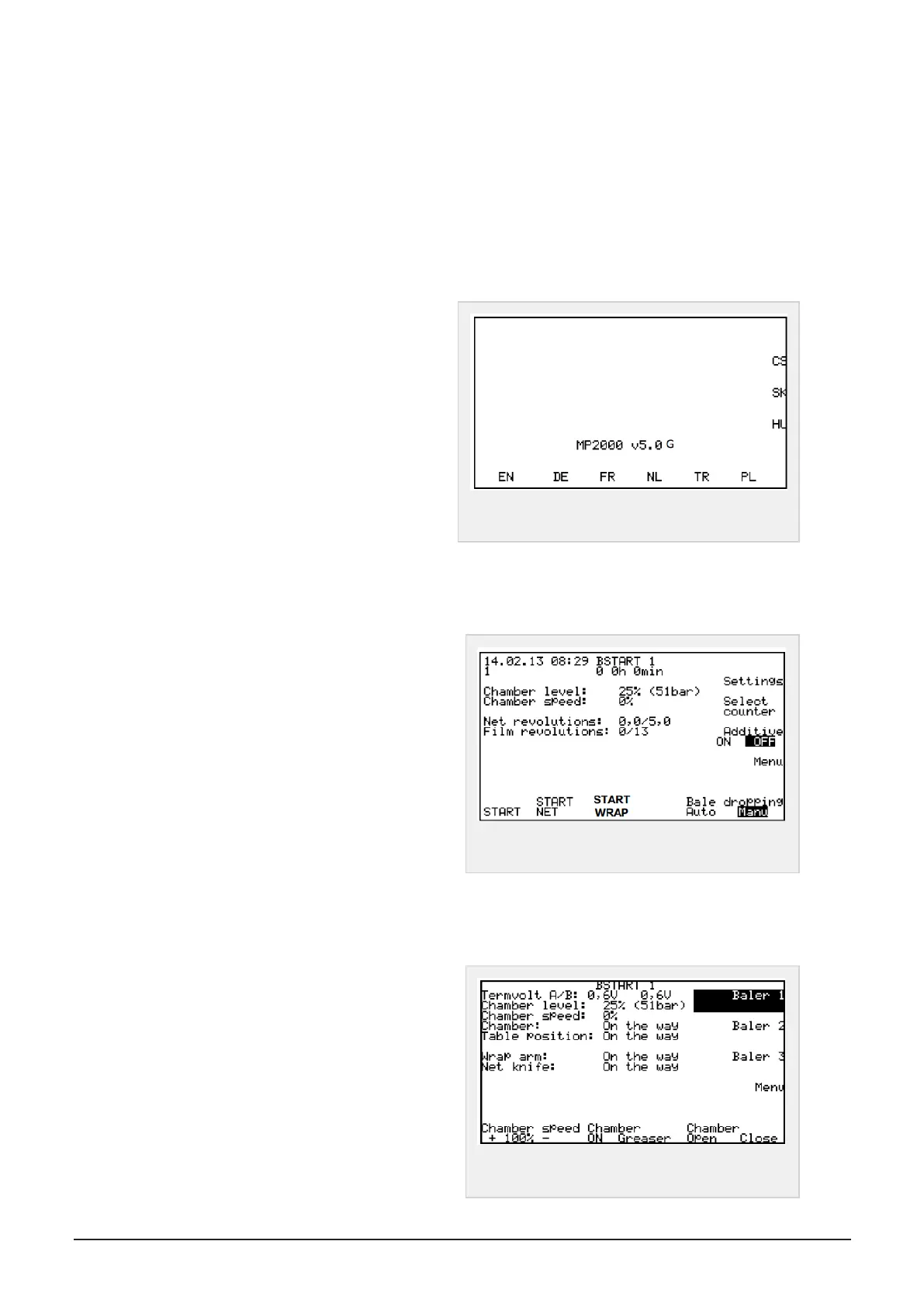
6.1.1 Choose menu language
When connecting the box for the first time, picture
to the right appear on screen. Press immediately
the button under/side of the language you want. For
later start-up, the control box will remember the lan-
guage your have chosen
Available languages: EN-English, DE-German FR-
French, NL-Dutch TR-Turkey, PL– Polish, CS-Czech,
SK-Slovak, HU-Hungarian
Figure 6.2 :
Start up screen language
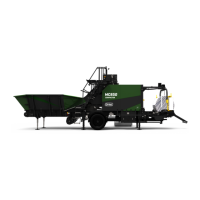
6.1.2 Main menu - start screen
In this screen you get information of:
Ratio of charge and chamber pressure
Chamber speed
Number of turns of widefilm/net
Number of turns of plastic film (wrapper)
Possible selections:
Start, machine
Start Net Widefilm/net in chamber
Bale dropping Manual or Auto Wrapping table
Additive On or Off (Silage additive)
Start wrap (only if a bale is on the table)
Figure 6.3 :
Start screen
6.1.3 Program menus - basic functions
Press menu button to enter menu: Baler 1
Possible selections:
Chamber speed (Tailgate opening speed)
Chamber greaser Manual greasing in progress as
long as the button is pressed down
Chamber, open close (Tailgate)
Figure 6.4 :
Screen menu, Baler 1
6 CONTROL SYSTEM 45


 To Next Page