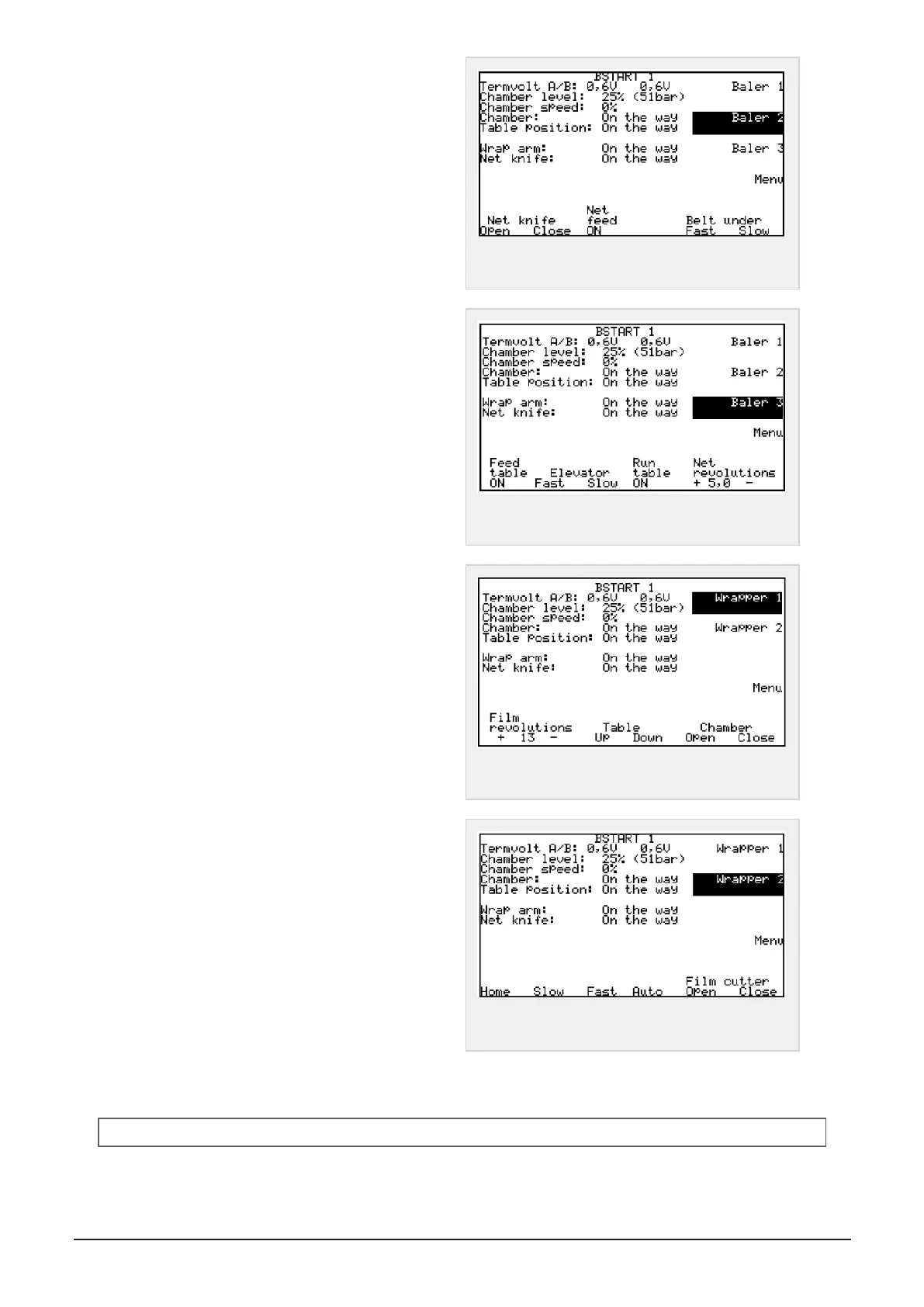
Press baler 2 to enter menu Baler 2
Possible selections:
Net knife, open - close
Net feed, on
Belt under, Fast - slow speed
Figure 6.5 :
Screen menu, Baler 2
Press baler 3 to enter menu Baler 3
Possible selections:
Feed table, on - off
Elevator, fast - slow speed
Run table, on - off. Wrapper table
Net revolutions, Set the number of layers of wide-
film/net added to the bale in chamber
Figure 6.6 :
Screen menu, Baler 3
Press menu to enter menu Wrapper 1
Possible selections:
Film revolutions Set the number of layers of plastic
film added to the bale on wrapper table
Table, up - down. (Wrapper table)
Chamber, open - close (Tailgate)
Figure 6.7 :
Screen menu, Wrapper 1
Press wrapper 2 to enter menu Wrapper 2
Possible selections:
Home Wrapper arm back to start-position
Slow - Fast Wrapper arm speed
Auto Automatic wrapping cycle of bale when it’s
loaded on table
Film cutter open - close
Figure 6.8 :
Screen menu, Wrapper 2
6.1.4 Settings
NOTE:Write down old settings as a back-up before you start changing values.
6 CONTROL SYSTEM 46


 To Next Page