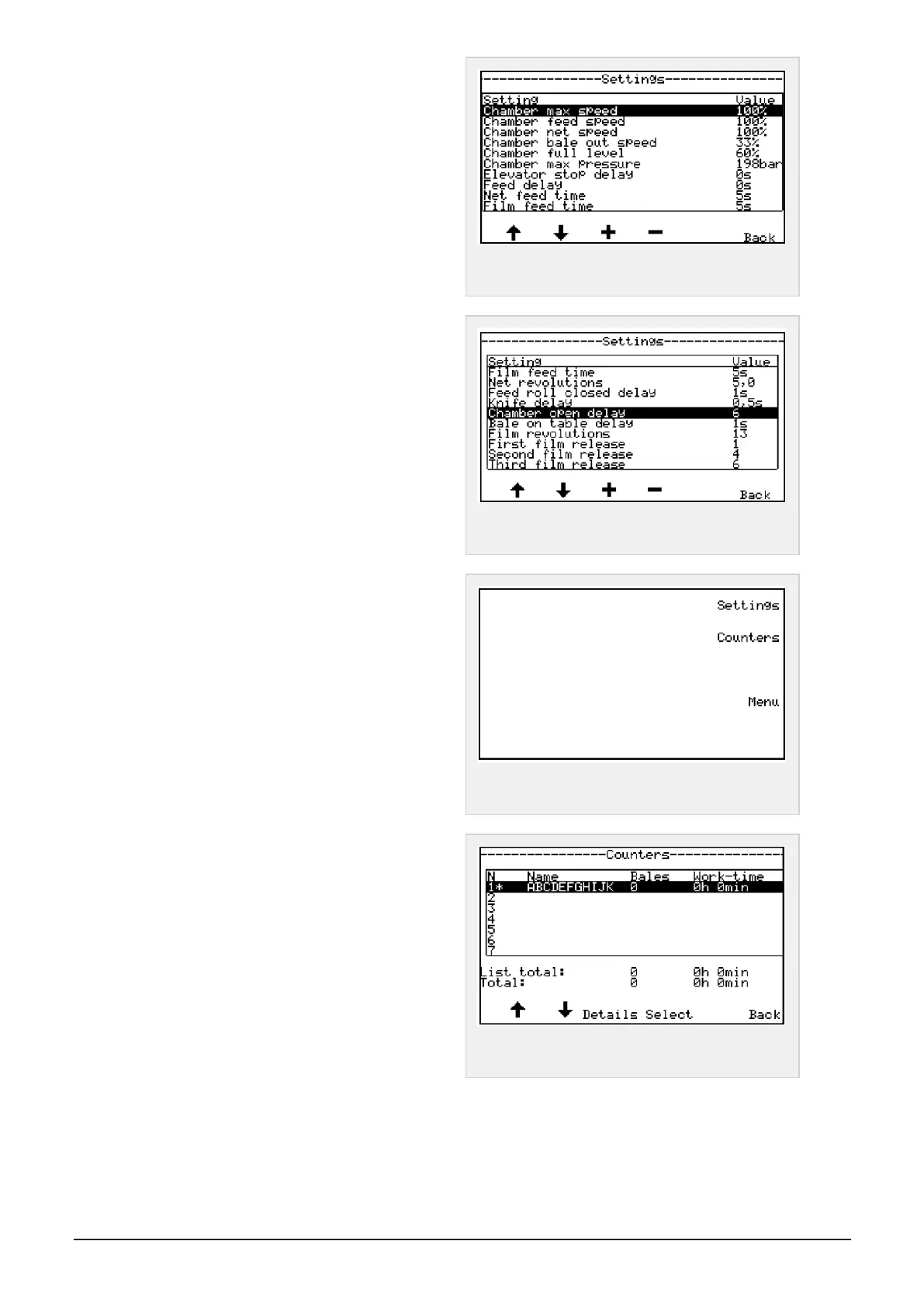
In menu settings you can set/change up to 30 para-
meters (See screen pictures 1,2 og 3)
By pressing button under the arrow in the display you
can switch between parameters and screens pages.
By pressing button under + or - of the chosen para-
meter, the value is changed.
Yes, On or Increase a parameter, press +
No, Off or Decrease a parameter, press -
Figure 6.9 :
Settings page 1
See recommended settings in "Values and settings in
menu" on page51
Figure 6.10 :
Settings page 2
Press cancel - back button to return to menu set-
tings - counters
Press button to the right for counters in display to
enter menu counters.
Figure 6.11 :
Settings and counters
Counters
This menu can store information for up to 50 dif-
ferent customers or jobs.
When entering the menu, the first 7 counters is
shown in display.
Figure 6.12 :
Counter page 1
6 CONTROL SYSTEM 47


 To Next Page