37
SELECTIVE DEACTIVATION OF THE LASER SOURCES
It is possible to deactivate each laser sources to avoid unnecessary power consumption. Using the interface
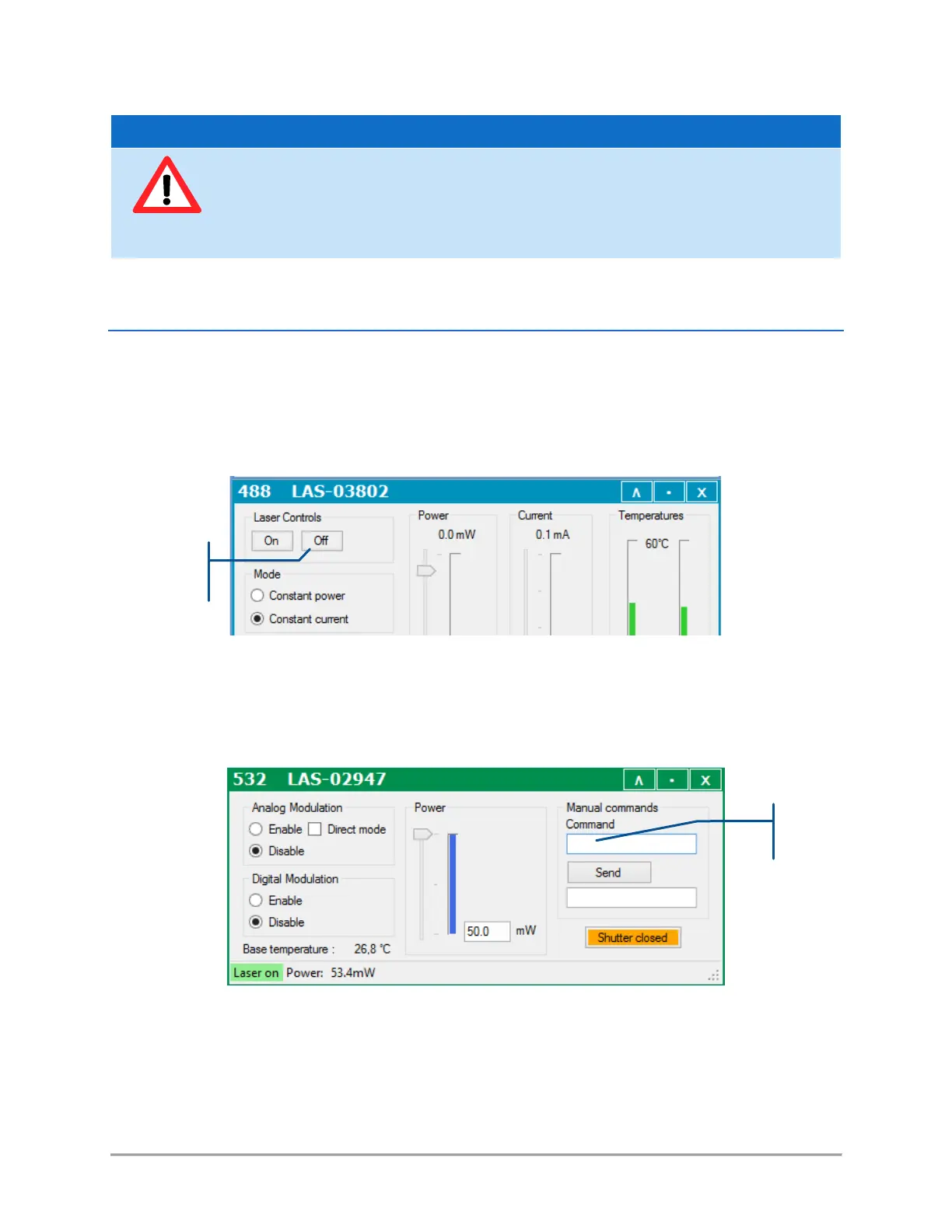
software, open the control window of the laser you wish to turn off, then proceed as follows:
- On a LBX laser source (or a LCX without AOM): press the button “Off” on the top left corner
You can re-activate this source by opening the console and entering the command “RST 1”.
- On a LCX laser source: enter the command “L 0” in the console.
You can re-activate this source by entering the command “L 1”.
From a laser safety point-of-view, the blanking function is not designed to provide a
reliable guard against the laser radiations.
If you need to ensure the safety of the combiner output, use either the actuated key
master control or the remote interlock to shut off any laser emission.



 To Next Page