40
Alternatively, the software commands “AM” and “TTL”, when sent to this specific laser source, will
perform the same selection. Refer to the chapter 6-5 for a detailed description of these commands.
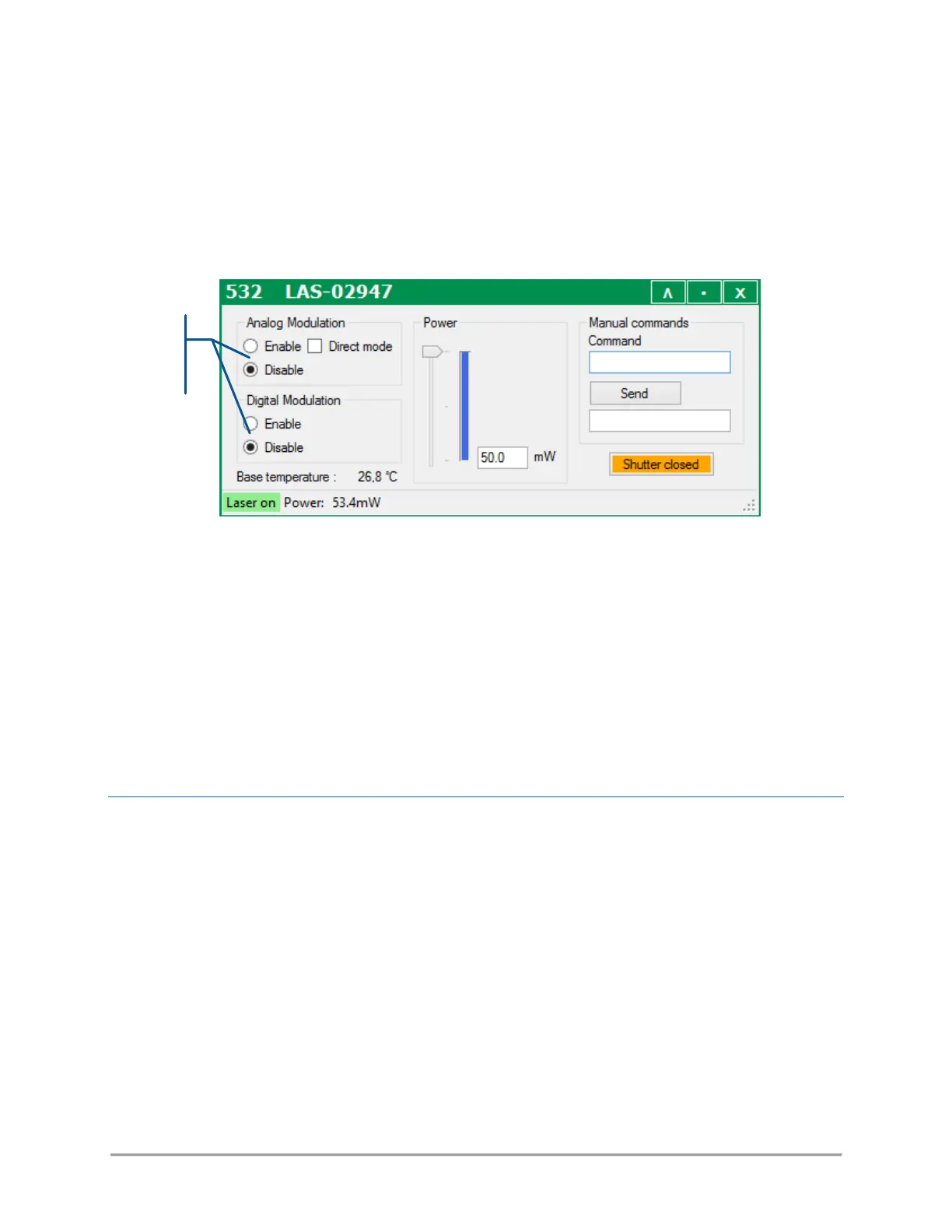
- On LCX laser sources with an AOM: Open the main panel of the combiner and locate the modulation set
boxes (as in the picture below)
Select the appropriate box(es) if you need to enable (or disable) the analog modulation, the digital
modulation, or both.
NOTE
For the analog modulation specifically, the input signal is pre-processed in order to yield a linear
response of the optical power with regard to the input signal. Ticking the box “Direct mode” will skip
this pre-processing and render the native characteristics of the AOM.
Alternatively, the software commands “AM” and “TTL”, when sent to this specific laser source, will
perform the same selection. Refer to the chapter 6-5 for a detailed description of these commands.
HOW TO CONFIGURE THE POWER CONTROL LOOPS
Refer to paragraph 6-3, “Modulation in detail”, for more information concerning the control loops.
Using the GUI, you can configure the control loop of each LBX laser source: open the main panel of your
source and locate the appropriate set boxes (as in the picture below).
Select the appropriate box if you need to use the constant power or constant current control loop.



 To Next Page