49
THE CONTROL WINDOW OF A LCX OR LPX LASER SOURCE
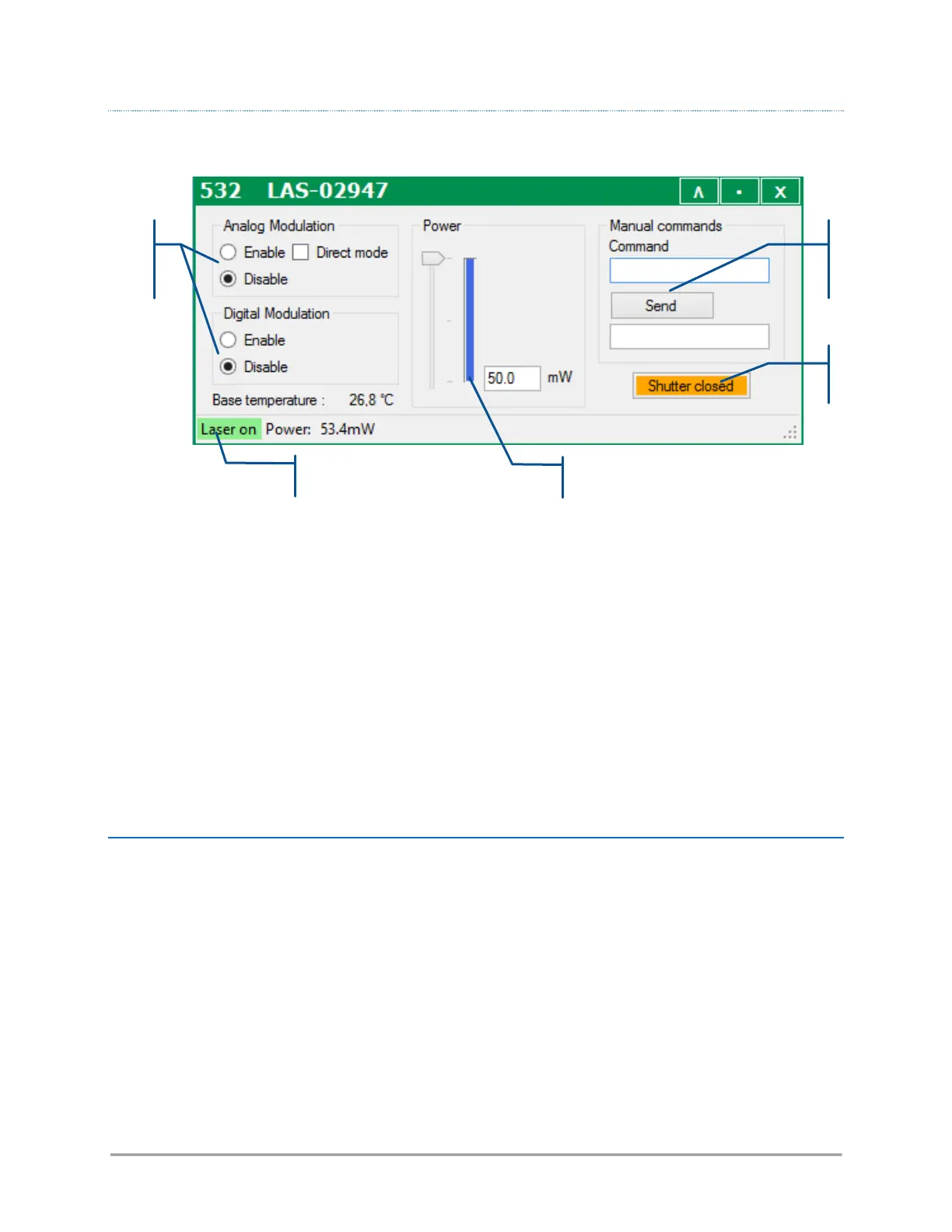
This control panel consists of the following elements:
- A pair of buttons to enable or disable the modulation functions (if these functions are available),
- Two text boxes to send and receive software commands,
- An indicator displaying the measured output power,
- A pair of box and a slider to modify this output power (if this function is available),
- A status bar to indicate the laser status and the output power
Refer specifically to the LCX user manual for detailed information about the status bar and the command
console.
SENDING QUERIES AND COMMANDS
Software queries and commands can be entered manually using the command box. To do so, type your query
inside the box, then validate it by pressing the “Enter” key or by clicking the “Send” button bellow. Some
control windows (for the LBX in particular) may require the user to first click on the “Show console” button
in order to display the command box.
The requested unit will deliver its answer in the text box immediately below:
- An acknowledged command will result in the string “OK” returned, or in the same command echoed
back. For example, “PL4 50” will result in the answer “P=50.0”.
- A syntax that is not understood will result in the answer “????”
Please refer to chapter 6-5, “Software commands” for the list of these queries and commands.



 To Next Page