36
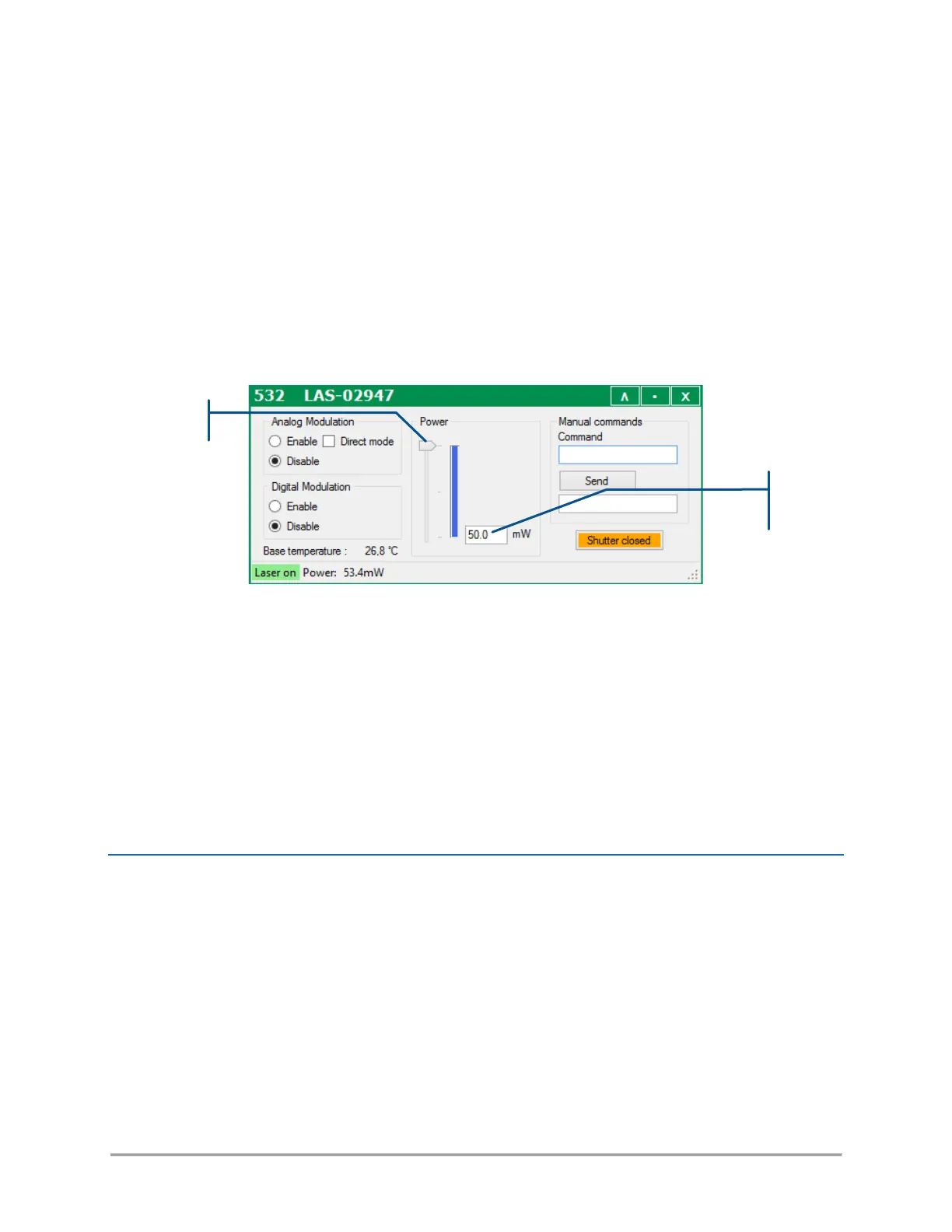
o Click in the text box and type a new power (or current) set point. Validate by pressing the
“Enter” key.
o Alternatively, you can click and drag the slider to modify the power (or pump current) set
point. This new value will be transcribed into the text box.
- On a LCX (or LPX) laser source:
The power is modified either by an external AOM, by a MPA, or by an optional power adjustment function
(named “OPT-PWR”). Check the detailed specifications of each of these functions on the datasheet of
your model.
o Locate the power slider and text box on the control window,
o Click in the text box and type a new power set point. Validate by pressing the “Enter”
key.
o Alternatively, you can click and drag the slider to modify the power set point. This new
value will be translated into the text box.
o Check that the actual power (measured at the output of the combiner) has been modified
accordingly. If a modulator is installed, the modification will occur within milliseconds.
When working with the power adjustment function, it might take up to 20 seconds for the
LCX to reach its new set point.
HOW TO SHUT OFF THE OPTICAL SIGNALS (BLANKING FUNCTION)
The output of the combiner can be temporary shut off using the blanking function. It can be activated by
either of these methods:
- Press the “Blanking” switch located on the front panel of the remote control. Note that the visual
indicator embedded in this switch is lit when blanking is activated. Similarly, this indicator is unlit when
blanking is deactivated (and the sources are emitting).



 To Next Page