34
SHUTTERS ON THE OUTPUT CHANNELS
The output channel shutters are driven either the GUI (or software commands), or through the input/output
(“I/O”) port (the DB-25 connector at the rear side of the combiner). Please refer to the following chapter,
“Configuring the combiner”.
If you are driving the shutter using the GUI software:
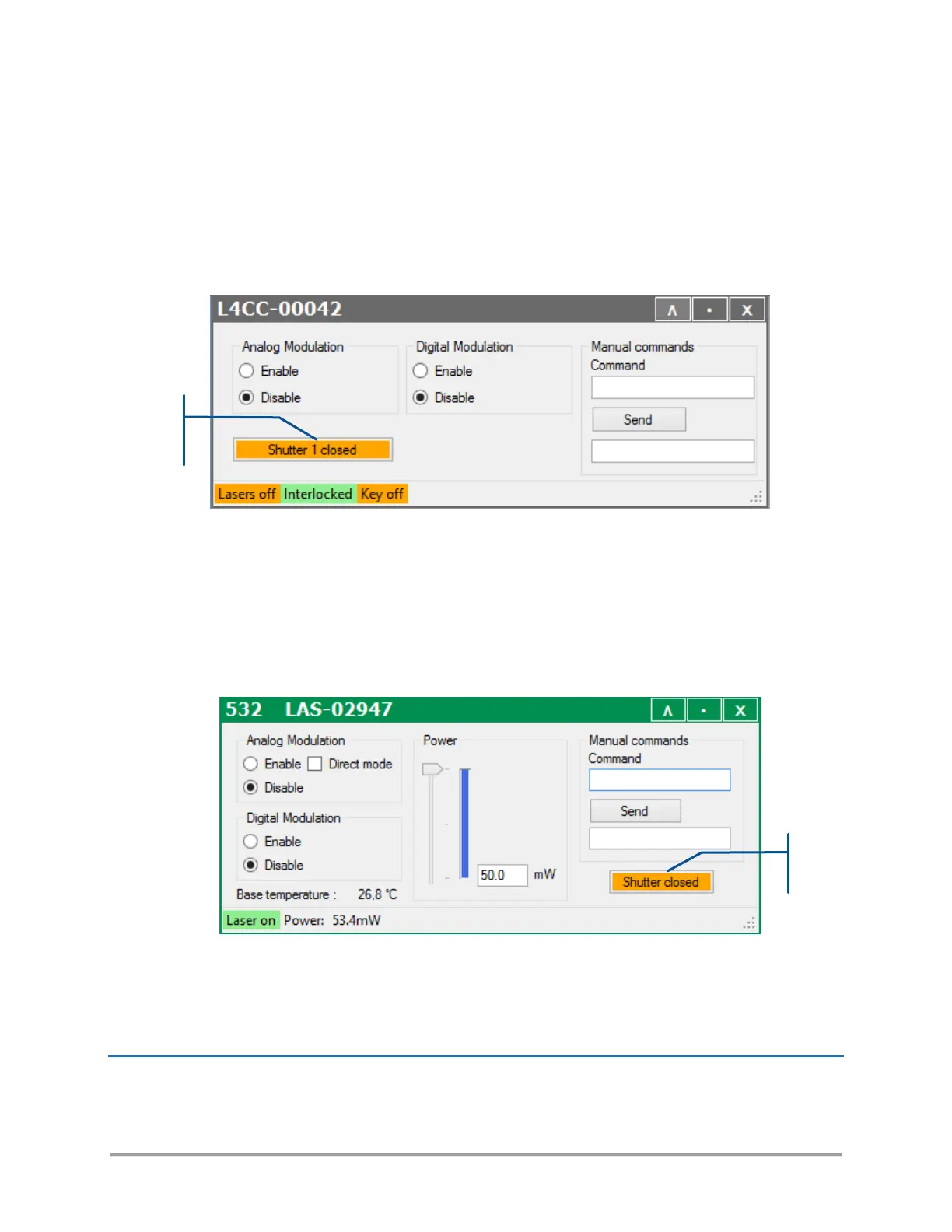
- Open the main panel of the combiner and locate the shutter activation button (as in the picture below)
SHUTTER ON THE LCX AND LPX SOURCES
LCX and LPX units are set with a shutter in order to a full extinction when required. Note that the shutter
remains closed during the start-up sequence, and as long as the emission is not stabilized (“Laser On” state).
- Open the control window of the LCX you need to activate and locate the shutter activation button (as in
the picture below)
- The button text describes the current states of the shutter. Press the button to modify this state (open
or closed).
HOW TO SET THE POWER LEVELS



 To Next Page