53
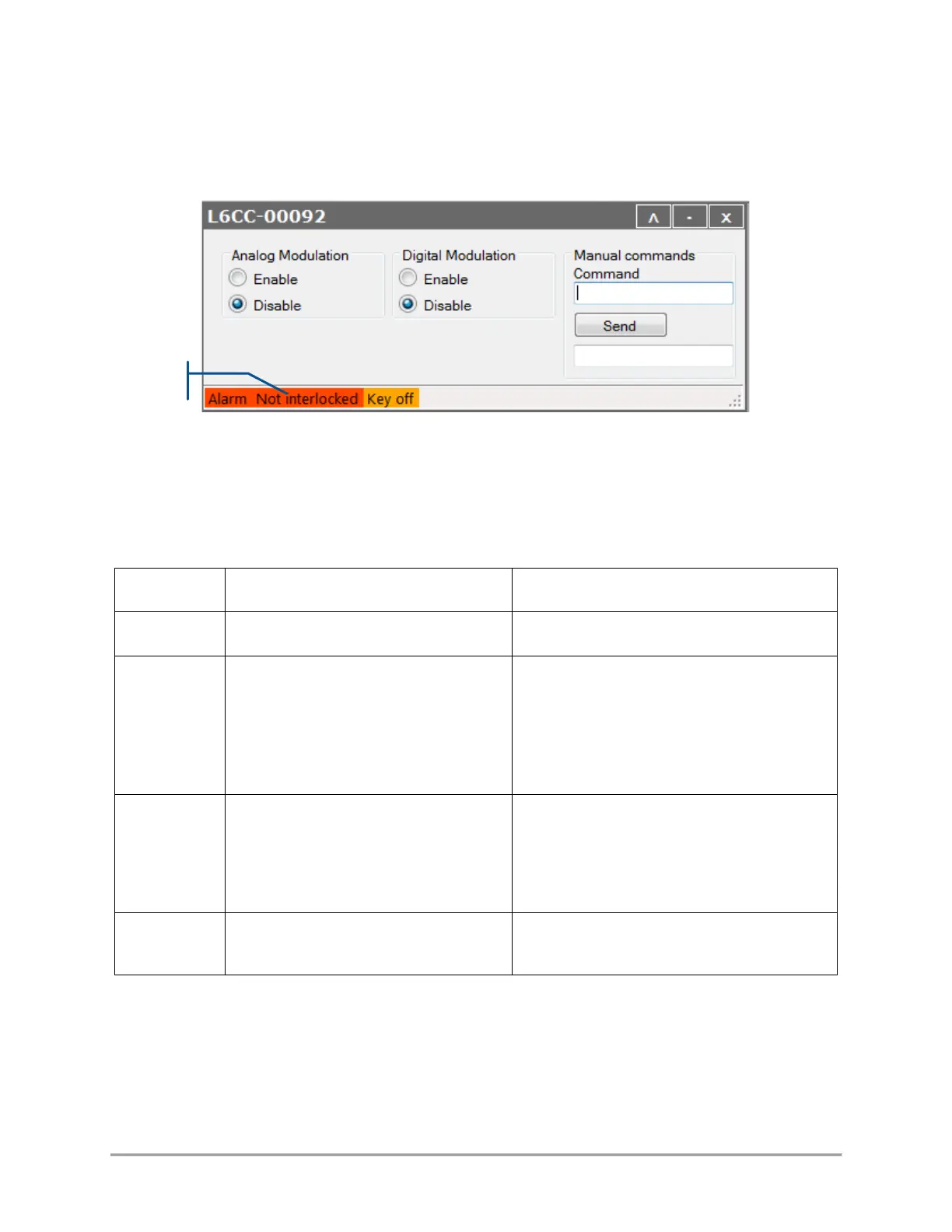
Once an alarm is raised, it is recommended to identify it by connecting the combiner to our GUI software. A
description of the alarm is displayed in the status bar of the combiner control window.
The possible sources of alarms and recommended measures are detailed in the following table:
Table 5.2 Alarm status detailed for a combiner
The supply voltage of the unit is outside
its specified range.
Refer to section 2 and to your
specification sheet for allowable
voltage ranges
Check the input voltage by measuring the
voltage at the output terminals of your power
supply
One of the temperature sensors has
monitored an out-of-bound value
Check the temperature of the base plate and
make sure that it is within the specified limits
of [15°C,40°C]
Query the alarm of each
The interlock circuit is open
Check the continuity of the interlock circuit
In addition to that list, alarms that are raised from the laser sources will be elevated to the combiner. In this
case, the user should open the control window of the said laser source and refer to the user manual of that
source in order to identify the nature of the alarm.



 To Next Page