Section 300-Installation Chapter 3. Cabinet Installation
DBS-2.3/9.2-300 DBS Manual - Revised April 2000 3-11
Installation for the DBS 72 and 96
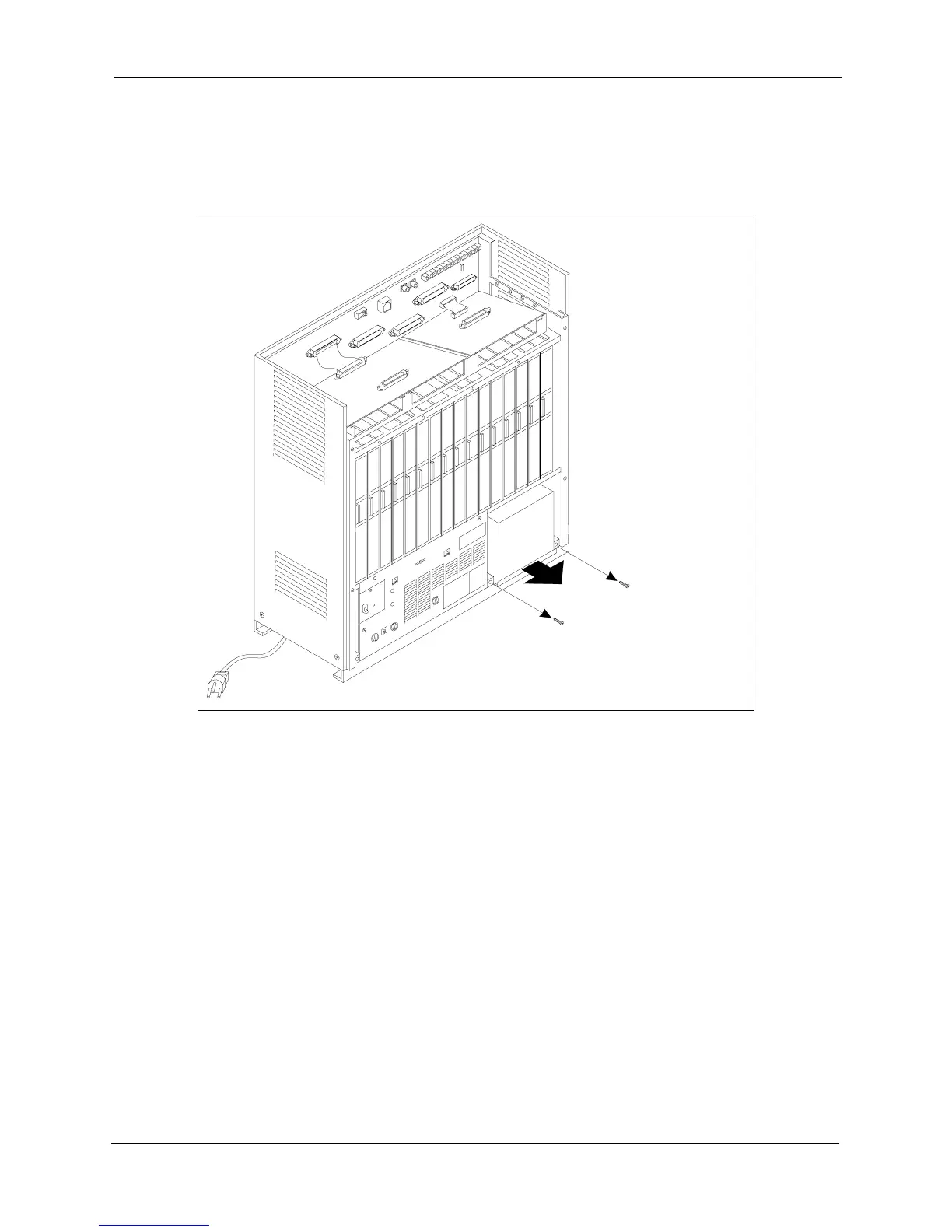
1. Slide the battery compartment out and place the batteries inside the tray.
Figure 3-9. Battery tray, DBS 72 and 96
2. Connect the positive cable (red) to the + terminal on the first battery.
3. Connect the negative cable (blue) to the - terminal on the last battery.
4. Connect the remaining positive and negative terminals with the white
connection cables, as shown in Figure 3-10.
Rem ove Screw s
and Slide Batter
Tray O ut












 To Next Page