64
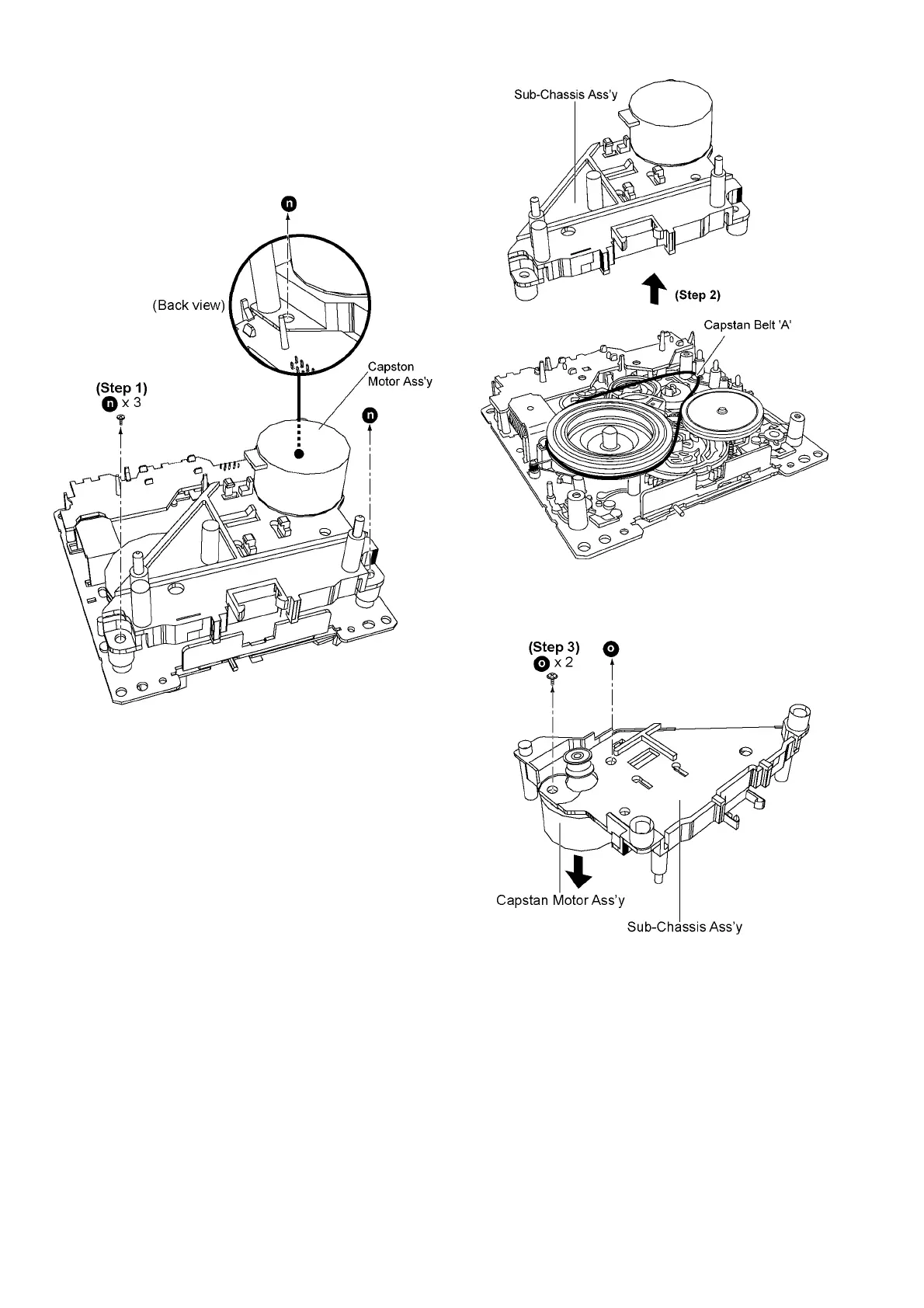
9.16.2. Replacement of Capstan Motor
Ass’y and Capstan Belt ‘A’
• Follow the (Step 3) to (Step 4) of item 9.16.1.
- Disassembly of Capstan Motor Ass’y and Capstan Belt ‘A’
Step 1 Remove 3 screws.
Step 2 Lift up to remove the Sub-Chassis Ass’y.
Step 3 Remove 2 screws to remove Capstan Motor Ass’y.
Caution: Support Capstan Motor Ass’y by hand to prevent
it from falling during removal and assembly of Capstan
Motor Ass’y.











 To Next Page