74
Servicing Smart Actuator Calibration
8. For Corpus APE & Corpus VS
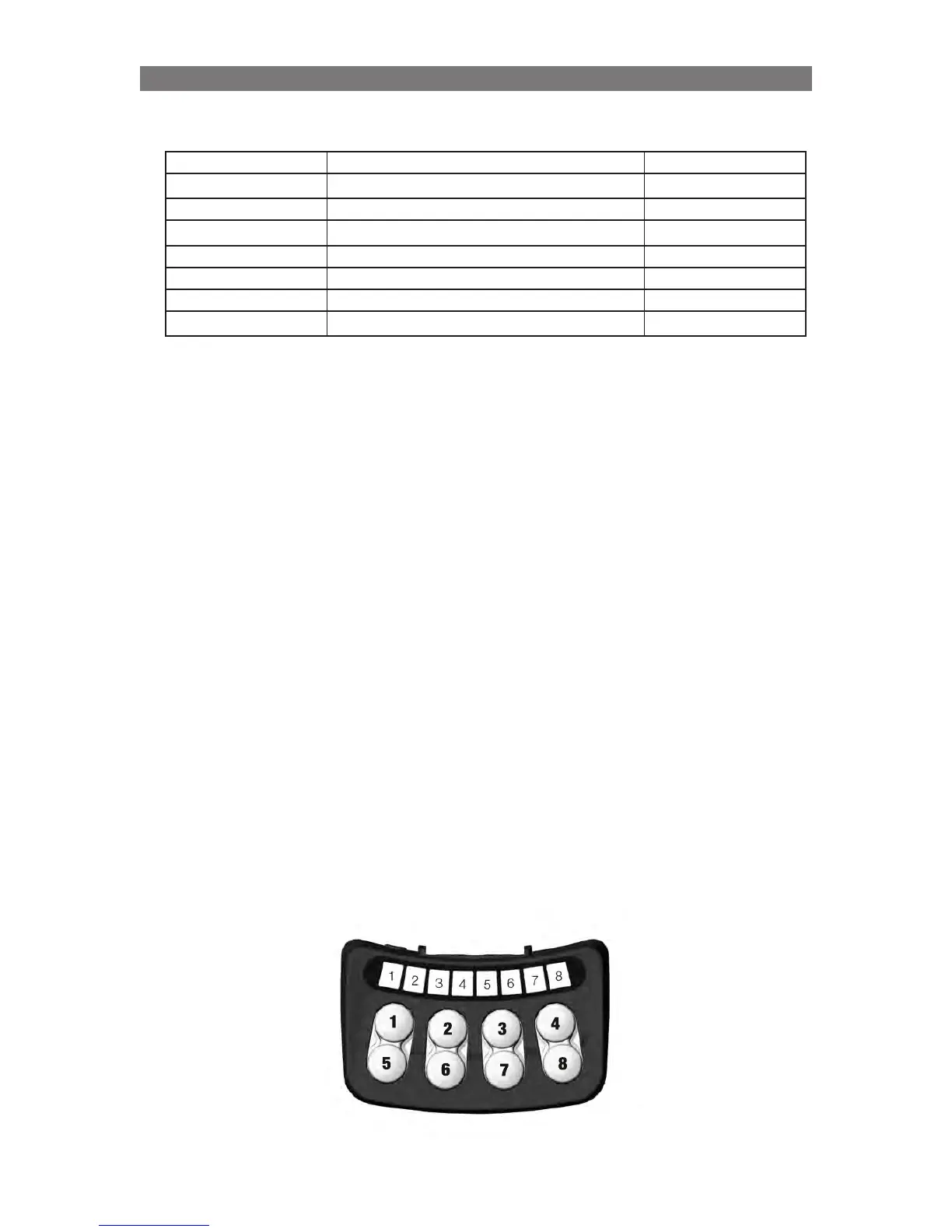
Decide what needs to be calibrated using buttons 1 – 7 as in table below
Button on SB Calibrate function LED indication
1 Anterior tilt actuator LED #1
2 Tilt (seat elevator actuator) LED #3
3 Backrest actuator LED #5
4 Full Auto calibration (all actuators) LED #1- #6
5 Support wheels actuator (Corpus VS only) LED #2
6 Articulation Legs actuator LED #4
7 Legrest actuator LED #6
LED #n is flashing green during calibration and solid green when ready.
Full Auto Calibration will calibrate all the possible actuators and during the calibration procedure
move seat functions in a safe position avoiding collisions.
After completing a successful calibration, the system will issue a ”calibration complete-beep” (beep-
beep-beep-beep-beeeeeep) to confirm that the calibration is completed. All the LEDs on the ICS
control panel will be flashing green.
9.
Verify the seat functions manually.
10. Manual calibration (Not for Corpus 3G, Corpus APE and Corpus VS): Continue from point 2.
11. Switch off the wheelchair.
12. Remove the actuator that is not calibrated from the seating system.
13. Measure the distance between the center of the “front hole” and the center of the “fixed hole”.
Compare the length of the actuator with the values on the next page. Screw the actuator ram in or
out to obtain the value in the table.
14.
Check that the hole through the end of the actuator screw/ram is aligned with the fixed hole at the
other end of the actuator (correct position is listed in the table).
15.
Re-attach the actuator to the mounting brackets on the seating system.
Repeat steps 9-15 for any Smart actuator having a similar problem.
NB! Actuators with SoftPot sensors require a different calibration method.
SoftPot is a mechanical sensor that has no need of this re-calibration method. Although actuators with
SoftPot sensors are moved to a known position during this process, it is not possible to adjust the screw
end of the actuator manually to correct calibration. See the section entitled “Actuator calibration with
SoftPot” for information on calibrating these particular actuators.



 To Next Page