Operation
24
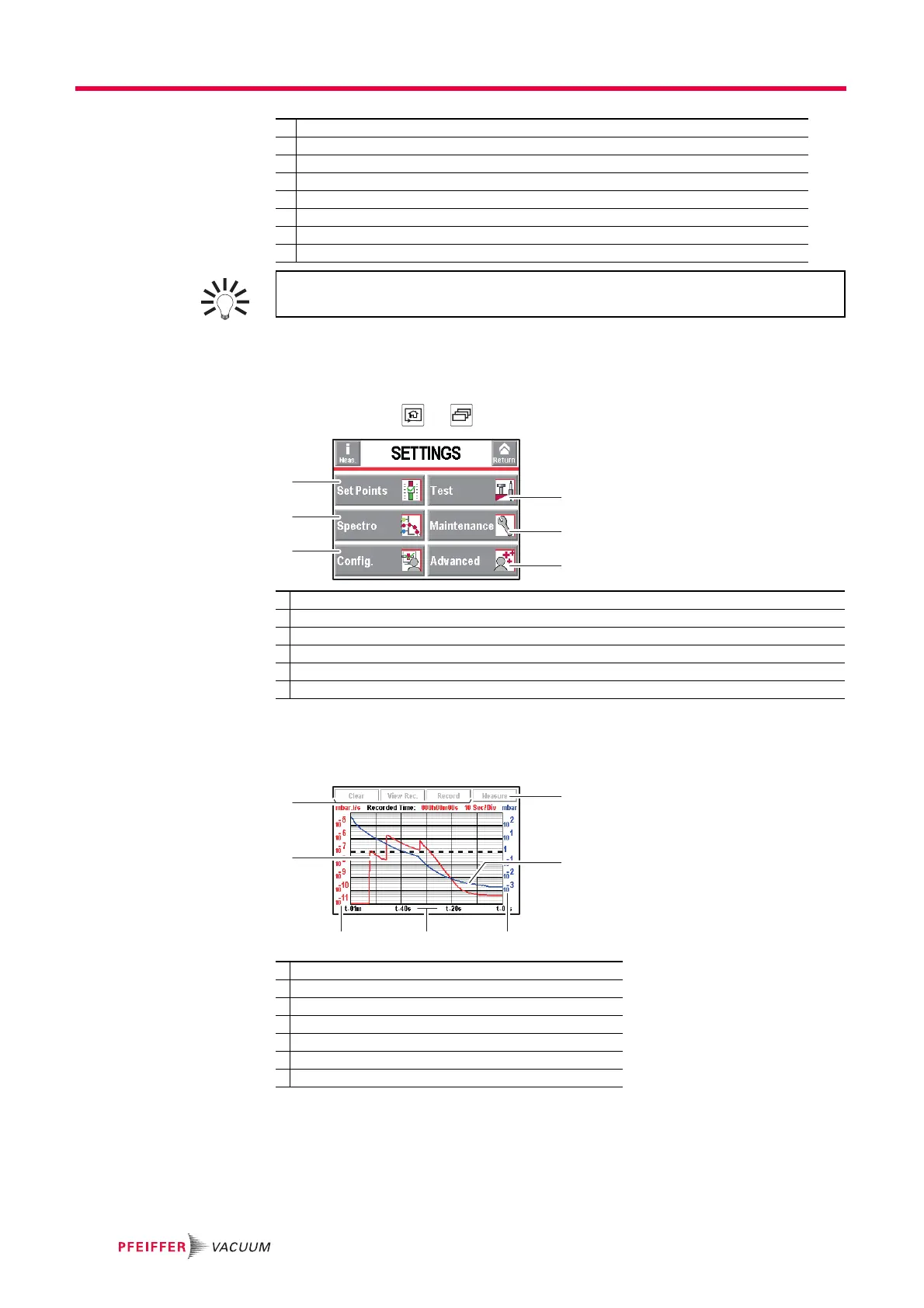
6.1.5 "Settings" screen
Setting the detector's parameters.
The "Settings" screen is accessible from any window, by pressing the following two keys
at the same time + .
6.1.6 "Graph" screen
Monitoring and recording the leak rate and/or the inlet pressure.
5 Mute function indicator
6 Air inlet function indicator
7 Cell pressure bargraph display
8 Leak detector unit
9 Leak rate correction function indicator
10 Zero function indicator
11 Detector inlet pressure display (unit consistent with the leak rate unit)
12 Tracer gas (
3
He,
4
He or H
2
)
A password can be used to lock access to the "Settings" menu while leaving cer-
tain functions accessible using the function keys (see 7.7.2).
1 Set points setting: reject set point, audio level, digital voice, pollution.
2 Method and test mode selection. Inlet vent management. Correction value. Cycle end.
3 Tracer gas selection. Setting the calibrated leak.
4 Scheduling maintenance
5 Detector setting for the operator: language, unit, password, function keys, application screens.
6 Advanced functions reserved for specific detector uses.
1 Deleting/Viewing/Recording a plot
2 Plot of the tracer gas leak rate (in red)
3 Scale of the tracer gas leak rate (in red)
4 Time scale
5 Inlet pressure scale (in blue)
6 Inlet pressure plot (in blue)
7 Displaying/Hiding the Measurement window (see 6.1.8)



 To Next Page