Advanced settings
41
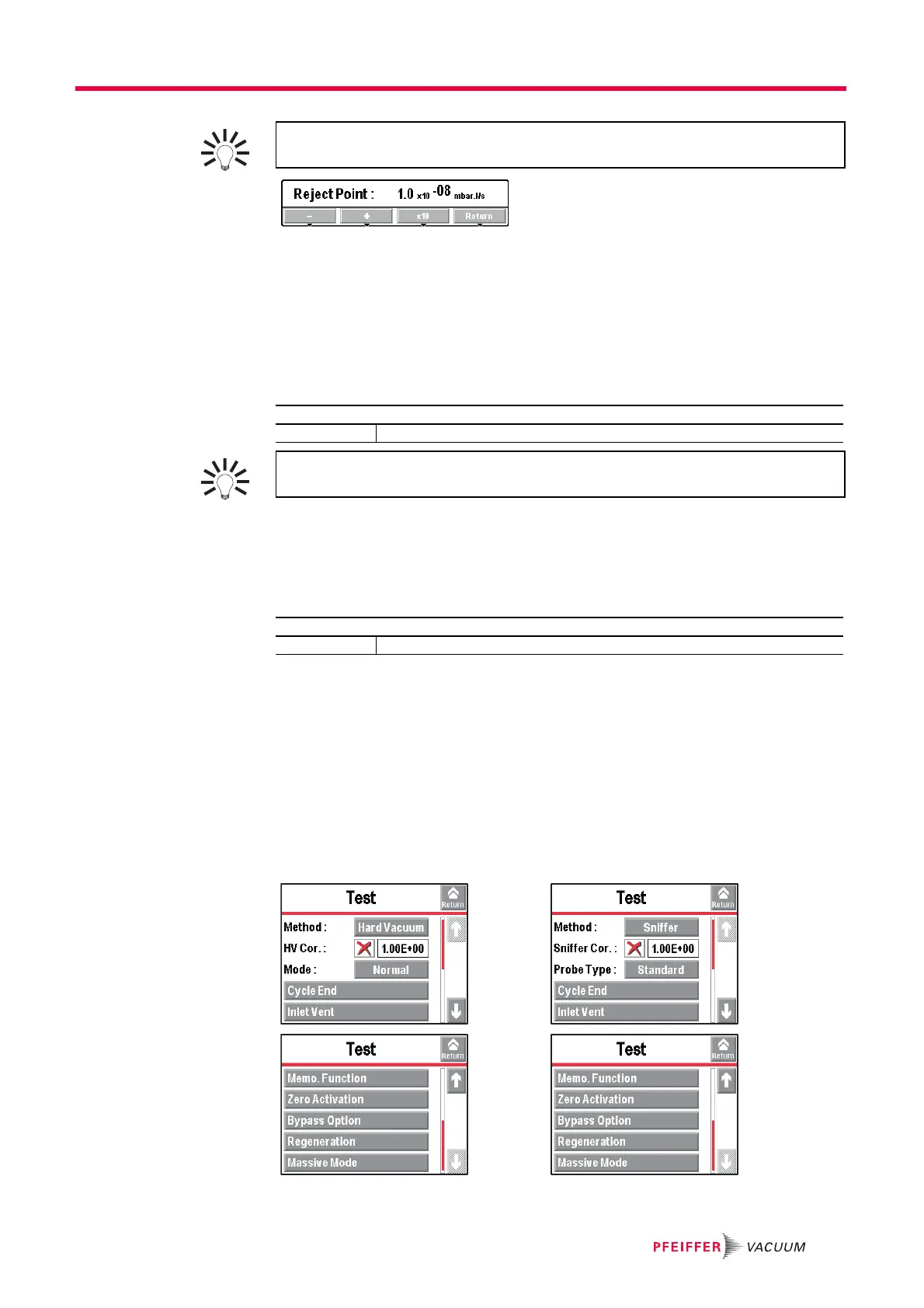
Fig. 19: "Reject point" screen using a function key.
7.3.4 Sniffing reject set point
The sniffing reject set point defines the acceptance set point for parts that are "accepted/
rejected" in a sniffing test:
– Measured leak rate ≤ reject set point: part accepted
– Measured leak rate > reject set point: part rejected.
7.3.5 Probe clogged set point
The purpose of this set point is to check that the sniffer probe (accessory) is operational.
When the measured leak rate is lower than the set ’probe clogged’ set point, the operator
receives a message to check the probe (See Sniffer probe Operating instructions).
● With the Standard sniffer probe, the set point unit is the unit set for the detector.
● With the Smart sniffer probe, the set point unit is always ’sccm’.
Block the end of the sniffer probe from time to time with your finger to check that the
leak rate is going down. If not, the probe may be clogged. Do not block the end for too
long: if the measured leak rate decreases too much, there is risk of exiting the sniffing
test.
7.4 “Test” Menu
From the "Settings" screen, press [Test].
Fig. 20: Hard vacuum test 1 and sniffing test 2 menu
For quick access from the control panel, set a function key for [Reject Point]: (see
7.7.2)
From the "Settings" screen, press [Set Points] [Sniffing Set Points].
Reject point Set the reject point value.
For quick access from the control panel, set a function key for [Reject Point]: (see
7.7.2) and Fig. 19.
From the "Settings" screen, press [Set Points] [Sniffing Set Points].
Probe clogged Set the set point value.
12



 To Next Page