Advanced settings
62
7.8.8 Leak Detection: External gauge
Allows the leak detector to be managed by an external gauge.
7.8.9 Leak Detection: Purge valve
Dry Model only The purge valve prevents the detector from becoming polluted thanks to a continuous air
flow inside the vacuum part of the detector.
(1) Temporary Opening/Closing managed by the supervisory firmware if necessary, then return to the set
status.
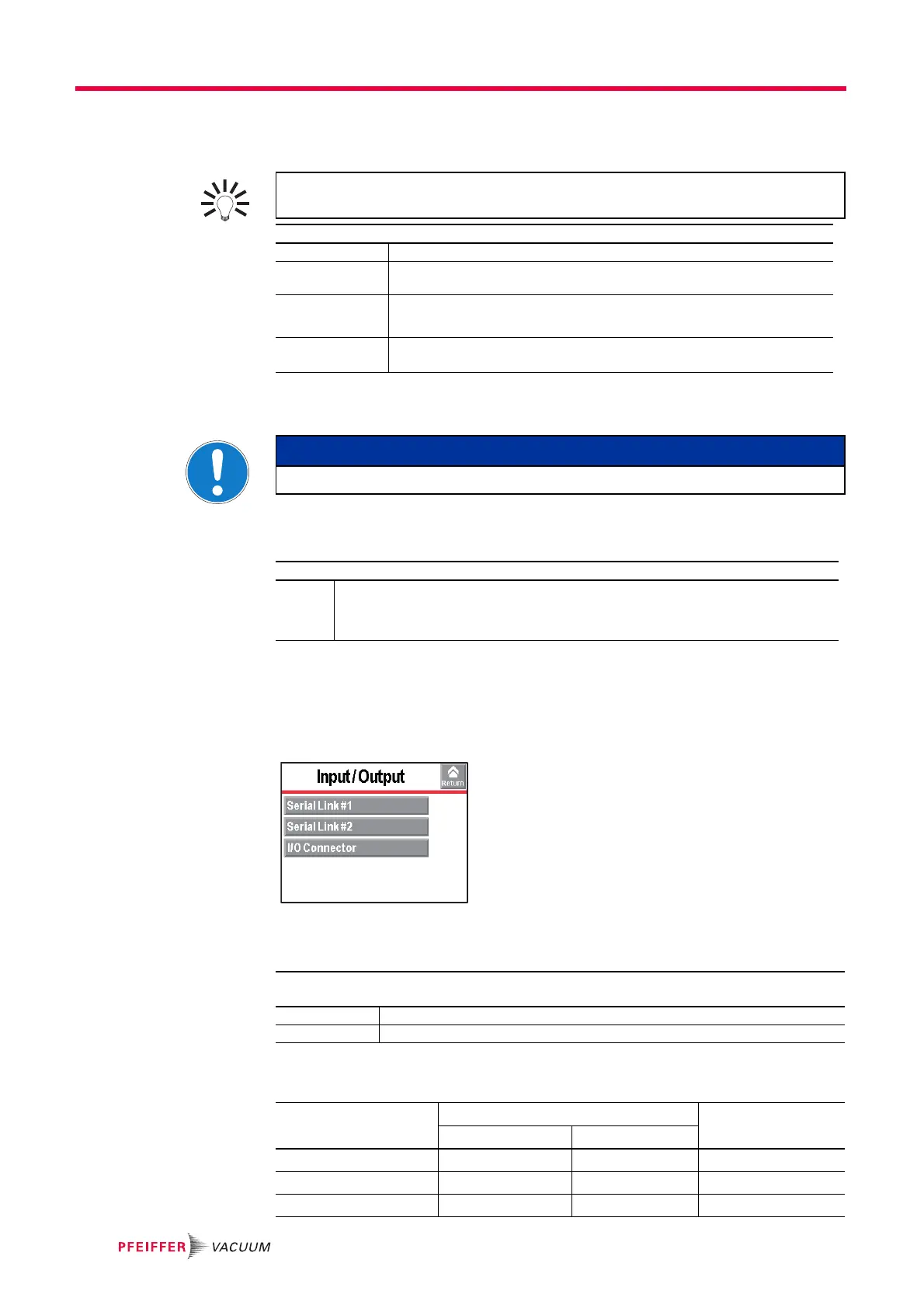
7.8.10 Input/Output menu
From the "Settings" screen, press [Advanced] [Input/Output].
7.8.11 Input/Output: Serial Link 1 and Serial Link 2
The operator must allocate the 2 serial links (1 and 2) according to their use.
An external gauge can be used to manage valves, for example, depending on the
measured pressure.
From the "Settings" screen, press [Advanced] [Leak Detection] [External Gauge].
Gauge Select the external gauge model.
Ext. Pressure
(mbar)
Indicates the pressure measured by the external gauge.
Inlet Press. source Set the inlet pressure displayed on the "Standard" screen: ’internal’ (leak de-
tector's internal gauge) or ’external’ (external gauge on the customer's installa-
tion)
Full scale (mbar) Only for a linear gauge
Set the operating range for the gauge: value indicated on the gauge.
NOTICE
For a global test of the leak detector, this valve must be closed.
From the "Settings" screen, press [Advanced] [Leak Detection] [Purge Valve].
Purge
Valve
Set the status of the valve:
• Automatic = valve opening/closing defined in the detector's supervisory firmware
• Closed = valve always closed (1)
• Open = valve always open (1)
From the "Settings" screen, press [Advanced] [Input/Output], then [Serial Link 1] or [Serial
Link 2].
Type Set the type of serial link: see table below.
Parameters Set the serial link mode: see detail below.
Use Possible allocation Type to select
Serial Link 1 Serial Link 2
RS 232 yes no Serial
Bluetooth
(1)
no yes Bluetooth
USB
(2)
yes yes USB



 To Next Page