Advanced settings
55
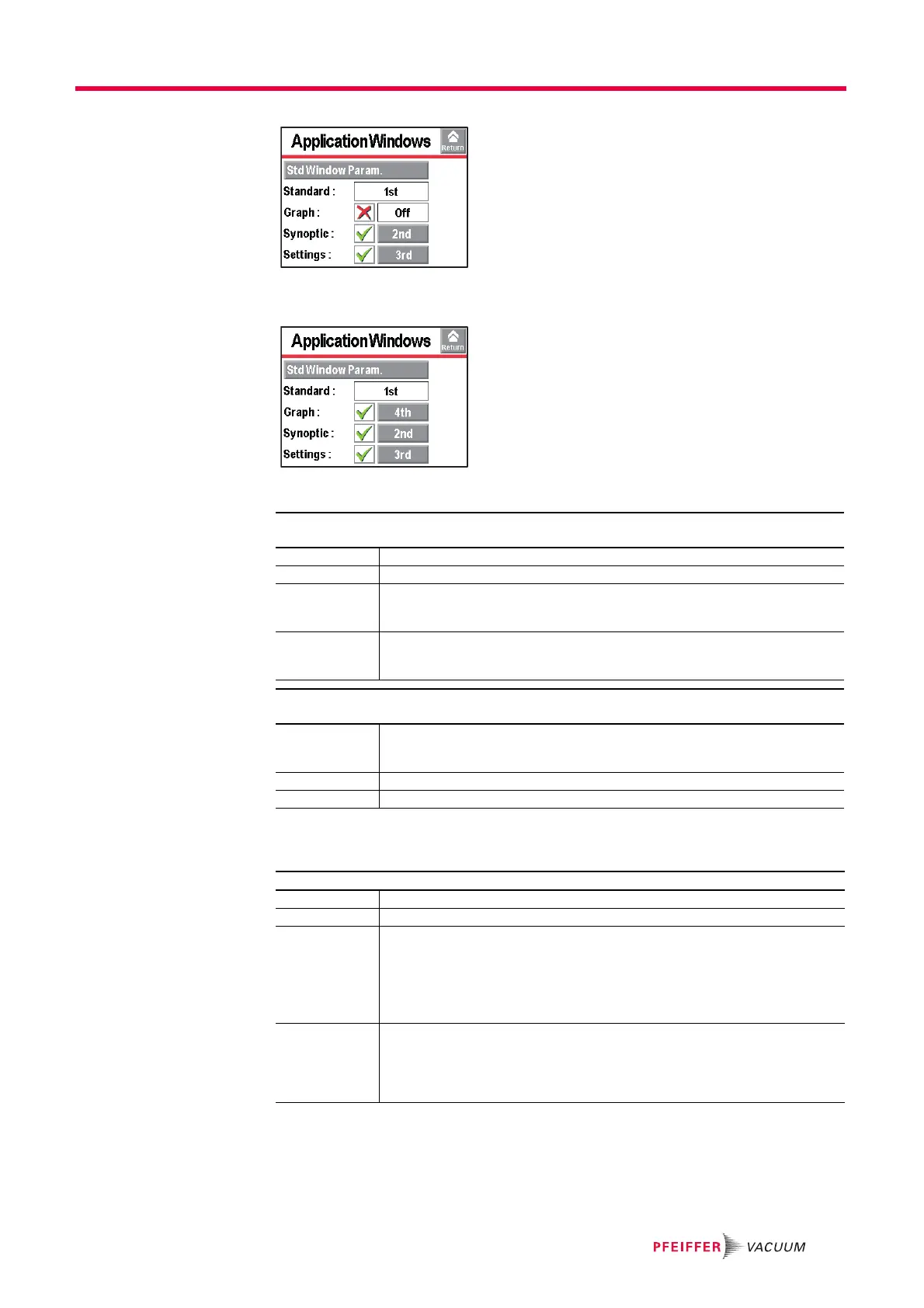
Fig. 34: The "Graph" screen is no longer available
When a screen is selected again, it automatically moves to last place.
Fig. 35: The "Graph" screen is available again, and in last place.
Setting the "Standard"
screen
7.7.4 Screen Settings
Press [Reset Panel Param.] to reset the control panel parameters.
From the "Settings" screen, press [Config.] [Application Windows] [Std Window Parame-
ters].
Std-By Value Display/Hide the leak rate display in Stand-by mode.
Inlet Pressure Display/Hide the inlet pressure display.
Extra Pressure Display/Hide the pressure display of for the cell or an external gauge.
The external gauge (at the customer's expense) is a gauge installed on the custom-
er's application, connected to the 37 pin I/O board.
Lower Display
Limit
Set the minimum value displayed for leak rate.
Leak rate not displayed if the value is less than the ’Lower Display Limit’ configured
value
.
From the "Settings" screen, press [Config.] [Application Windows] [Std. Window Parame-
ters] [Leak Rate Bargraph].
Zoom on set
point
Activate zoom to set point.
Zoom to set point is used to display on the bargraph the reject set point centred on 2
decades.
Low Decade Set the low decade for the bargraph display.
High Decade Set the high decade for the bargraph display.
From the "Settings" screen, press [Config.] [Screen Settings].
Brightness Set the brightness.
Contrast Set the contrast.
Panel off Activate the sleep mode screen.
The screen is in sleep mode when the back light goes off (black screen). The device
appears to be off, but this is not the case! Simply touching the screen reactivates the
display. By default, automatic sleep mode is not activated.
If the screen is out of order, its functions are still accessible: use the RS 232 to man-
age/set the detector.
Paging Function Activate the Paging function.
When a RC 500 WL remote control (accessory) is used, the Paging function makes
it possible to easily find the remote if it is located within its field of use with the detec-
tor. When the function is activated, the remote emits a sound signal so it can be lo-
cated. To stop the sound signal, deactivate the Paging function.



 To Next Page