Advanced settings
51
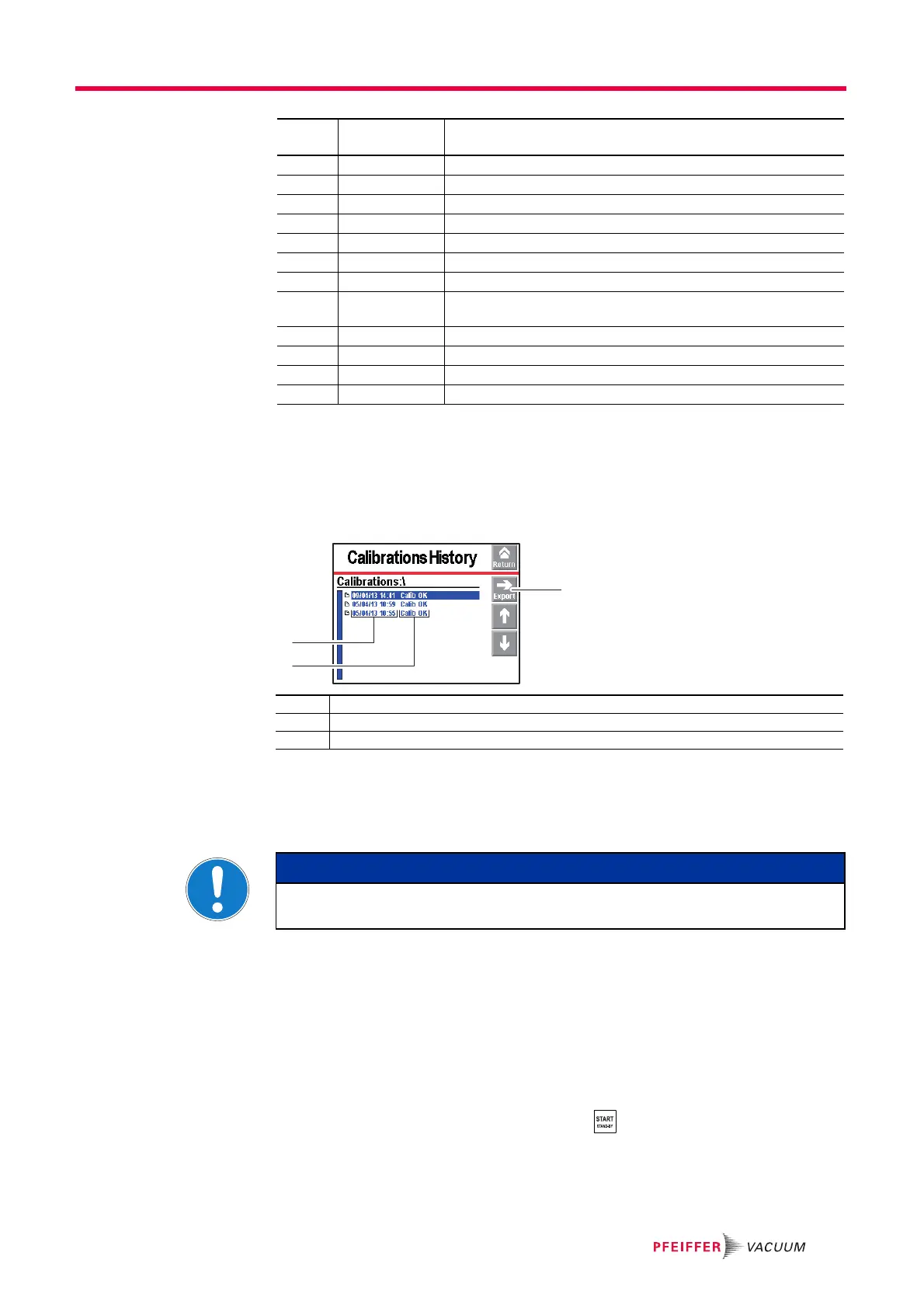
7.6.6 Calibration history
The calibration history records the last 20 calibrations made. Beyond 20, the oldest re-
corded calibration will be replaced by the most recent and so on.
From the "Settings" screen, press [Maintenance] [Calibration History].
7.6.7 Burn-in
This function is used to prepare the detector, leaving it in optimal working condition by
automatically carrying out a series of short tests and inlet vents between each test.
Check that the detector is on Stand-by and that inlet vent is ’automatic’.
From the "Settings" screen, press [Maintenance] [Burn-in].
Block the detector's inlet port with a blanked-off flange.
Press [Start without calib.] or [Start with calib.]: burn-in does not stop automatical-
ly.
● [Start without calib.] = series of tests and inlet vents
● [Start with calib.] = series of tests, inlet vents and calibrations (not available for
sniffing test)
To stop burn-in, press [Stop] on the menu or .
I303 TMP1 ctr reset Secondary pump 1 hour counter reset
I304 TMP2 ctr reset Secondary pump 2 hour counter reset
I305 TMP3 ctr reset Secondary pump 3 hour counter reset
I306 Fil 1 ctr reset Filament 1 hour counter reset
I307 Fil 2 ctr reset Filament 2 hour counter reset
I308 Cycle ctr reset Cycle counter reset
I310 Autocal restart Automatic start of a new autocalibration
I313 Date/Time up -
Date
Date or time modification
I318 Full param reset Detector parameters completely reset
I319 Fil change Filament change (manually or automatically from Maintenance
menu
I320 Int. Pirani Calib. Automatic internal Pirani gauge calibration
I321 Storage delay Detector switched off for 15 days (minimum)
RS 232
Code
Event Description
1 Exporting the history in .csv format to the SD card
2 Date - Time of the calibration
3 Calibration result
NOTICE
Before launching this function, make sure that the leak detector is in an environ-
ment free of tracer gas pollution.



 To Next Page