Advanced settings
54
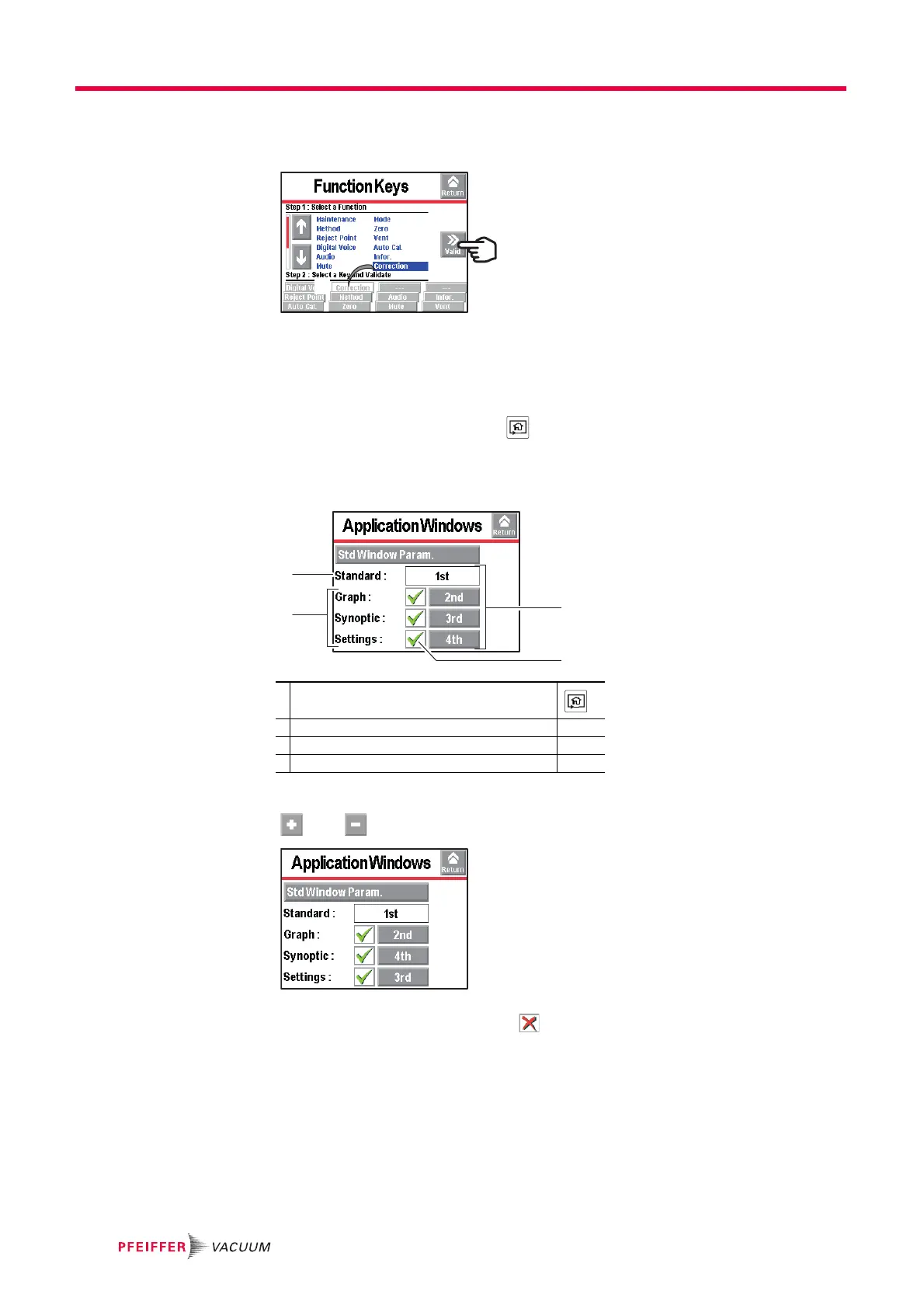
Validate the settings (ref. 3): the function key (ref. 2) is now allocated to the [Correc-
tion] function.
Fig. 32: Result of the allocation
7.7.3 Application screens
From the "Settings" screen, press [Config.][Application Windows].
By pressing repeatedly on the key , the various screens available appear (see
6.1.3).
The operator can hide one or more screen or switch the order in which they appear. The
"Standard" application screen is always available in 1
st
position.
The screen order can be modified: press the order number (example: [3
rd
]) and use the
and keys to choose the new order number then confirm.
Fig. 33: The "Synoptic" screen order has switched from 3 to 4
When a screen is no longer selected or if its order has been changed, the general
order is automatically updated.
2
3
1 Order of the displayed screens with the key
2 "Standard" application screen always displayed
3 Available screens
4 Displaying/hiding the application screen



 To Next Page