Advanced settings
49
7.6.2 Timers
To set the set point and reset the cycle counter,
To set the set point and reset the operating hours counter for each pump's ,
Primary pump: AMD1 (Dry Model) or RVP 1015 (Wet Model) pumps.
Secondary pump 1: Splitflow 50 pump.
7.6.3 Detector Information
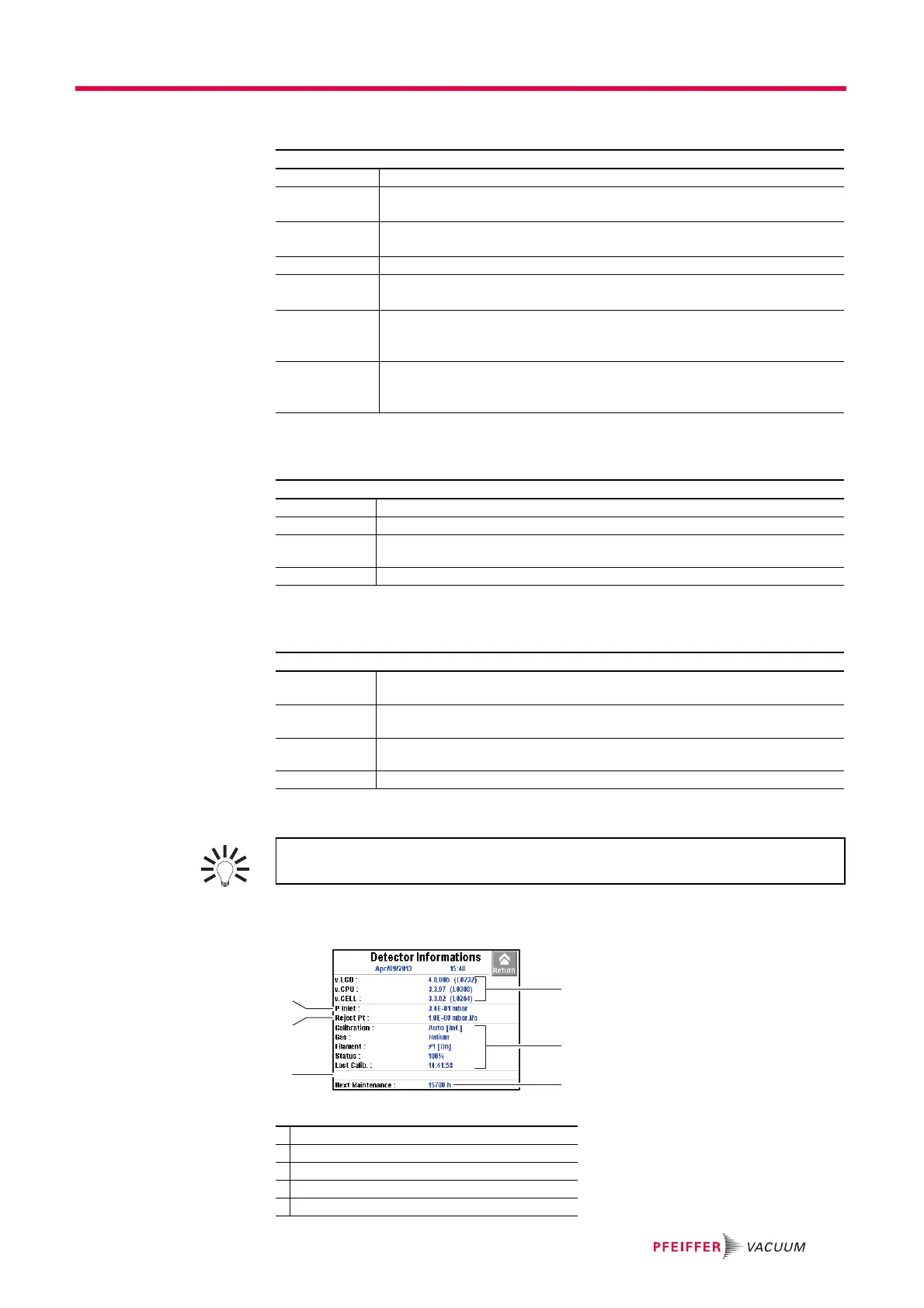
Fig. 27: Detector Information
From the "Settings" screen, press [Maintenance] [Timers].
Detector Number of hours that the detector is switched on.
Filament 1 Number of hours that filament 1 is on.
Press [xxx h] [Counter reset] to reset the counter.
Filament 2 Number of hours that filament 2 is on.
Press [xxx h] [Counter reset] to reset the counter.
Calib. Leak Indicates the month and year of calibration for the calibrated leak used for calibration.
Cycle Counter Indicates the number of performed cycles since the last reset / the set cycle number.
When the set value is reached, an information message is displayed.
Prim. Pump Indicates the number of primary pump operating since the last reset / the set hour
number.
When the set value is reached, an information message is displayed.
Sec. Pump # 1 Indicates the number of secondary pump 1 operating since the last reset / the set
hour number.
When the set value is reached, an information message is displayed.
From the "Settings" screen, press [Maintenance] [Timers] [xxxx Cy/xxxx Cy].
Cycle Counter Indicates as a % the number of cycles made in relation to the interval set.
Counter Indicates the number of cycles made since the latest reset of the counter.
Time interval Set the value for the counter.
When the set value is reached, an information message is displayed.
Reset counter Press [Counter reset] to reset the counter.
From the "Settings" screen, press [Maintenance] [Timers] [xxxx h/xxxx h] for each pump.
Pump XXX Indicates as a % the number of operating hours for the pump XXX in relation to the
interval set.
Counter Indicates the number of operating hours for the pump since the latest reset of the
counter.
Time Interval Set the value for the counter.
When the set value is reached, an information message is displayed.
Reset Counter Press [Counter reset] to reset the counter.
For quick access to the counters from the control panel, set a function key for
[Maintenance] (see 7.7.2).
1 Inlet pressure
2 Reject set point for the test method in progress
3 List of activated functions
4 Primary or secondary pump maintenance
5 Calibration information



 To Next Page