Advanced settings
32
7.1.6 Saving a recording
This function is used to save the most recent recording on a SD card to be played back/
analysed later on a PC. Saving is not automatic.
It is possible to save a screenshot of the recording (.bmp) or to generate a file (.txt) with
all the measurements taken. The .txt file can be used with any spreadsheet (e.g. Excel
Microsoft® Office): the default separator is "tab".
Press [Save > SD] (Fig. 12).
Name the file and save it
The saved .bmp and .txt files include only the measurement points displayed on the
screen:
– to include all points, you must be positioned on the relevant plot (without zooming).
– if a zoom was carried out before saving, the zoom will apply only to the points of the
selected zone.
If the saved recording is made up of several consecutive recordings:
– the ▲ cursor will indicate each new recording on the .bmp files.
– "B.P. # xx" will be noted at the end of the last line of each recording in the .txt files.
.bmp files can be displayed on the control panel screen.
.txt files can be opened only from a PC.
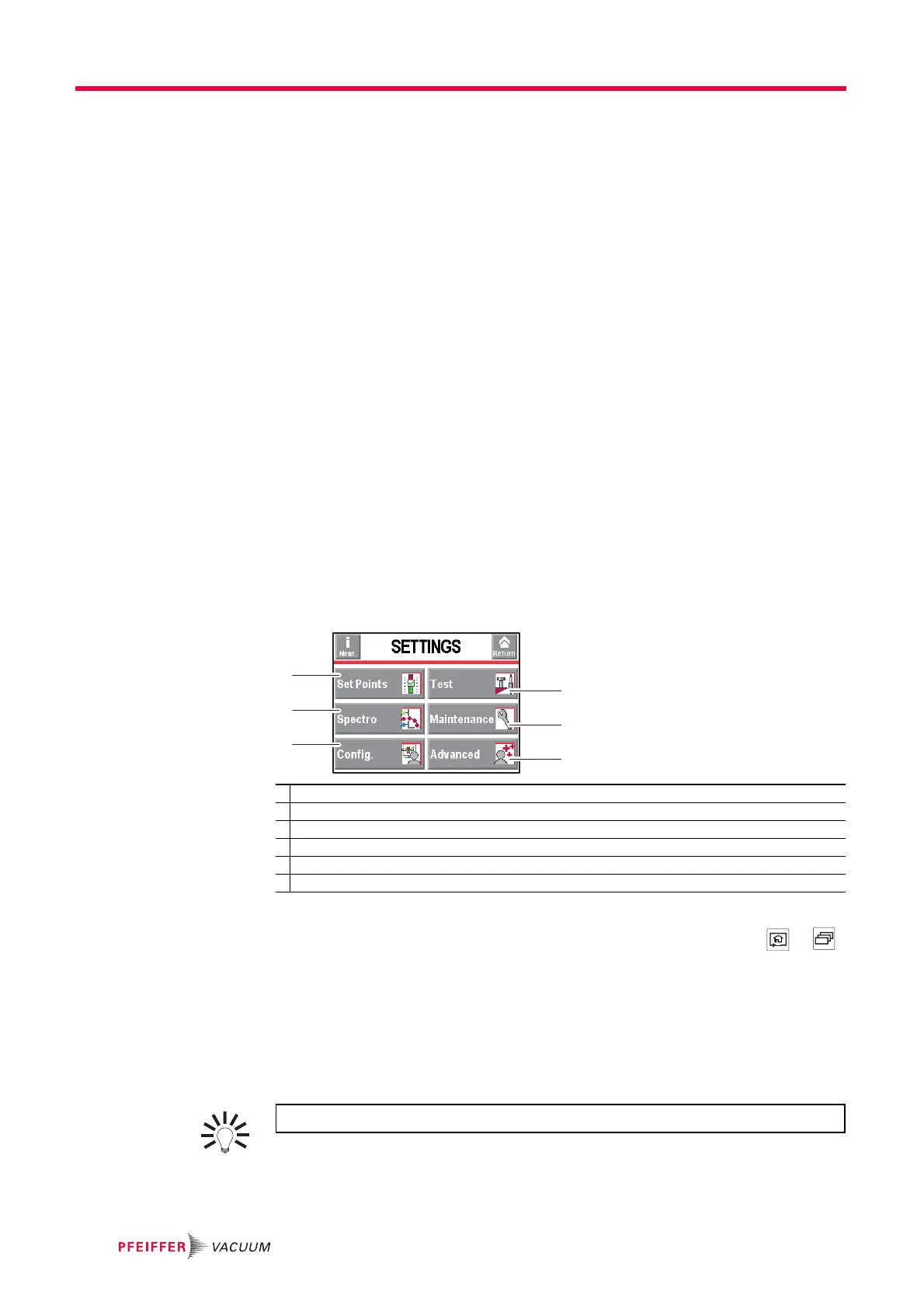
7.2 Settings
Screen for accessing the detector's settings menus to set the detector according the ap-
plication. After this, for daily operation the functions keys will be used.
*advanced settings requiring substantial knowledge about leak detection: pressure gauge, etc.
The "Settings" menu is accessible from any screen by pressing 2 keys +
on the control panel simultaneously.
Access to the various menus can be locked (see 7.7.5)
.
7.2.1 Tree diagram of the "Settings" menus
The following table shows the detector's initial settings. When the detector is off, all the
memorised values and parameters are saved for the next use. The operator can save
and download different leak detector configurations: (see 7.8.13).
1 Setting the set points: reject set point, audio level, digital voice, pollution.
2 Method and test mode selection. Inlet vent management. Correction value. Cycle end.
3 Tracer gas selection. Setting the calibrated leak.
4 Scheduling maintenance. Detector information
5 Detector setting for the operator: language, unit, password, function keys, application screens.
6 Advanced functions* reserved for specific detector uses.
The saved values are the values set at the time saving takes place.



 To Next Page