Advanced settings
31
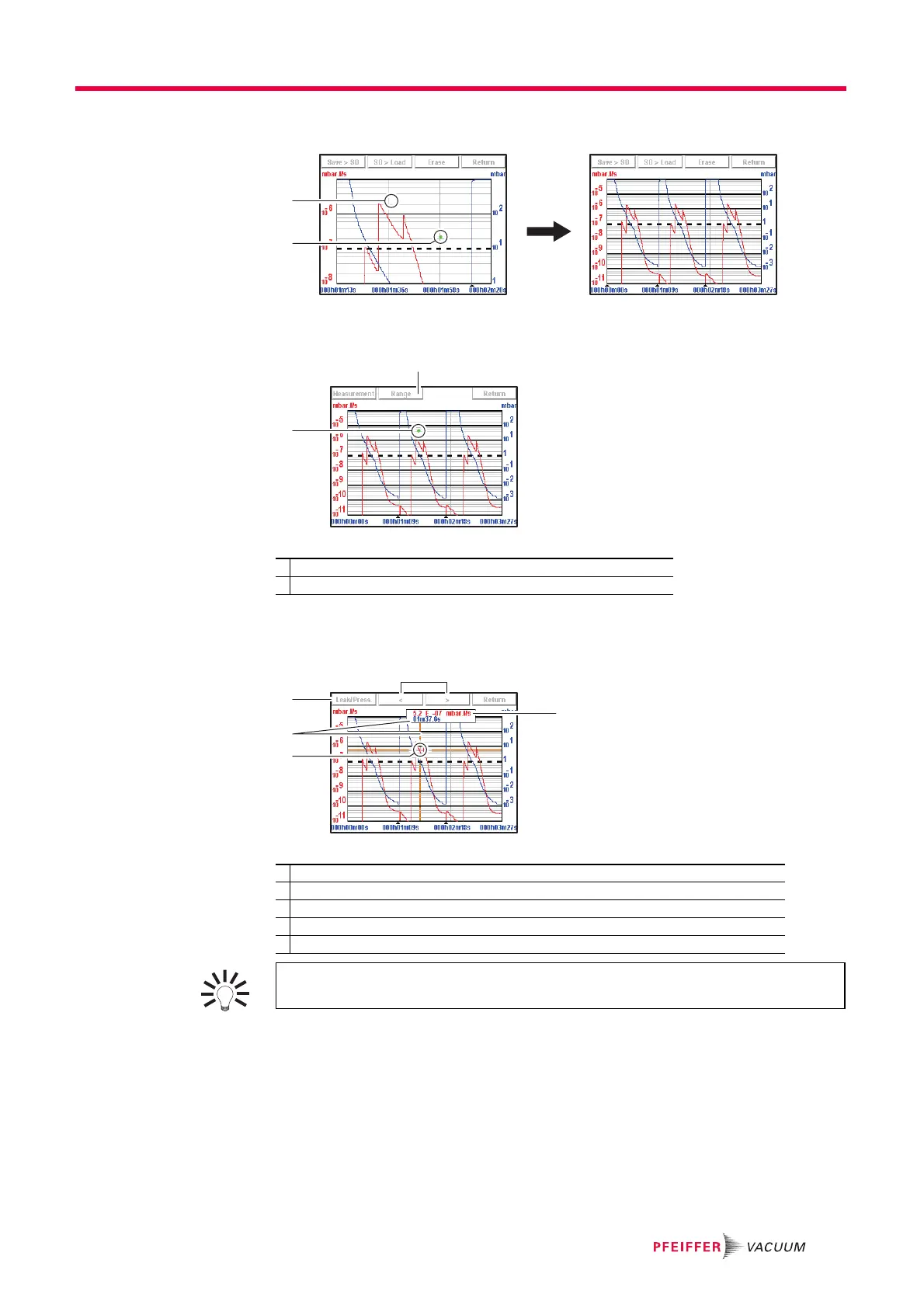
Set the area to be reduced (ref. 1 then ref. 2 Fig. 14): return to the original graph.
Fig. 14: Return to the original graph
Measurement Exact measurement of a point only available on a recording.
Fig. 15: Example of the recording of a point
Select the point to measure (ref. 2 Fig. 15).
Press [Measure] : the exact measurement of the selected point is displayed.
Fig. 16: Exact measurement of the selected point
1 Modifying the leak rate and inlet pressure scales
2 Point selected
1 Selecting the display of the leak rate or the inlet pressure
2 Marker indicating the selected point
3 Moment the measurement took place in relation to the start of the recording
4 Navigation between next/previous recorded points
5 Displaying the tracer gas leak rate (in red) or the inlet pressure (in blue)
1
5
3
2
4
To make the exact values of all measurements available on any type of spreads-
heet, save the recording to a .txt file.



 To Next Page