Advanced settings
50
7.6.4 Pump Information
Primary Pump #1 No pump information for the Wet Model: the message "No parameter available" is dis-
played.
Secondary Pump #1
For more information about secondary pump #1, press [TMP Information].
7.6.5 Event history
Event history records the last 30 events. Beyond 30, the oldest recorded event will be
replaced by the most recent, and so on.
From the "Settings" screen, press [Maintenance] [Event History].
Event = Error (Exxx) or Warning (Wxxx) or Event (Ixxx)
List of errors and warnings: see List of warnings/faults in Maintenance instructions.
List of events:
6 Detector firmware information
For quick access from the control panel, set a function key for [Infor.]: (see 7.7.2).
From the "Settings" screen, press [Maintenance] [Pump Information] [Prim. Pump #1] .
Used Control of the pump by the detector
Status Status of the pump
Speed Pump speed: Max/Min/Nominal
Synchro Pump at the speed indicated in the firmware
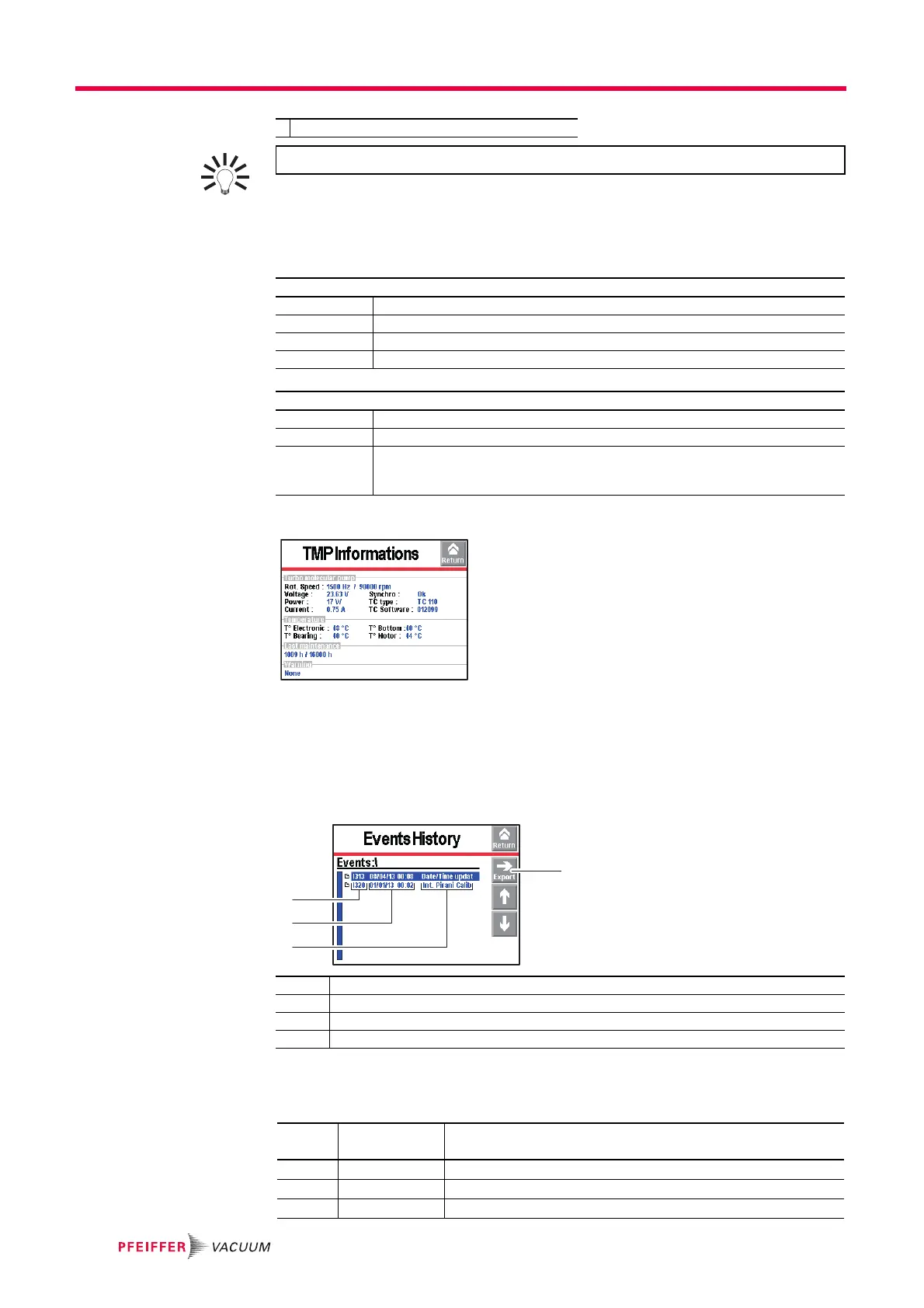
From the "Settings" screen, press [Maintenance] [Pump Information] [Sec. Pump #1].
Status Control of the pump by the detector
Rotation Pump status: Synchro/Down/Fail/Running/Ram up
Speed (rpm) Pump running speed :
● Hard Vacuum test = 90000
● Sniffing test = 60000
1 Exporting the history in .csv format to the SD card
2 RS 232 code for the event
3 Date - Time of the event
4 Description of the event
RS 232
Code
Event Description
I300 Inlet vent Inlet vent
I301 Stp on pollution Test stops automatically if leak rate pollution > Pollution
I302 RVP ctr reset Primary pump hour counter reset.



 To Next Page