Mixing pump G 4 X smart Overview - Operation and service
Maintenance
64 2021-08-12
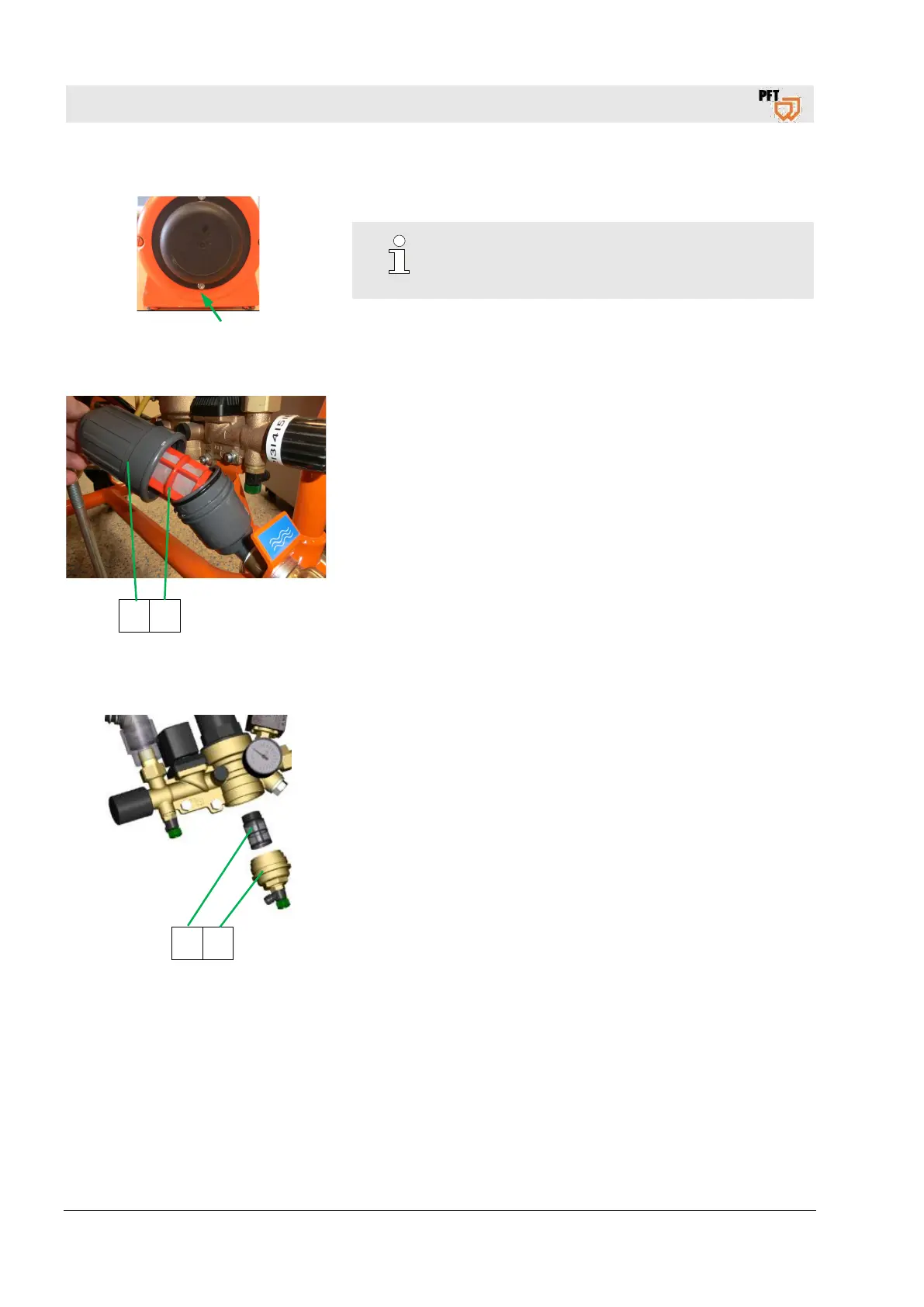
Fig. 101: Opening filter cover
8. Replace filter cover.
NOTE!
Opening of the filter cover is at the bottom.
47.5.2 Plastic screen
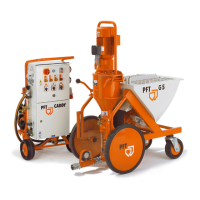
1 2
Fig. 102: Cleaning the screen
Implementation by operator.
1. Remove the closure cap (1) from the strainer.
2. Take out the plastic sieve (2) from the strainer (monthly).
3. Clean the sieve.
4. Replace the sieve in case of heavy contamination.
5. Put the sieve back
.
6. Replace the closure cap.
47.5.3 Strainer screen in pressure reducer
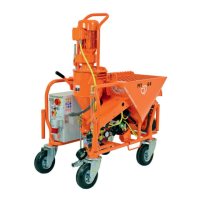
2 1
Fig. 103: Strainer screen
Execution by service technician.
1. Remove the closure cap (1) from the pressure reducer.
2. Take out the strainer screen (2) and clean (monthly).
3. Replace the screen in case of heavy contamination.
4. Insert screen and screw on the closure cap.
Screen for pressure reducer: Article number 20156000


 To Next Page