21
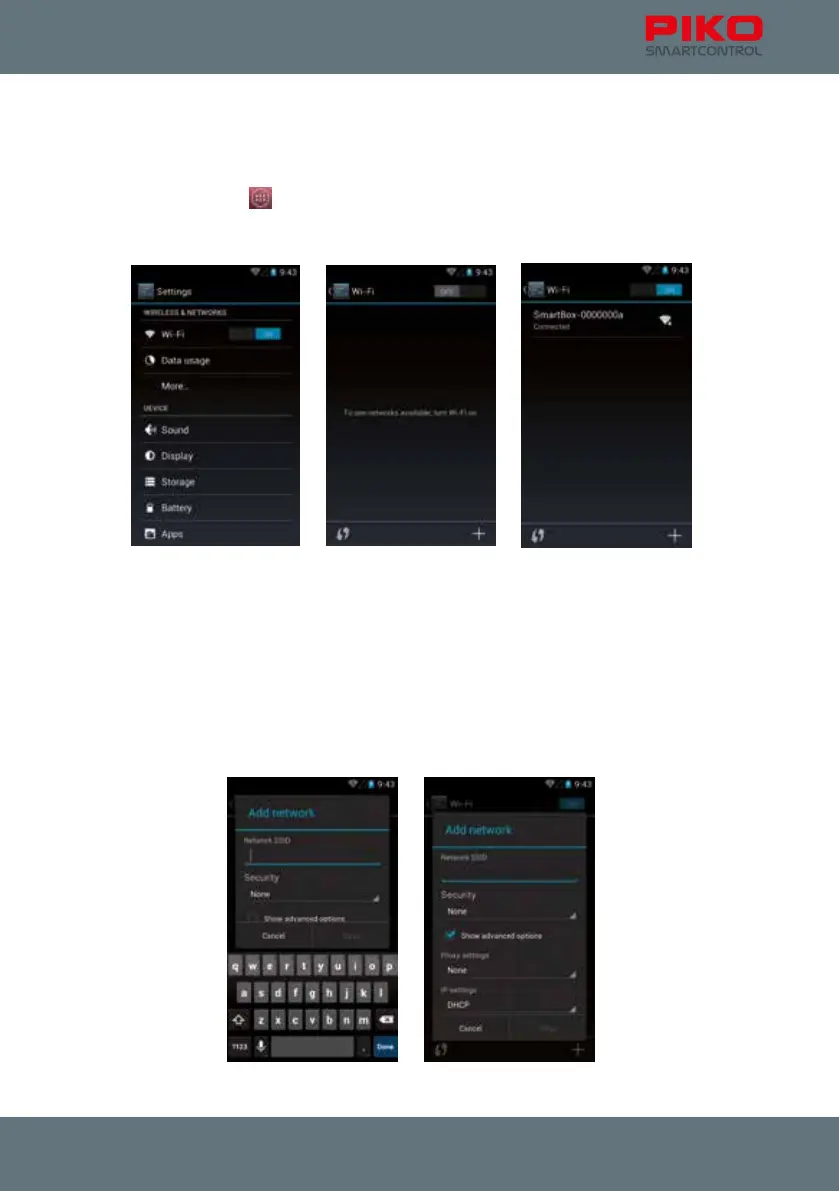
Wi-Fi-settings
To ensure that your PIKO SmartControl
®
will properly connect with your PIKO SmartBox
®
check the
Wi-Fi settings rst.
Please go to the main menu
and enter “settings”. Press on the letters “Wi-Fi” (notice: please press
on left side; pressing the right side will activate / deactivate the Wi-Fi; the button should show “ON”).
On the next screen you will see an overview of the Wi-Fi-networks available in your area.
If your PIKO SmartBox
®
is already powered on you will see it here.
The standard name is “SmartBox”. This is the local Wi-Fi network created by your PIKO SmartBox
®
.
More settings / options:
You also can connect your PIKO SmartControl
®
with other Wi-Fi networks (symbol „plus“ or directly
select from available networks).
Simply enter the Wi-Fi key like you would on any other device. When doing this, the connection to the
PIKO SmartBox
®
will be deactivated.



 To Next Page