System
48
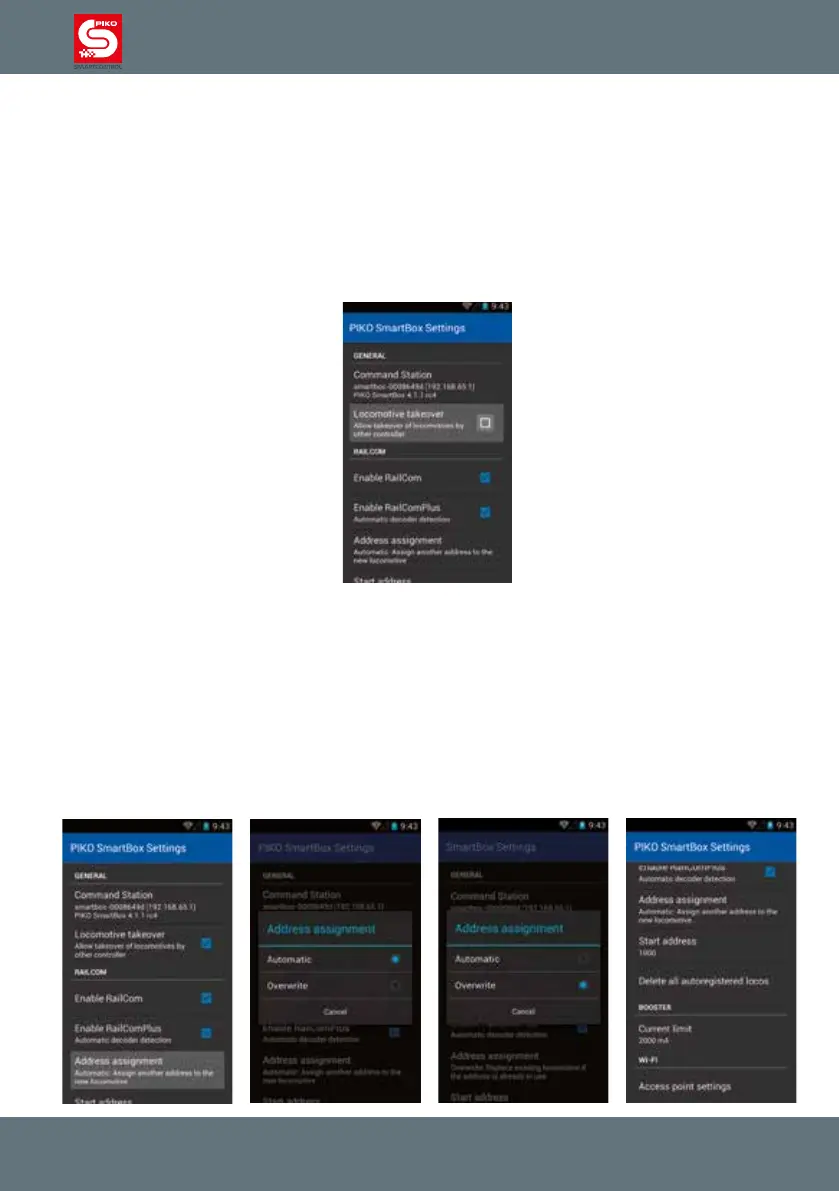
”Locomotive takeover“
This option allows you to „steal“ a locomotive from another PIKO SmartControl
®
controller.
If this option is active, you just need to touch any function of a loco or change the speed to assume
control of it.
If the function is not active a locomotive will remain under the control of the original PIKO
SmartControl
®
. On a secondary controller the loco will be marked “only display”, you can only see the
status of the loco, but you cannot control it.
”Enable RailCom
®
“
This option controls whether the RailCom protocoll is activated on the PIKO SmartBox
®
.
You can switch it off if you do not own any RailCom equipped decoders. In case that you don’t want to
switch it off it completely, you can choose to just disable the automatic RailComPlus-registration.
”Address assignment“
Here you can decide what should happen if a loco with RailComPlus equipped decoder wants to
register with the PIKO SmartBox
®
.
Please note how the text changes when switching between “automatic” and “rewrite”.



 To Next Page