• This symbol
OR
• The forward button
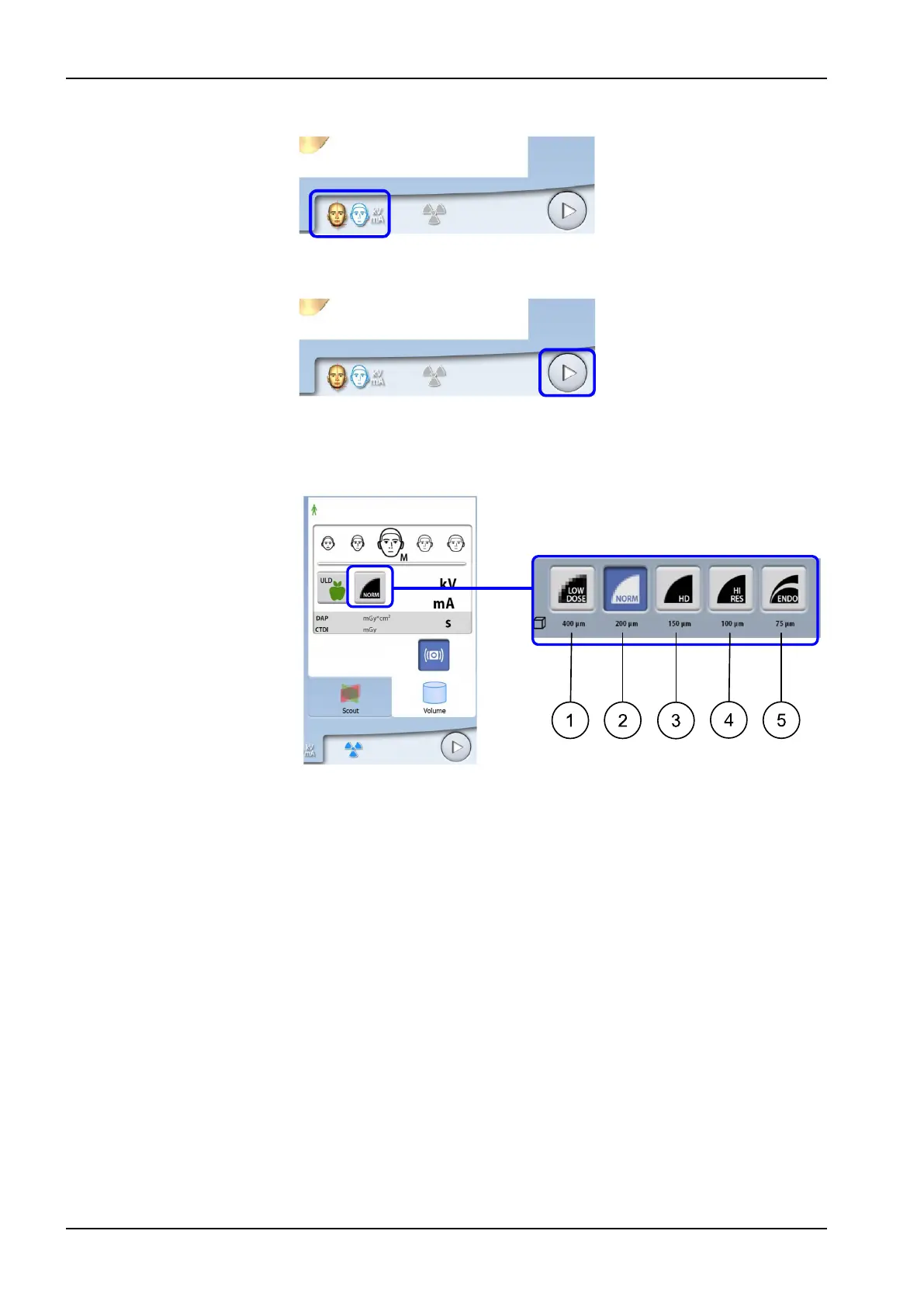
8.5.1 Selecting image resolution
Use this button to select the image resolution. The voxel size is shown below
the resolution button.
1. Low dose: Lower exposure values and reduced patient radiation dose
2. Normal resolution: Suitable for most targets
3. High definition: Better image quality for small targets, e.g. ear bones
4. High resolution: Sharp images
5. Endodontic: Very sharp images for endodontic applications and other
small targets, for example, ear bones
NOTE
The available options depend on the selected program and X-ray unit model.
NOTE
The exposure values will automatically change according to the selected
patient size, image resolution and ULD setting.
8 3D patient exposure
36 Planmeca ProMax User's manual














 To Next Page