11.1 User settings
11.1.1 Language (1100)
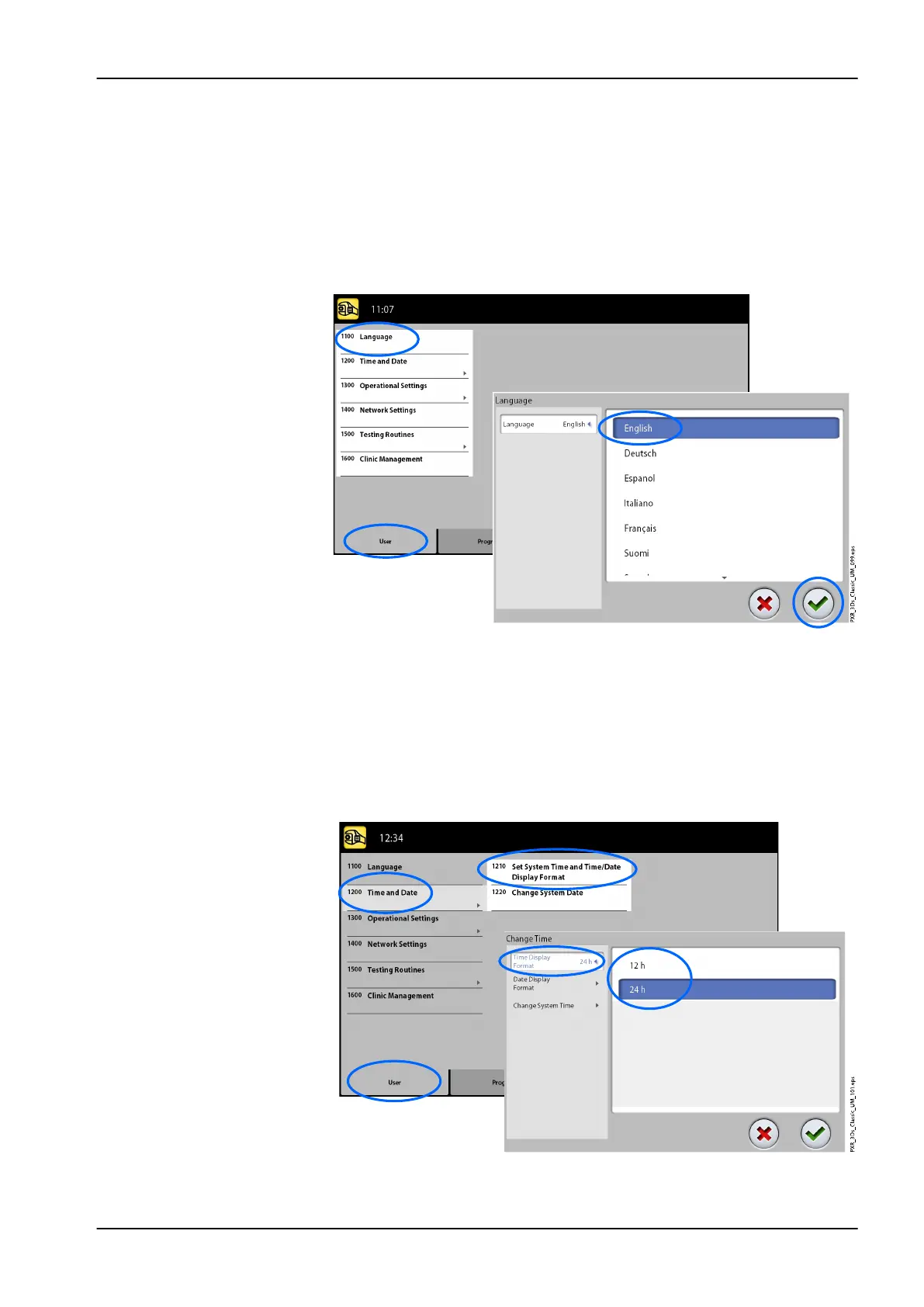
• To change language:
1. Select User > 1100 Language.
2. Select the language you wish to use.
3. Select the green check mark button.
11.1.2 Time and Date (1200)
• To set time display format:
1. Select User > 1200 Time and Date > 1210 Set System Time and Time /
Date Display Format > Time Display Format.
2. Select the display format you wish to use.
3. Select the green check mark button.
11 Settings
User's manual Planmeca ProMax 71














 To Next Page