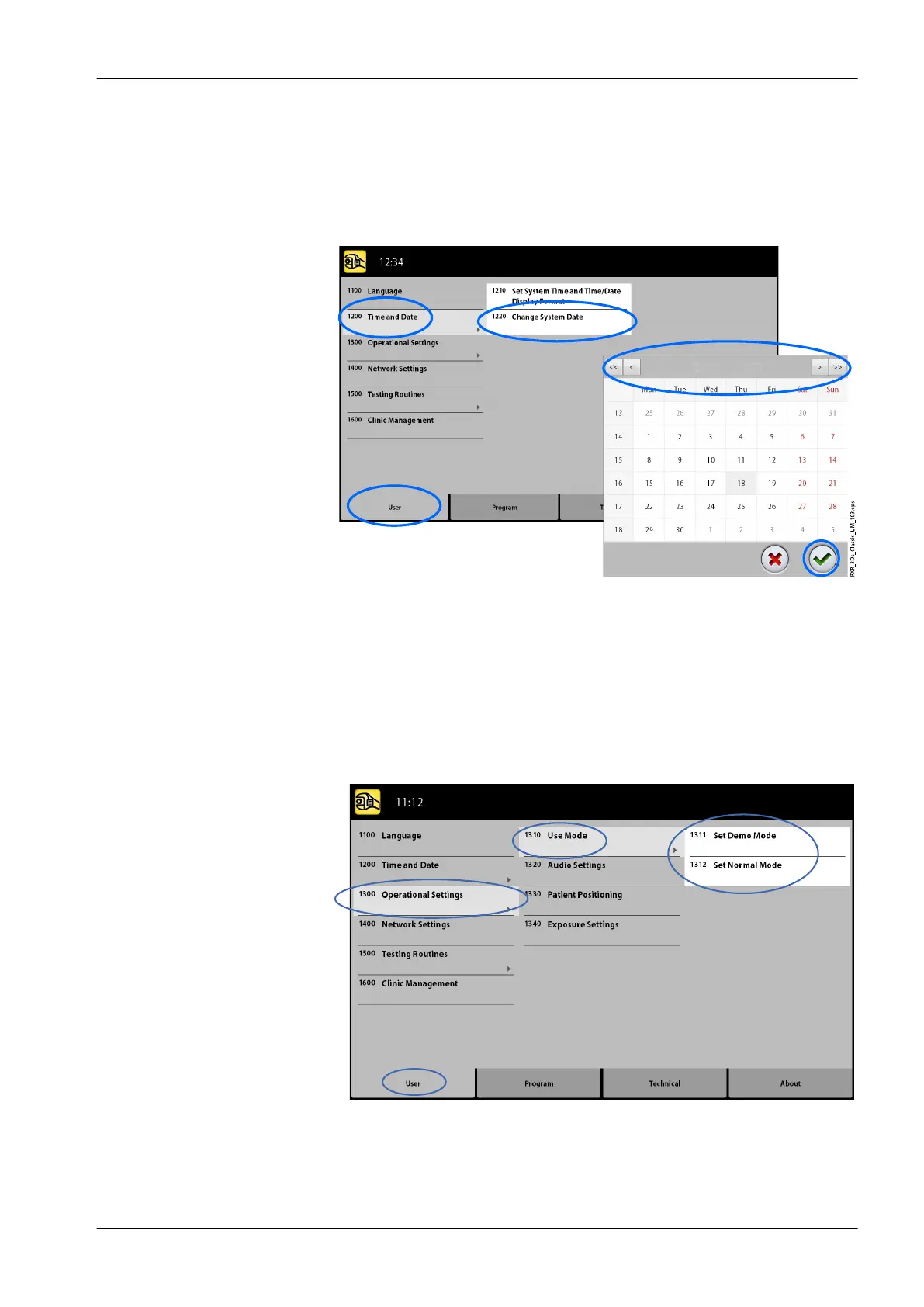
• To set date:
1. Select User > 1200 Time and Date > 1220 Change System Date.
2. Select the day or use the arrow buttons to change the month (single
arrow) or year (double arrow).
3. Select the green check mark button.
11.1.3 Operational Settings (1300)
• To select mode:
1. Select User > 1300 Operational Settings > 1310 Use Mode.
2. Select the mode you wish to use.
In demo mode you can practice or demonstrate the functions of the X-
ray unit without radiation and PC connection.
3. Select the green check mark button.
11 Settings
User's manual Planmeca ProMax 73














 To Next Page