• CALM (Patient movement correction for 3D programs)
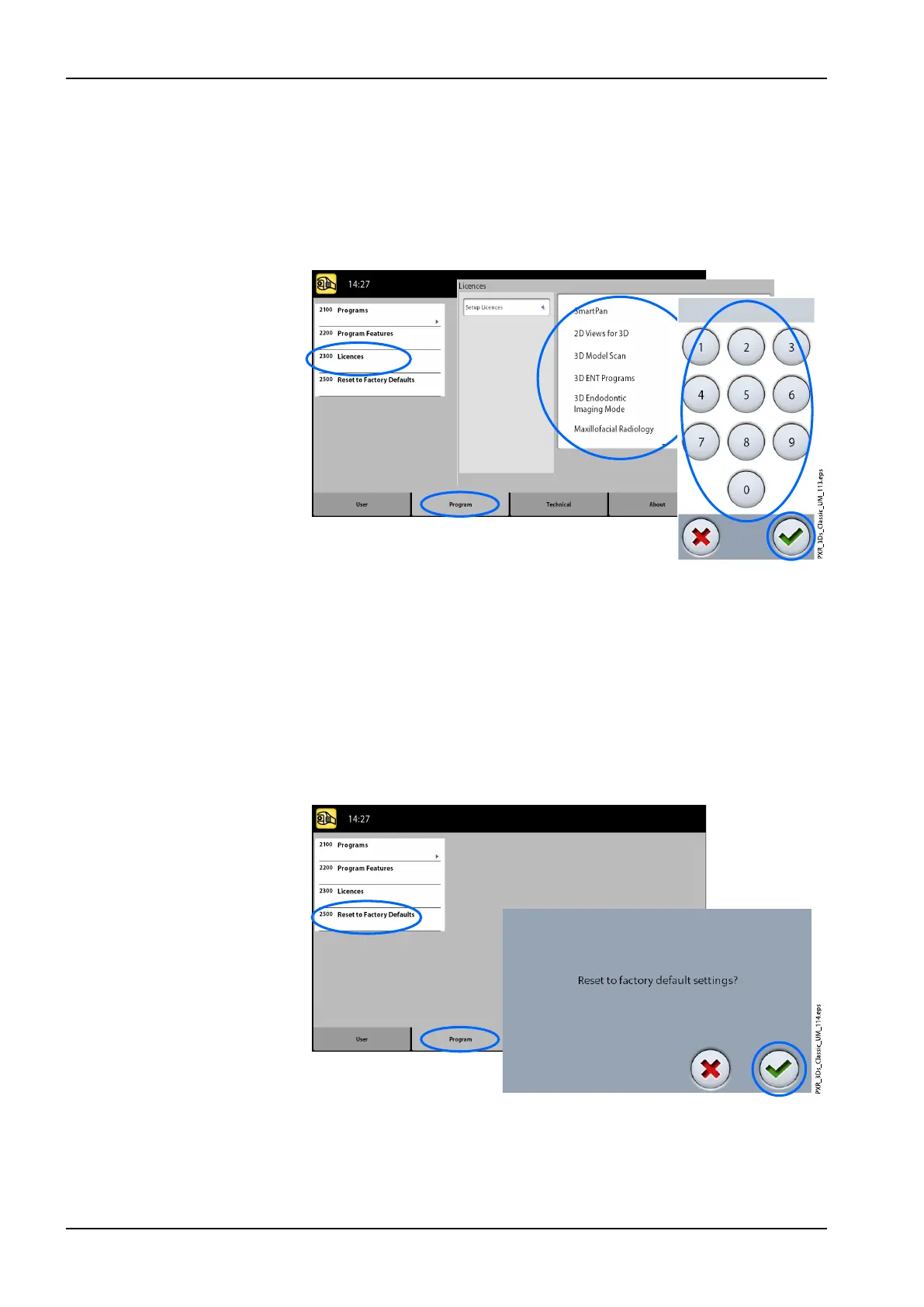
3. Enter the licence code that you have received for this licence on this X-
ray unit.
4. Select the green check mark button.
5. Repeat for other program licences if needed.
6. Select the green check mark button.
11.2.4 Reset to Factory Defaults (2500)
• To reset to factory defaults:
1. Select Program > 2500 Reset to Factory Defaults. The function will
restore the exposure values that have been preset at the factory (i.e.
overrule your own settings in menu Programs (2100)).
The preset exposure values for 3D patient exposures are shown in
section "Adjusting exposure values for current exposure" on page 37 and
for 3D model exposures in section "Selecting settings" on page 60.
2. Select the green check mark button.
11 Settings
80 Planmeca ProMax User's manual














 To Next Page