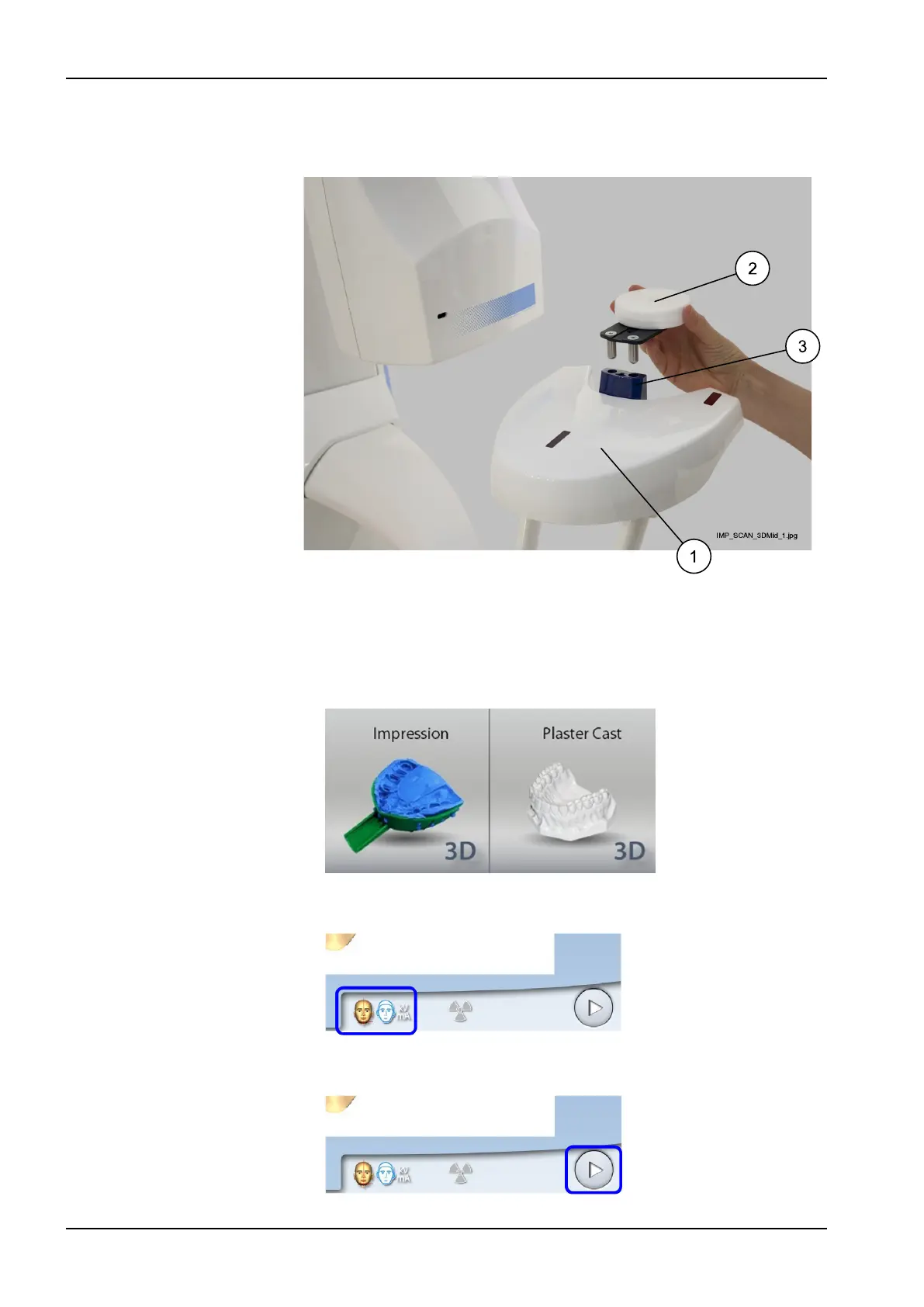
6. Remove any patient supports attached to the X-ray unit patient support
table (1). Insert the polystyrene disc provided (2, part number 10030330)
into the adapter (3).
10.1.2 Selecting settings
1. On the X-ray unit, select the program.
• For impression material select 3D Models > Impression
• For plaster material select 3D Models > Plaster Cast
2. To go to the next screen, select:
• This symbol
OR
• The forward button
10 3D model exposure
60 Planmeca ProMax User's manual














 To Next Page