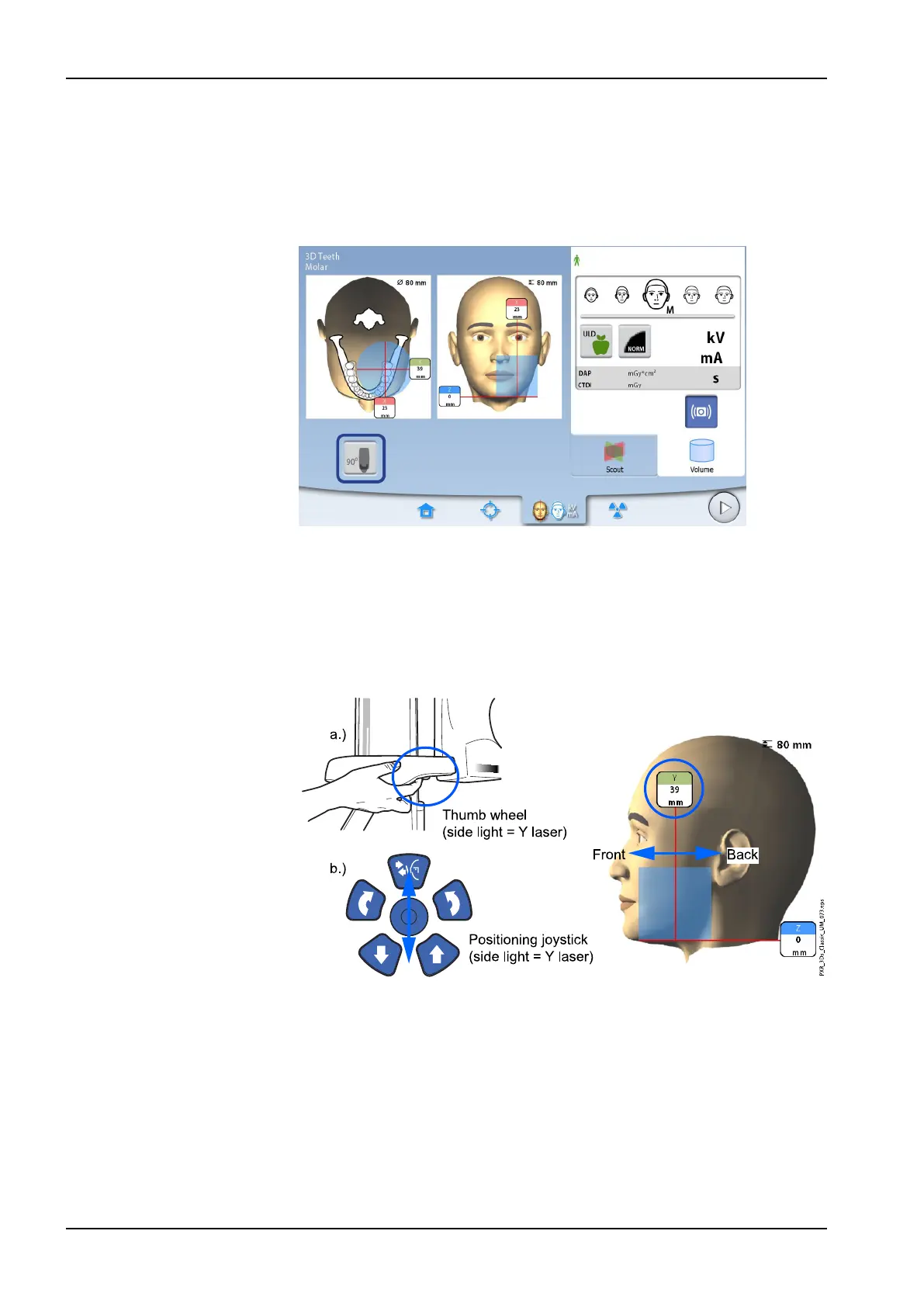
8.8.2.2 Side light (Y laser)
First rotate the C-arm 90 degrees clockwise by selecting the 90° button at
the bottom of the screen. This will give you a better view for checking the
volume position.
Select the button again if you wish to rotate the C-arm back to the original
position.
If you need to move the image volume to the front or back, do one of the
following:
• Move the thumb wheel that is located on the underside of the patient
support table
• Move the positioning joystick towards you or away from you
The side light (Y laser, i.e. the image volume centre as seen from the side)
will move accordingly on your patient’s face.
NOTE
The largest image volume (3D Plus: Ø160 mm / 3D Mid: Ø200 mm) cannot
be moved.
8 3D patient exposure
46 Planmeca ProMax User's manual














 To Next Page