2. Chose its type:
Default – button will be assigned default function.
Application – click on Open button and select application to bind with this key.
3. To exit, press OK button.
4. To apply, press Apply button.
9.2.2 Define
Apply and Set the key which is already defined.
9.3
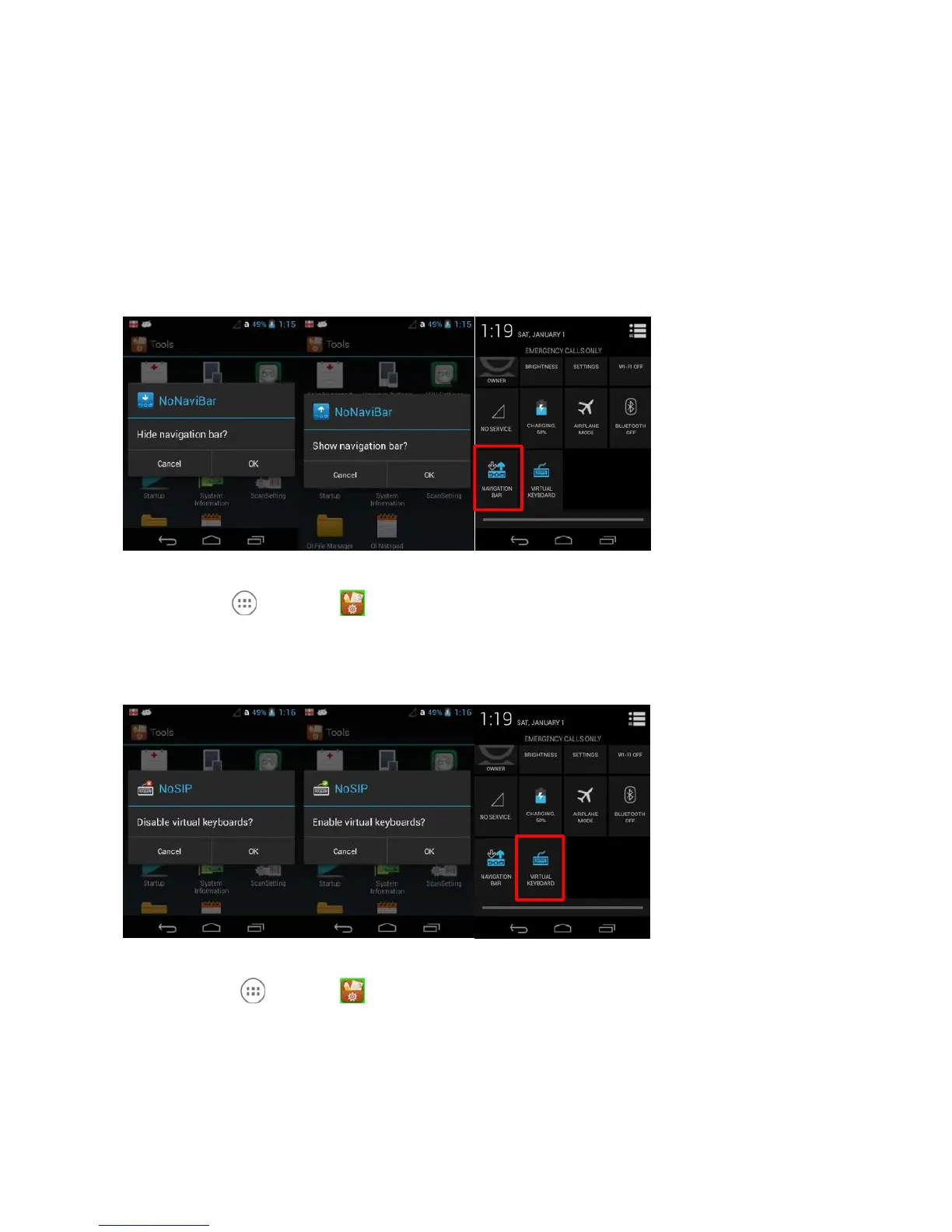
NoNaviBar
Hide / Show Navigation Bar
Tap All Apps > Tools > NoNaviBar or Quick Settings Panel or you can use the
Quick setting Panel
9.4
NoSIP
Disable / Enable virtual Keyboard
Tap All Apps > Tools > NoSIP or you can use the Quick setting Panel
10 Communication
10.1
Communication Options
Handy Terminal offers several communication options including MTP(or PTP) and wireless radios.
USB Connector



 To Next Page