Installation and Operation Manual Page 34 of 104
(PVI-3.8/4.6-I-OUTD-US Rev.: 1.1)
3.3.3 Removing the Front Cover and Accessing the Internal Terminal
Block.
WARNING: Before performing any operation on the Switch Box power
input or on the Inverter, ALWAYS perform the disconnection procedure as
explained in section 3.3.1 or 3.3.2 of this manual.
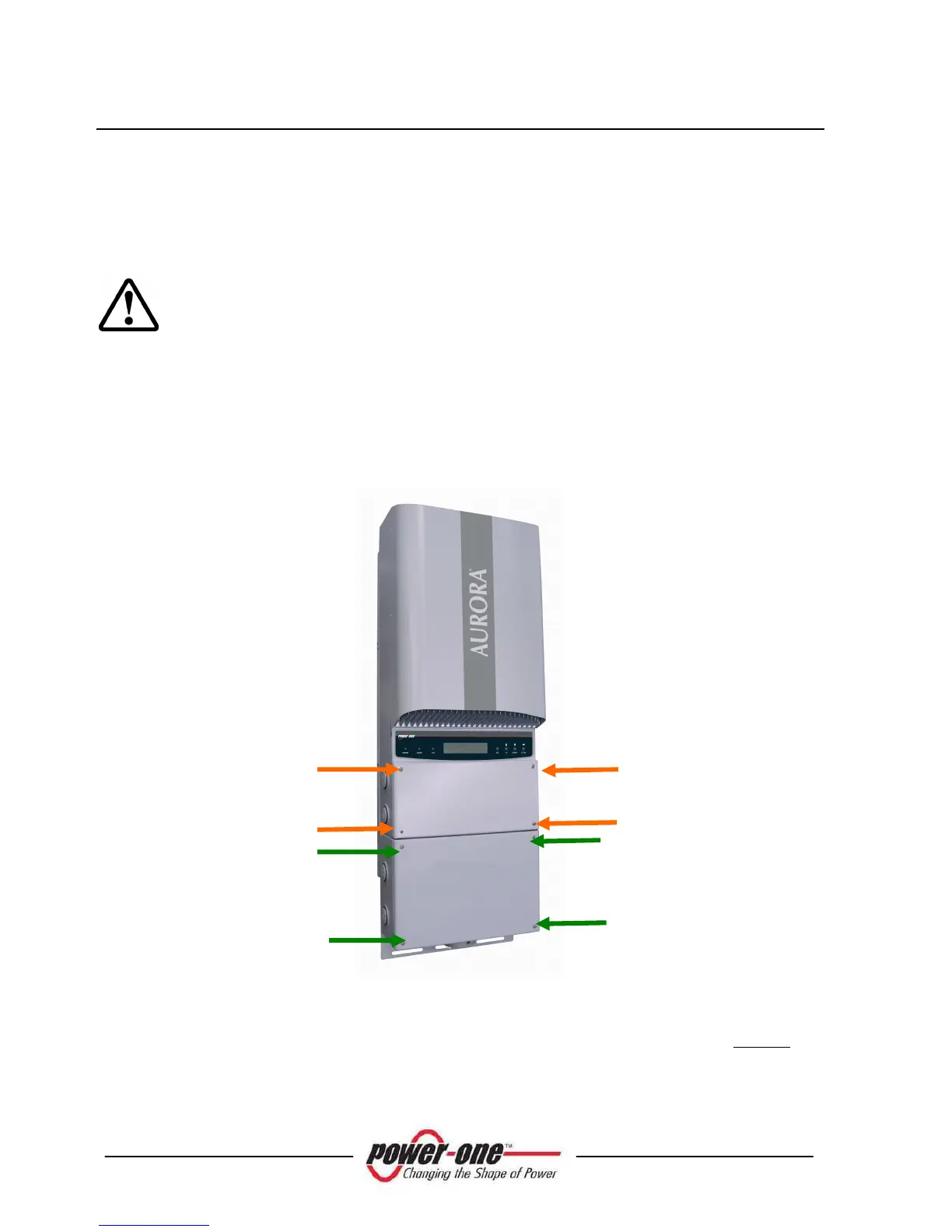
To remove the front cover of the inverter, loosen the 4 screws shown in Fig. 11, pos
“A” using the torx screwdriver provided in the box with the inverter.
To remove the front cover of the switch box, loosen the 4 screws shown in Fig. 11, pos
“B” using the torx screwdriver provided in the box with the inverter.
Fig. 11 - Aurora Inverter Front Panel and Dc Switch
When the connection operations are completed, reinstall the front cover and tighten the
4 screws into the cover with at least 1.5Nm (13.2 in-lbs) torque to ensure proper
waterproof sealing.









 To Next Page