Installation and Operation Manual Page 43 of 104
(PVI-3.8/4.6-I-OUTD-US Rev.: 1.1)
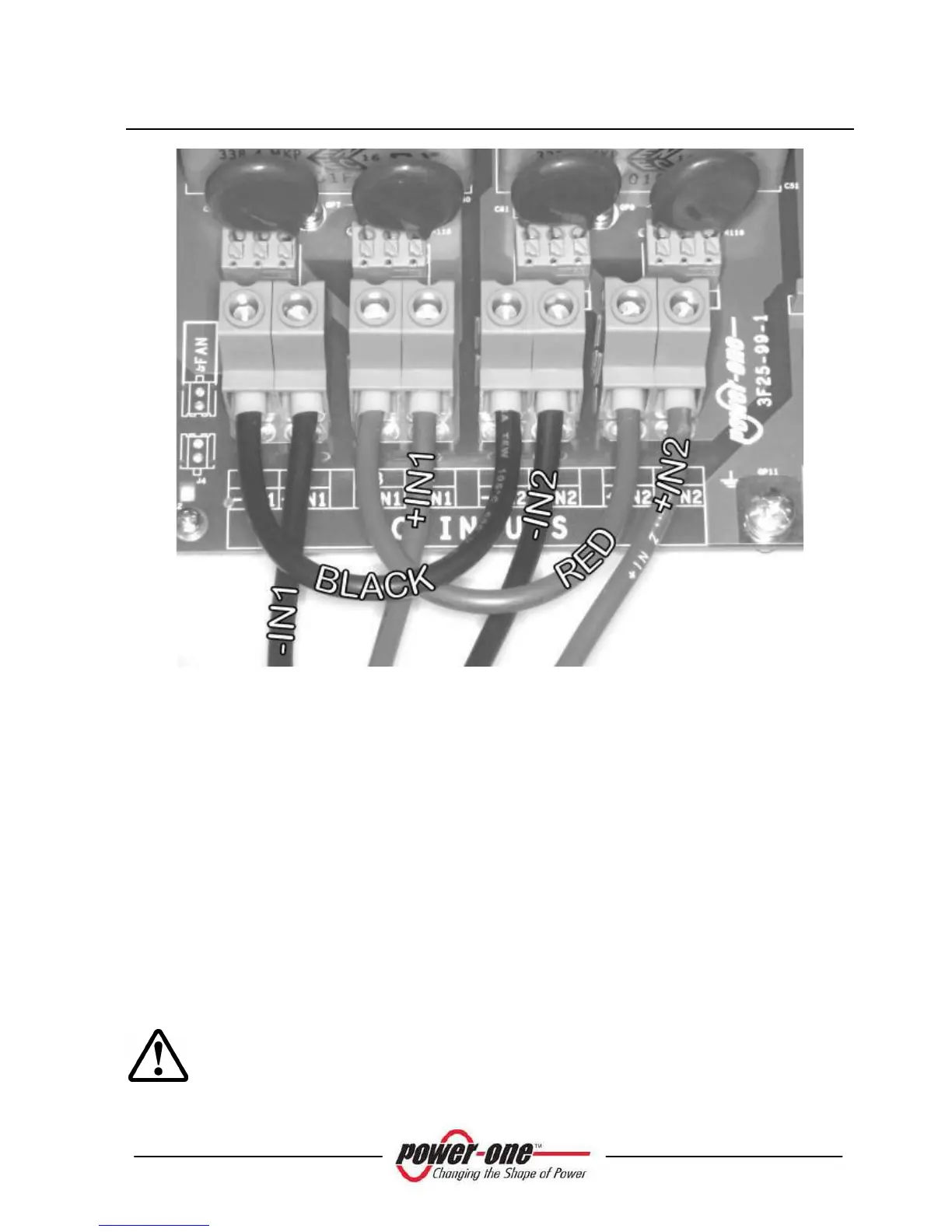
Fig. 16 - Parallel Connection
The switch “S1” indicated in Fig. 15 should be placed to position “PAR” (default
position) in order to configure the inverter in parallel mode (default set-up).
After switching the Aurora inverter to parallel mode configuration, the front panel
should be reinstalled (apply 13.2 in-lbs of torque to each of the 4 screws). After the
front panel is secured, it is possible to begin the START-UP procedure. (see
section 4).
3.3.7 Connection to the AC GRID
WARNING: Before performing any operation on the Switch Box power
input or on the Inverter, ALWAYS perform the disconnection procedure as
explained in section 3.3.1 or 3.3.2 of this manual.









 To Next Page