Installation and Operation Manual Page 60 of 104
(PVI-3.8/4.6-I-OUTD-US Rev.: 1.1)
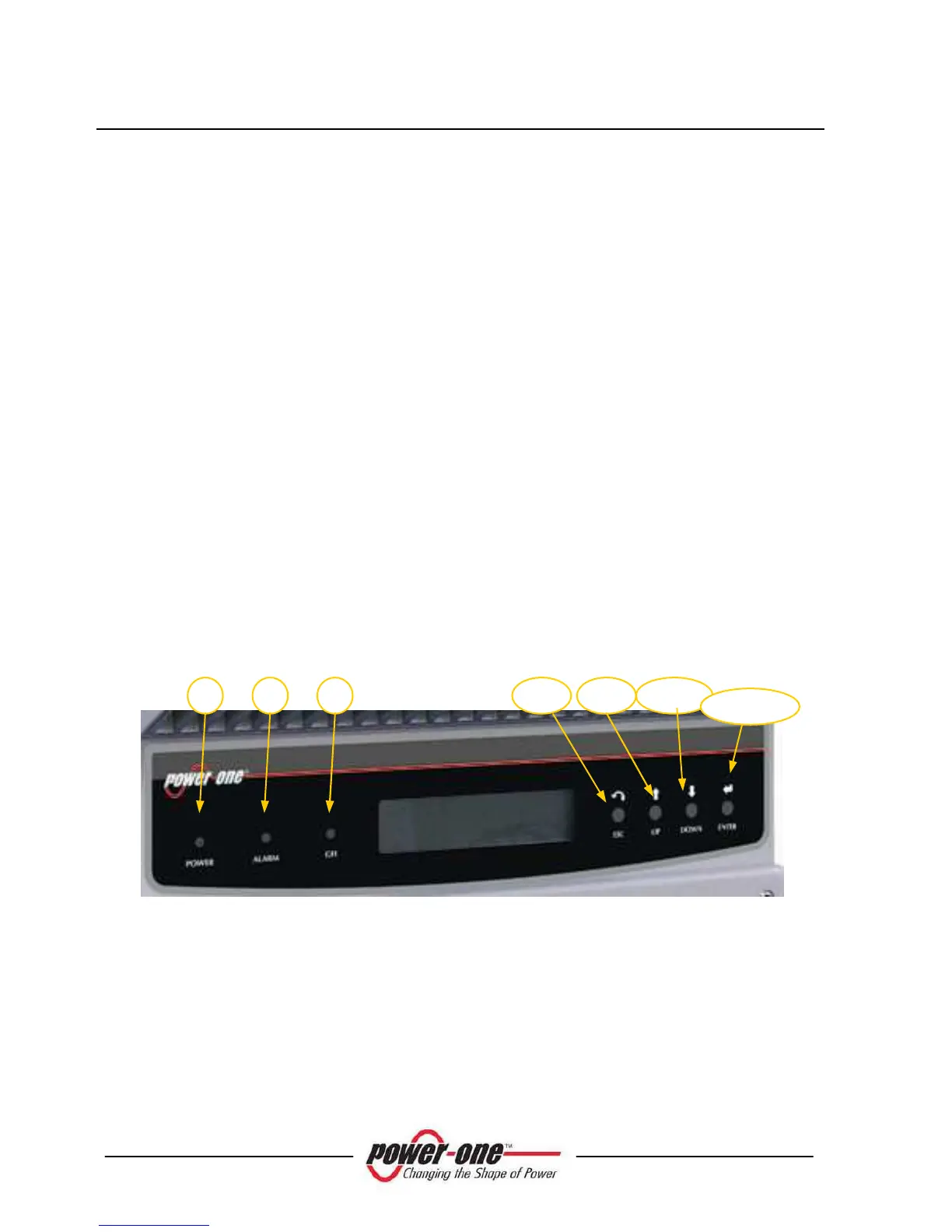
5.2 LED Indicators
There are three LEDs at the side of the display: The first LED from the left (POWER)
indicates proper operation of the inverter, the LED in the middle (FAULT) indicates a
fault condition, whereas the LED on the right (GFI) indicates a ground fault.
1. The green 'Power' LED indicates that AURORA is operating correctly.
This LED flashes upon start-up, during the grid check routine. If a correct grid
voltage is detected and solar radiation is strong enough to start up the unit, the LED
stays on steady. If not, the LED keeps flashing until solar radiation becomes strong
enough to start up the inverter. In this condition, the display will read 'Waiting
Sun….'
2. The yellow 'FAULT' LED indicates that the Aurora inverter has detected a fault
condition. A fault description will appear on the display.
3. The red 'GFI' (ground fault) LED indicates that AURORA is detecting a ground
fault in the DC side of the photovoltaic system. When this kind of fault is detected,
the AURORA inverter disconnects from the grid and the corresponding fault
indication appears on the LCD display. AURORA remains in this condition until
the operator presses the ESC key to re-start the grid connection sequence. If
AURORA does not reconnect to the grid, contact the technical assistance service to
have the system repaired.
Fig. 23 - Location of the buttons and LEDs
The following table shows all the possible LED activation combinations in regard
to the operational status of AURORA.
1









 To Next Page