PowerFleet
®
VAC4 and VAC4S Hardware User’s Guide
13-Impact Sensor Er (Refer to Hardware Guide)
[FUNCTIONAL] System reports no impact sensor is installed.
• Verify that the impact sensor is properly connected to the VAC (connector C103).
Impact sensor cable
damage
• Verify that the impact sensor cable is not damaged.
• Replace sensor as needed and retest.
Impact sensor is not
getting power from
the VAC
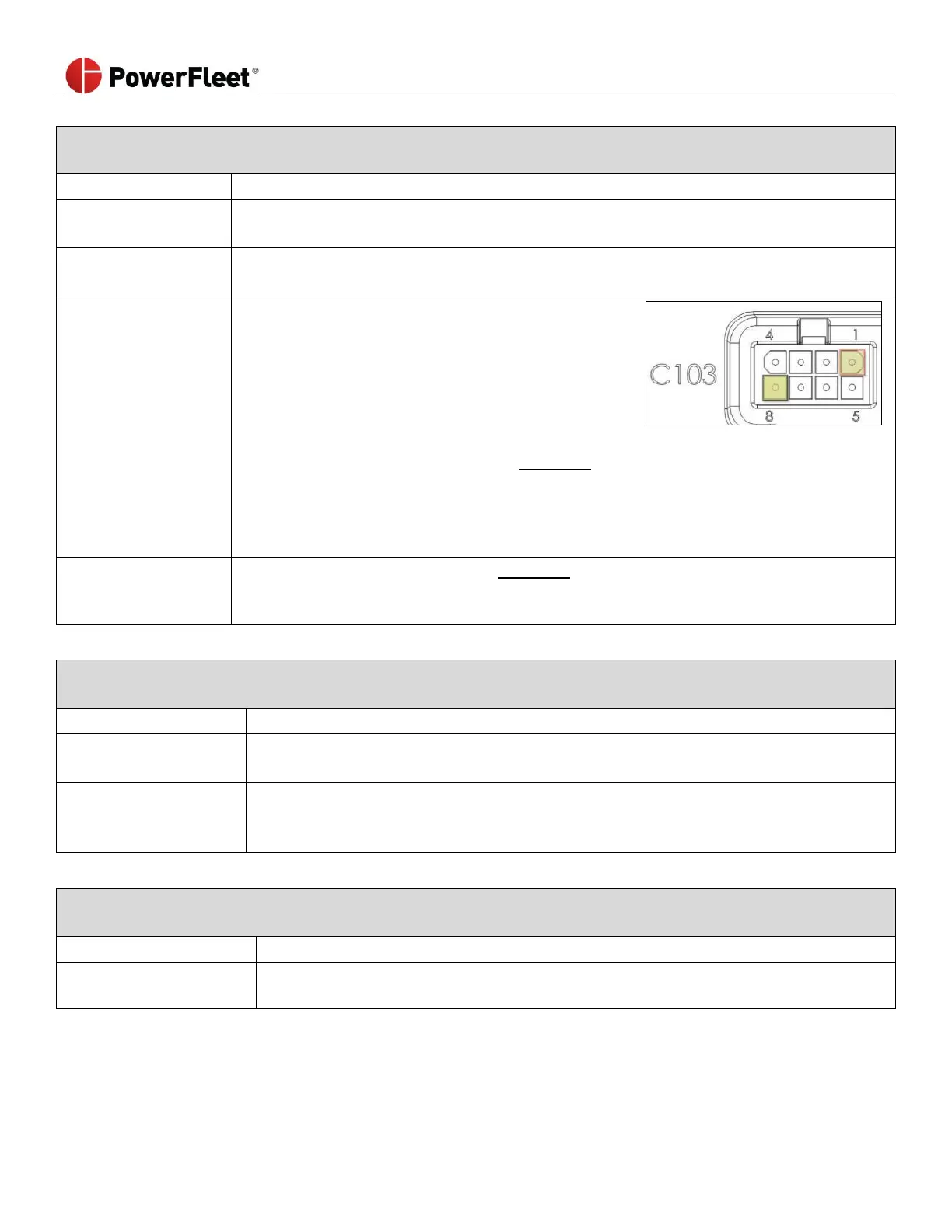
• Verify that the VAC is supplying adequate voltage by
unplugging the impact sensor connector and
connecting a voltmeter to pin 1 (positive) and pin 8
(negative) on C103 of the VAC. The image at right
shows how to read the pin layout and direction.
• You must have 5.5 ± 0.5 volts DC.
• If the VAC is not supplying 5.5 ± 0.5 VDC
o Complete an RMA Request form (See Appendix A)
o Call PowerFleet’s Customer Service for an RMA number.
o Only the VAC should be returned for analysis/repair.
o Once VAC is removed, the system MUST be hard-bypassed to use vehicle.
Follow instructions on how to hard-bypass the system (See Appendix B).
• Complete an RMA Request form (See Appendix A)
• Call PowerFleet’s Customer Service for an RMA number.
• Only the Impact sensor should be returned for analysis/repair.
14-SPI Error Low (Refer to Hardware Guide)
[FUNCTIONAL] The VAC cable is picking up electrical noise causing SPI errors greater than 1% of the time.
• Visually inspect the VAC cable to verify that the VAC cable is not damaged.
• Replace the cable as needed.
• Verify that the VAC cable is routed away from high electrical noise devices such as
traction motors and contactors.
• If chassis noise is present, reroute the cable and retest.
15- Run Configuration Wizard – [SHUTDOWN] The configuration wizard was never run for the VAC that is currently
installed on the vehicle.
• Log in to the VAC as a Maintenance operator and re-run the configuration wizard
(see Section 2)



 To Next Page