AFV-P Series High Performance Programmable AC Power Supply
42
3.5.2.1 Output Mode (AC or DC)
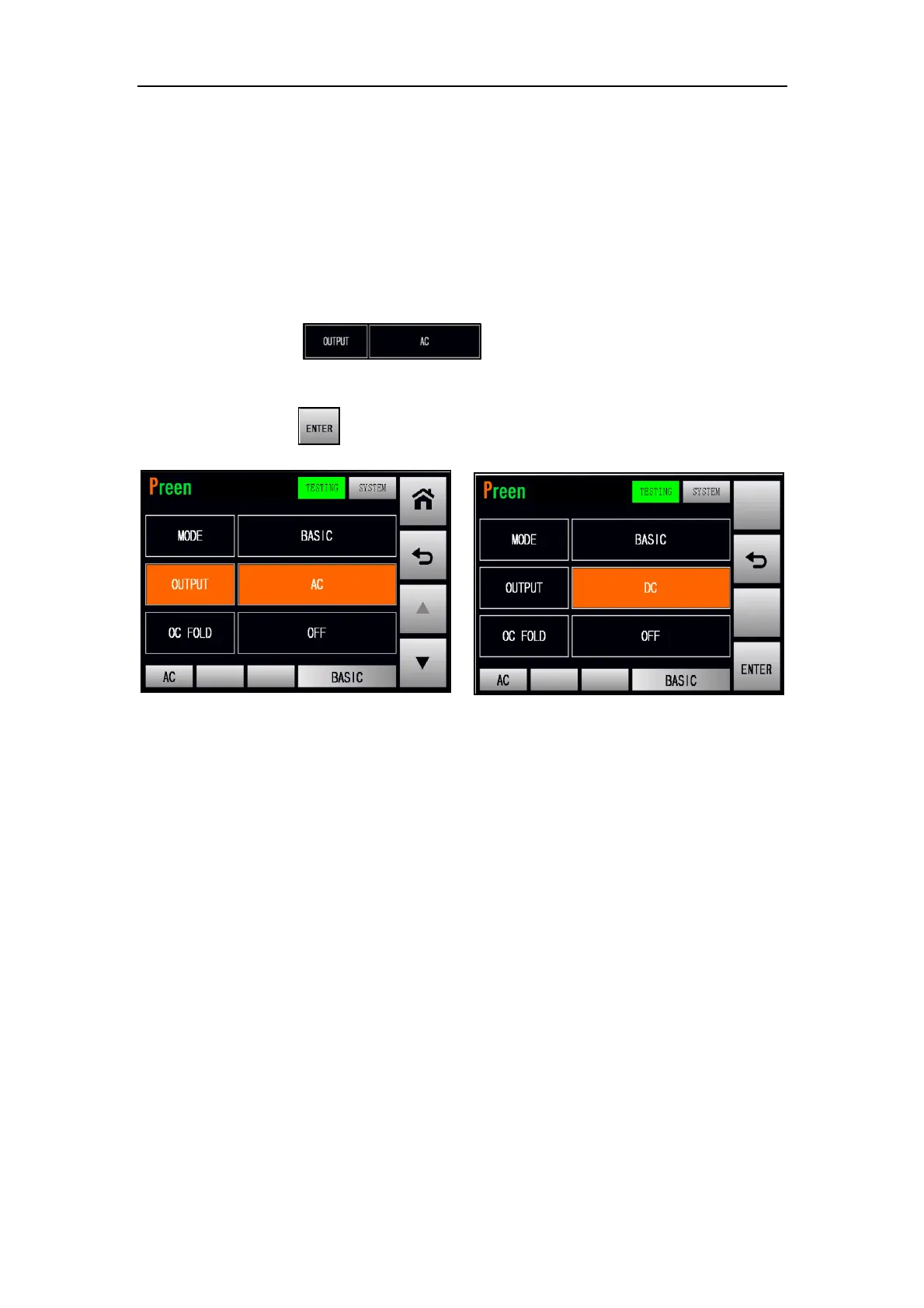
There are two output mode of the product: AC and DC. Users can set the output
mode at the TESTING subpage 1 (BASIC mode) to fit the product application. Then,
the MAIN page will change correspondingly according to the output mode (see Fig-
ure 3.26).
The procedures of setting the output mode from AC to DC are given as below:
1. Press the item twice to set the output mode from AC
to DC.
2. Press the icon to confirm.
Figure 3.26 Set the output mode from AC to DC (BASIC mode)



 To Next Page