AFV-P Series High Performance Programmable AC Power Supply
79
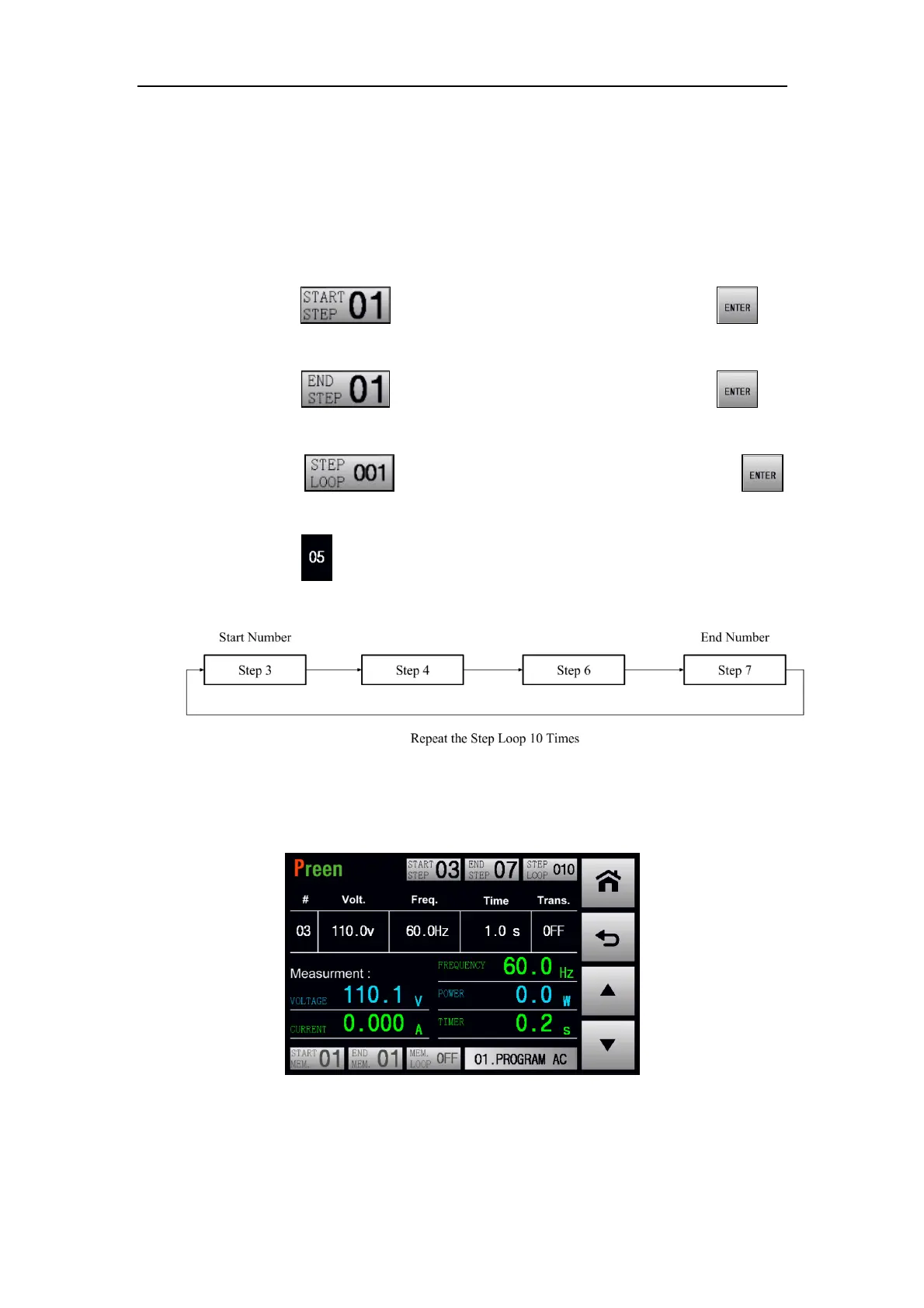
For example, when the start number of the Step Loop is 3, the end number of the
Step Loop is 7, and the Step Loop times is 10, but the Step 5 is disabled, the Step
Loop will be sequentially performed from the Step 3 to the Step 7 except the Step 5
and repeated 10 times.
The procedures of set the Step Loop according to the example mentioned above are
given as below,
1. Press the icon to set the value of 3, and press the icon to
confirm.
2. Press the icon to set the value of 7, and press the icon to
confirm.
3. Press the icon to set the value of 10, and press the icon
to confirm.
4. Press the item of the Step 5 to disable the Step 5.
5. Press the output & reset button, then the Step Loop is performed.
When the Step Loop is performed, the following page will be shown on the touch
screen,
Figure 5.8 STEP page when the Step Loop is performed



 To Next Page