AFV-P Series High Performance Programmable AC Power Supply
81
C. GENERAL Subpage
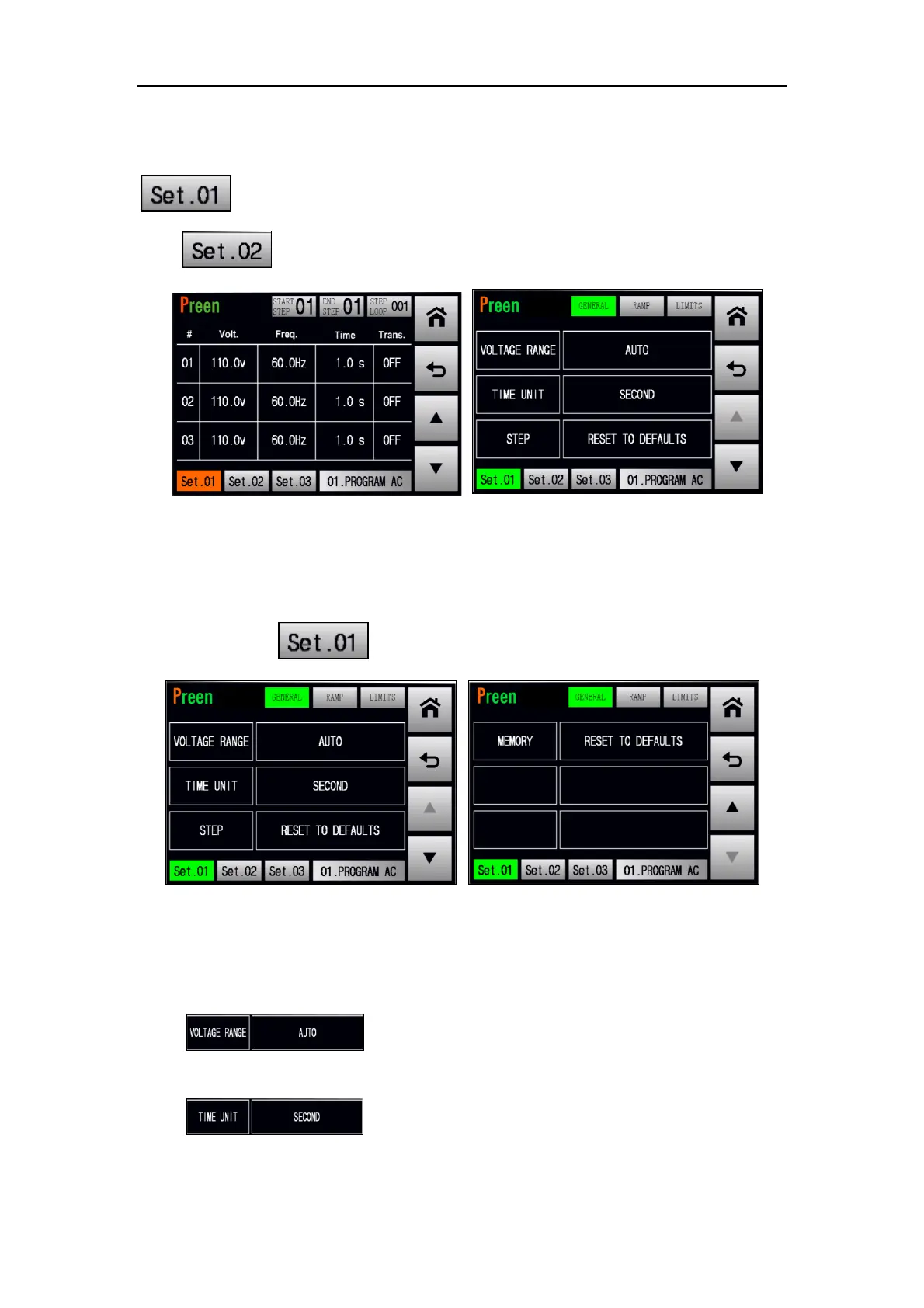
When the STEP page is shown on the touch screen, users can press the icon
to enter into the subpages of the Step 1. Similarly, users can press the
icon to enter into the subpages of the Step 2, and so on.
Figure 5.11 Enter into the GENERAL subpage
These subpages include the GENERAL subpage, RAMP subpage and LIMITS subpage,
and the GENERAL subpage will be shown on the touch screen in advance after
pressing the icon . Please see the following figures,
Figure 5.12 GENERAL subpage 1 & 2
The description for the items and the icons at the GENERAL subpage are given as fol-
lows,
1) : Press to set the output voltage range, with two op-
tions HIGH and AUTO.
2) : Press to set the time unit for the dwell time of the
desired Step, with three options from SECOND, MINUTE and HOUR.



 To Next Page