ProgrammerManual PTX‐S828
Chapter5IPDSProgrammingInformation 132 260071‐001A
Refer to your printer's Administrators Manual for information on setting operator media size input.
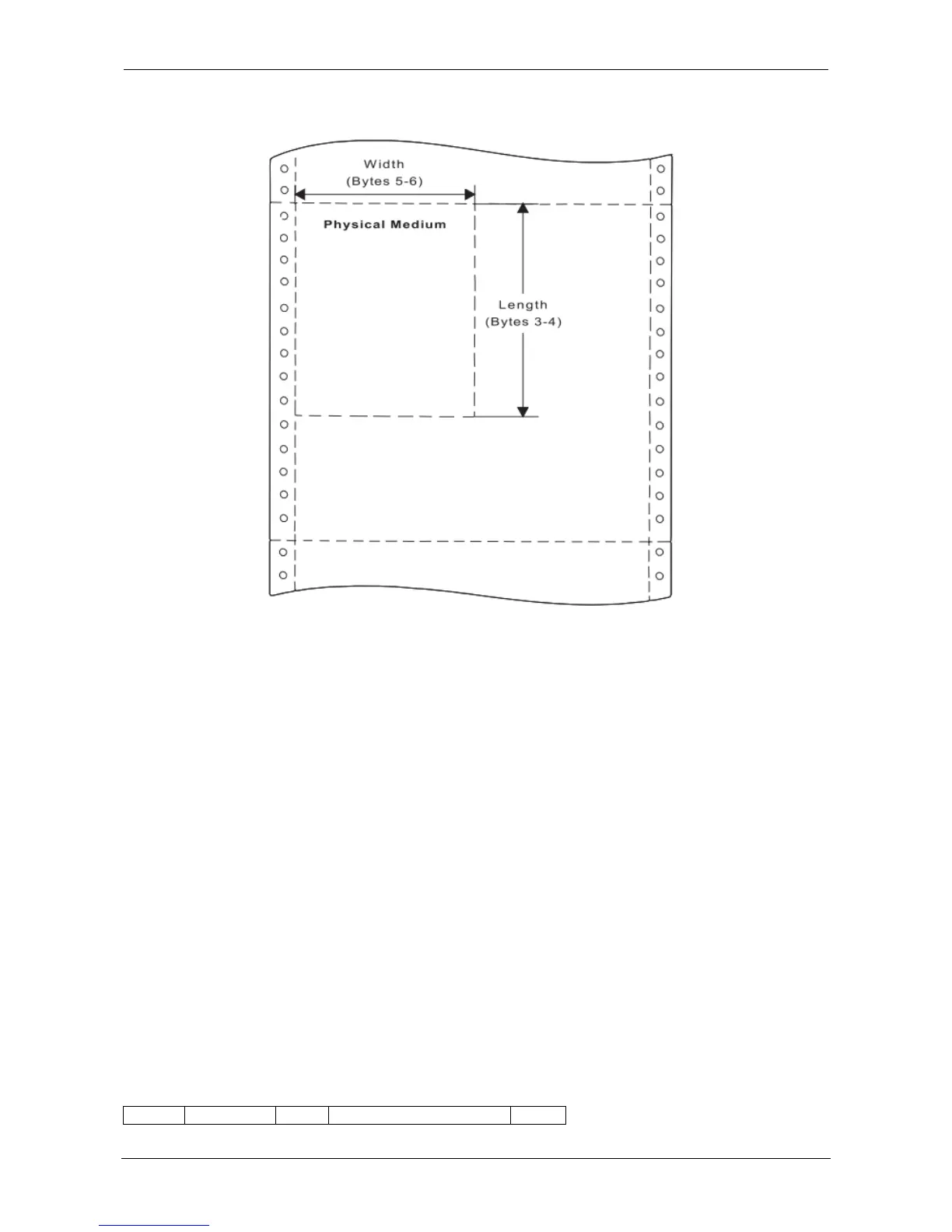
Figure 14. Using the Set Media Size Command to Specify the Physical Medium
The data field for the Set Media Size subcommand has the following format:
Decimal Hex Value Description
0 0 00 Unit Base (10 in.)
01 Unit Base (10 cm.)
1-2 1-2 5A0-7FFF Units per Base Value (per 10 in.)
1626-7FFF Units per Base Value (per 10 cm)
3-4 3-4 000A-4A40 X-Extent of the Physical Medium in Units
FFF Use Current MPP
5-6 5-6 000A-7FFF Y-Extent of the Physical Medium in Units
FFFF Use Current MPL
Obtain Printer Characteristics (OPC)
This subcommand is a host request for information about the current printer environment characteristics.
The printer responds by placing the requested information in the Special Data (SD)area of a subsequent
Acknowledge Reply. The printer reply is a series of self-defining fields describing the printer
characteristics. The OPC data is returned in more than one response buffer. The self-defining fields
contain specific information about the printer characteristics. If the ARQ flag was not set on for the XOH
command containing this order, then this order is equivalent to a No Operation.
Acknowledge Reply for Obtain Printer Characteristics:
Length D6FF Flag Correlation ID (Optional) Data















 To Next Page