ProgrammerManual PTX‐S828
Chapter4IPDSCommands 93 260071‐001A
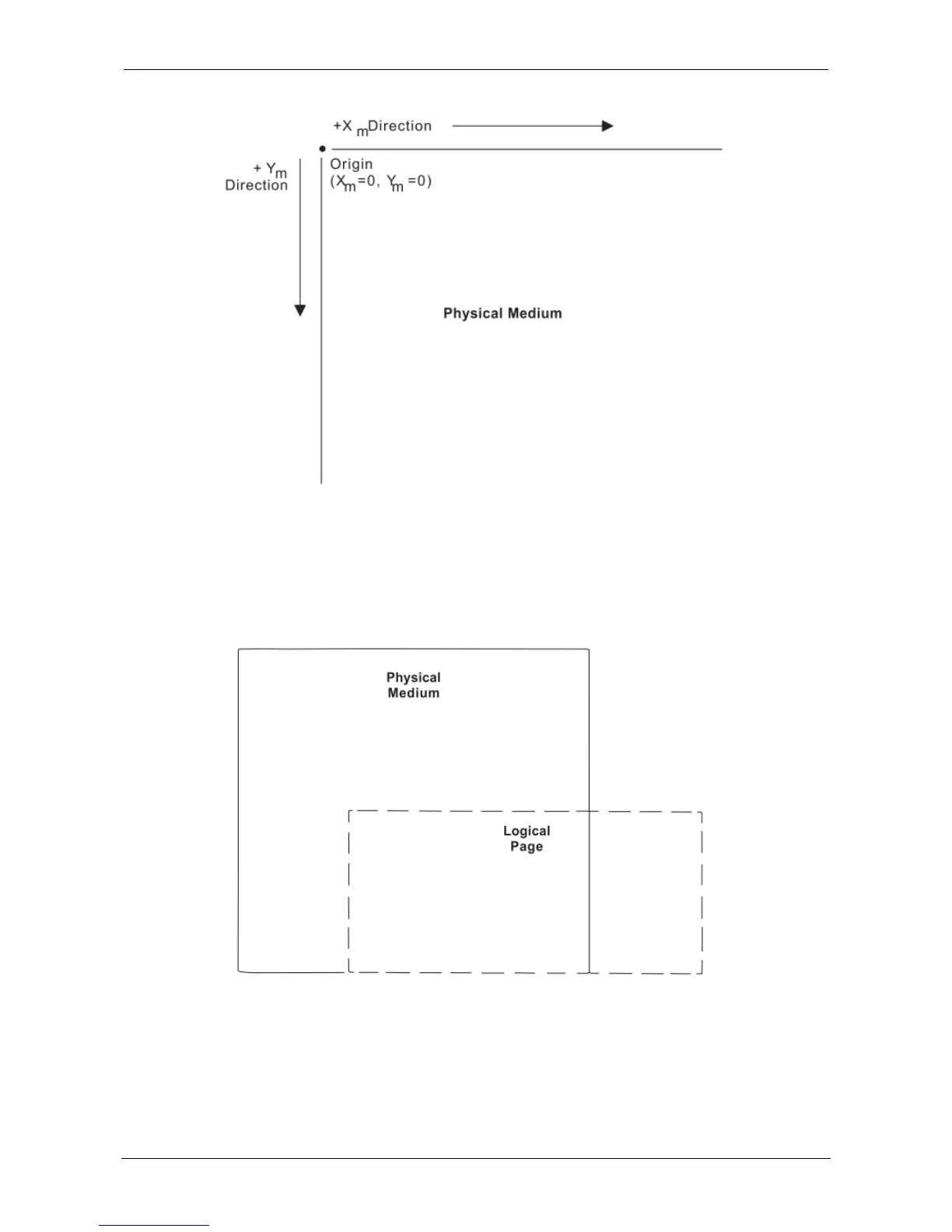
Figure 3. The Xm,Ym Medium Coordinate System
Logical Page Layout
IPDS describes the printed output in terms of logical pages. The logical page does not have to be
contained completely on the physical medium. However, printing can only occur where the two areas
overlap. Figure 4 shows the physical-logical page relationship.
Figure 4. The Physical-Logical Page Relationship
The logical page reference corner is the corner of the logical page that is at the smallest Xp, Yp position.
This corner does not necessarily have to coincide with the physical medium origin (Xm=0, Ym=0). The
logical page size in the X dimension is the 'X-Extent', and the logical page size in the Y dimension is the
'Y-Extent'. IPDS commands specify the logical page size and location. Figure 5 shows the relationship















 To Next Page