ProgrammerManual PTX‐S828
Chapter5IPDSProgrammingInformation 204 260071‐001A
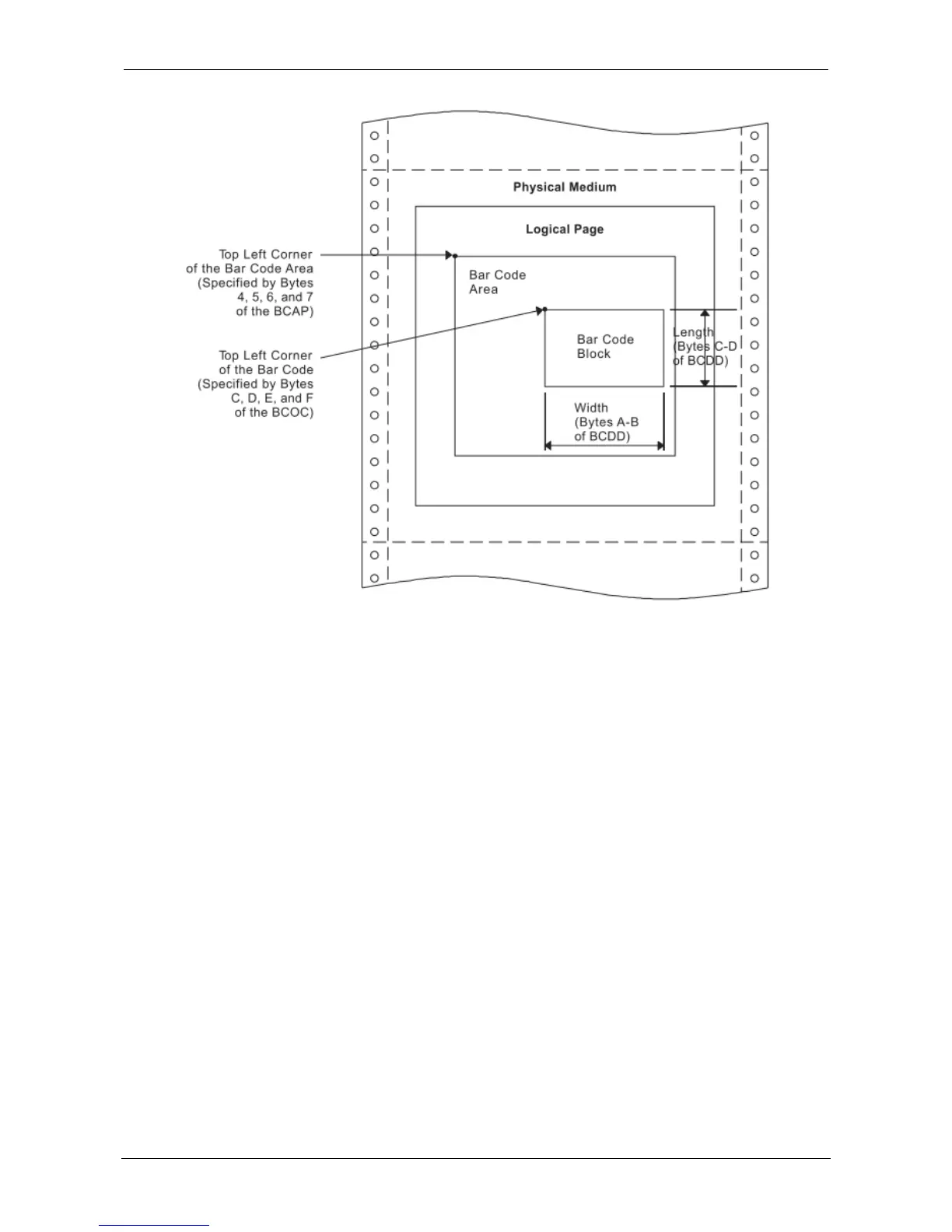
Figure 28. Specifying the Bar Code Medium Presentation Space Size. Using the Bar Code Data Descriptor
Modifier Byte: 3 of 9 Code:
01 Print bar code with no printer generated check character.
02 Generate check character and print with bar code.
MSI Code:
01 Print bar code with no printer generated check character.
02 Print bar code with IBM Modulus 10 check digit generated by the printer and put at the end of the
data. This check digit will be the second check digit.
03 Print bar code with both check digits generated by the printer and put at the end of the data. The
second check digit will be IBM Modulus 10. The first check digit will also be IBM Modulus 10.
04 Print bar code with both check digits generated by the printer and put at the end of the data. The
second check digit will be IBM Modulus 10. The first check digit will be NCR Modulus 11. Check
digit equals remainder; check digit of 10 equals error.
05 Print bar code with both check digits generated by the printer and put at the end of the data. The
second check digit will be IBM Modulus 10. The first check digit will be IBM Modulus 11. Check
digit equals remainder; check digit of 10 equals error.
06 Print bar code with both check digits generated by the printer and put at the end of the data. The
second check digit will be IBM Modulus 10. The first check digit will be NCR Modulus 11. Check
digit equals 11 minus remainder; check digit of 10 equals zero.















 To Next Page