User Guide
DVS-21
02/2018 • V.1.0 • L. Wolle
© 2017 ProCom
®
Professional Communication & Service GmbH • Technical changes reserved.
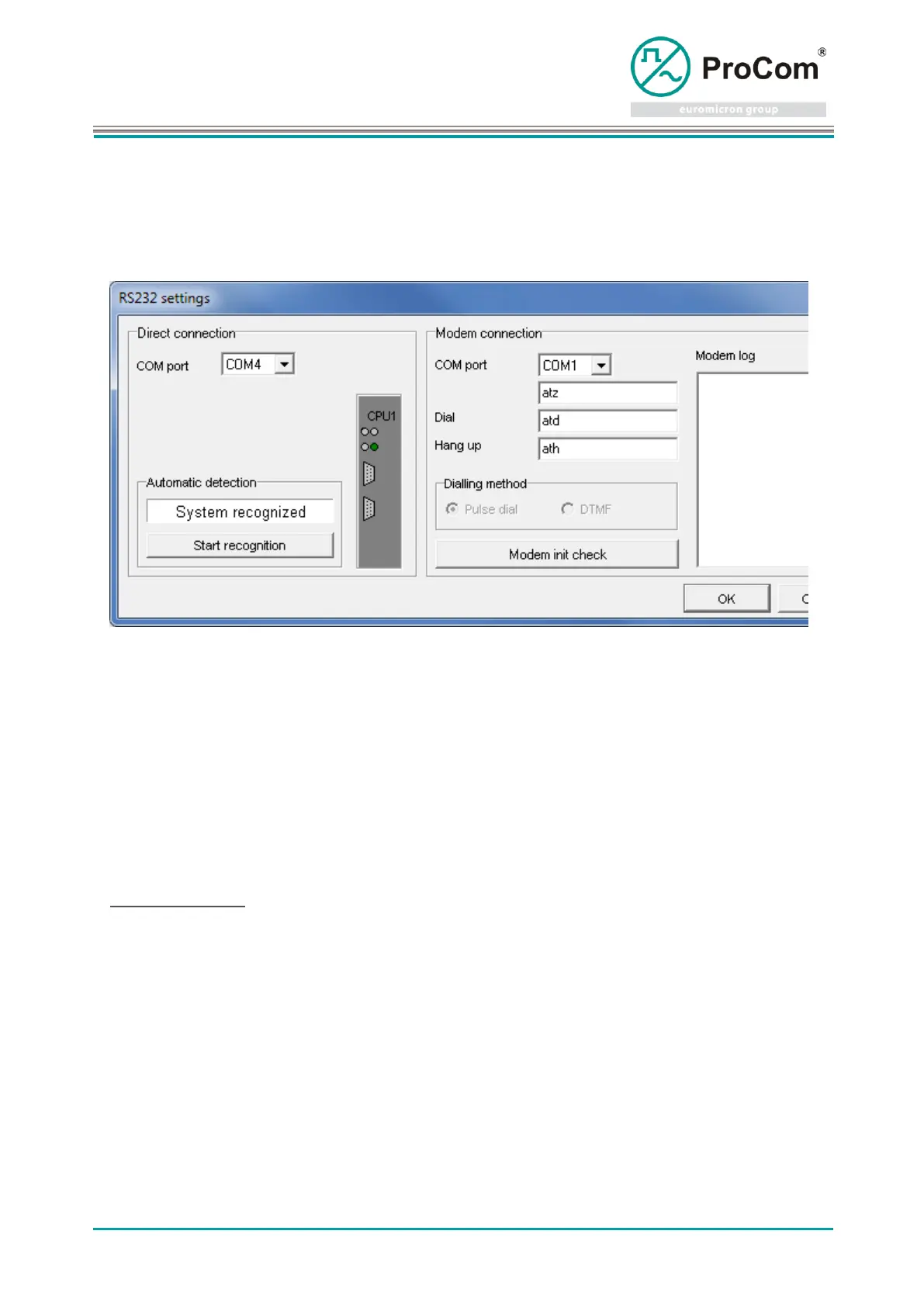
3.2 RS232 settings
The serial interface, which is to be used to communicate with the system, can be searched for or set by
means of this dialog.
The COM-Port field offers the option of manually selecting the COM port of the PC/Notebook that is to be
used.
A search can be made for a connected system by means of the Start recognition button.
For remote configuration by means of a modem, the COM port of the connected modem can be set in the
Modem Connection Group, and the AT parameters of the modem in use can also be corrected manually.
Initialization and selection can be tested by means of the Modem init check button.
4 Online functions
All functions that can communicate with a system via the serial interface are available here.
Important! The port of the interface must be set under Settings - RS232-Settings!
When connected to a system the selected online-module activates itself automatically. The state of the
connection is displayed by LED elements in the modules.
It must be taken into consideration that when switching between the modules results in logon and log-off
processes at the CPU of the system. Under certain circumstances these can result in delays, as the CPU
must first activate the respective mode.



 To Next Page