08.6 Printer LED Status Lights
Refer to to view the buttons and their operation.08.6.01 User Interface Control Panel LED Operation
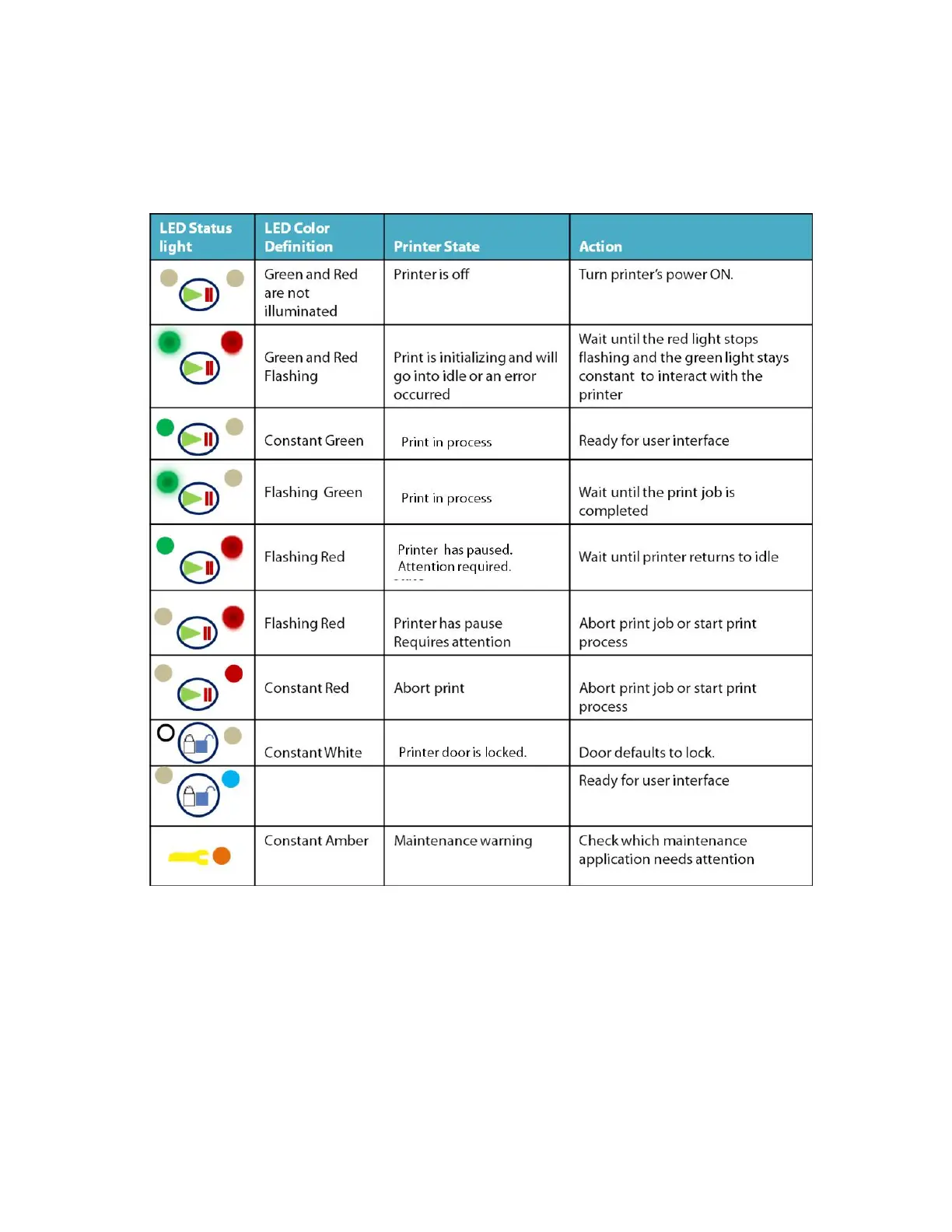
The LED status lights located on the front door panel are indicators to let you know what state the printer is in during start up and operation. See
the color code chart below to determine status of the printer.
08.6.01 User Interface Control Panel LED Operation



 To Next Page