Email Settings
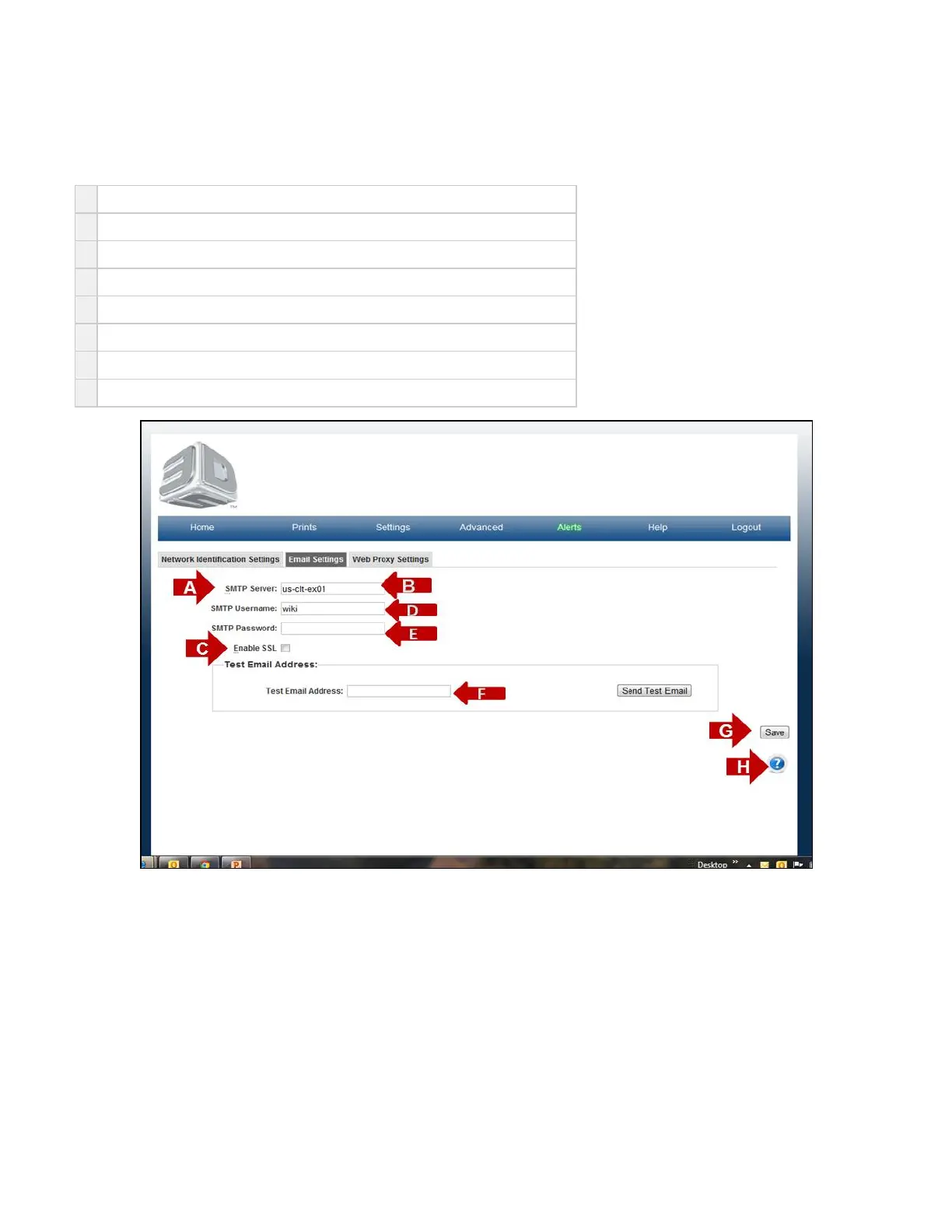
On the "Home" page, click on "Settings" and select "Printer" in the drop down menu to view "Email Settings" screen.
The purpose of the Email Setting is to set your email account to the correct browser to receive email notifications.
A
Find your POP3/SMTP mail settings from your email client.
B
Enter your (Outgoing Mail) SMTP server name in the SMTP Server field.
C
If your server requires TLS, STARTTLS, or SSL then check the "Enable SSL" option.
D
Enter your Account name in the SMTP Username field.
E
Enter your Password in the SMTP Password field.
F
Send a test email to your PC.
G
Click Save to retain your information.
H Click on the to obtain help for this particular screen.?



 To Next Page