Printer User Account
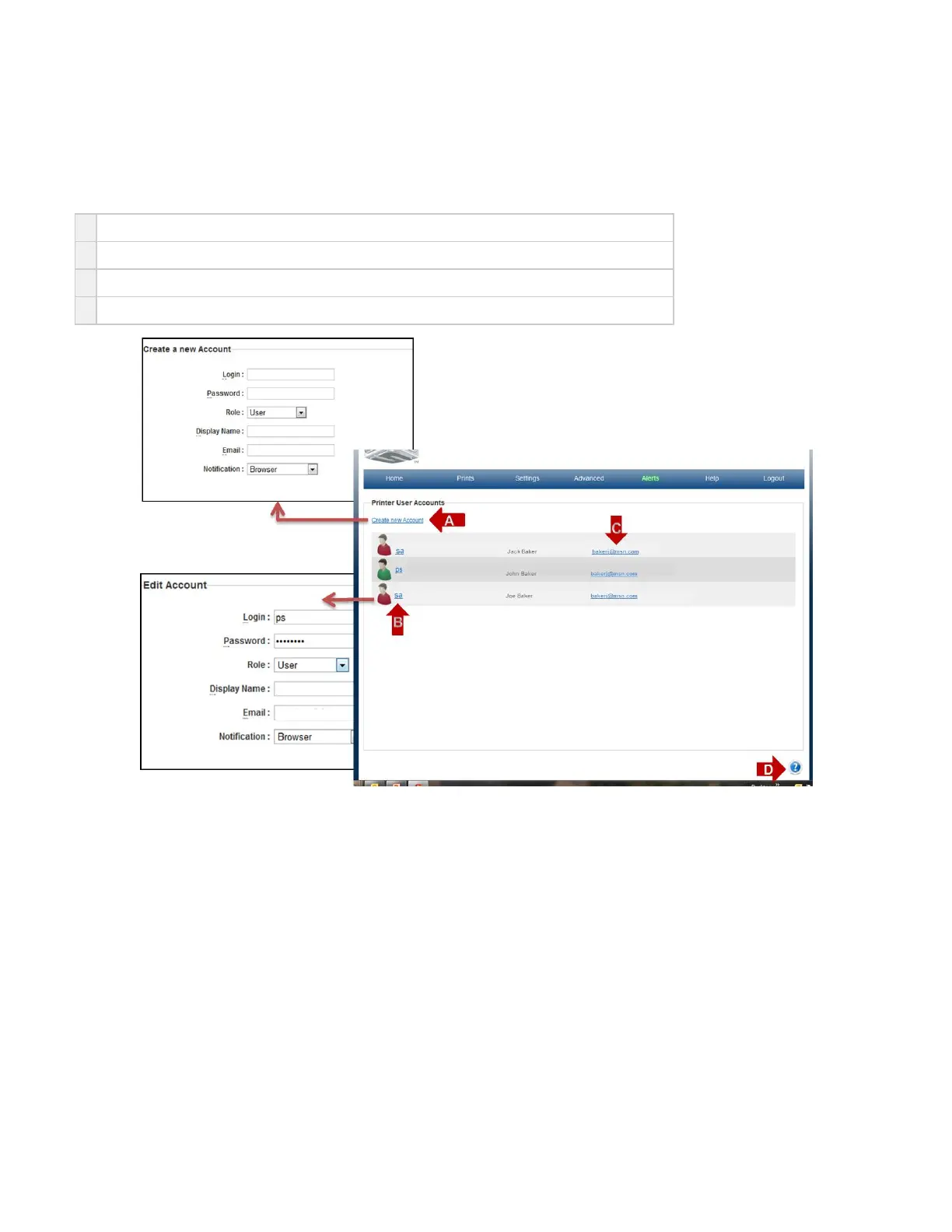
On the "Home" page, click on "Settings" and select "Users" in the drop down menu to view "Printer User Account" screen.
The purpose of the Uuser page is to list all registered users for the printer. This is the place all user data is added, and removed after a printer has
been registered.
A
Create New Account link allows for new users to be added by going to a USER Account page.
B
The link by each user icon allows for a user to edit user information or to delete a user form the printer.
C
The email link opens the default email system on the client PC to send an email.
D Click on the to obtain help for this particular screen.?



 To Next Page