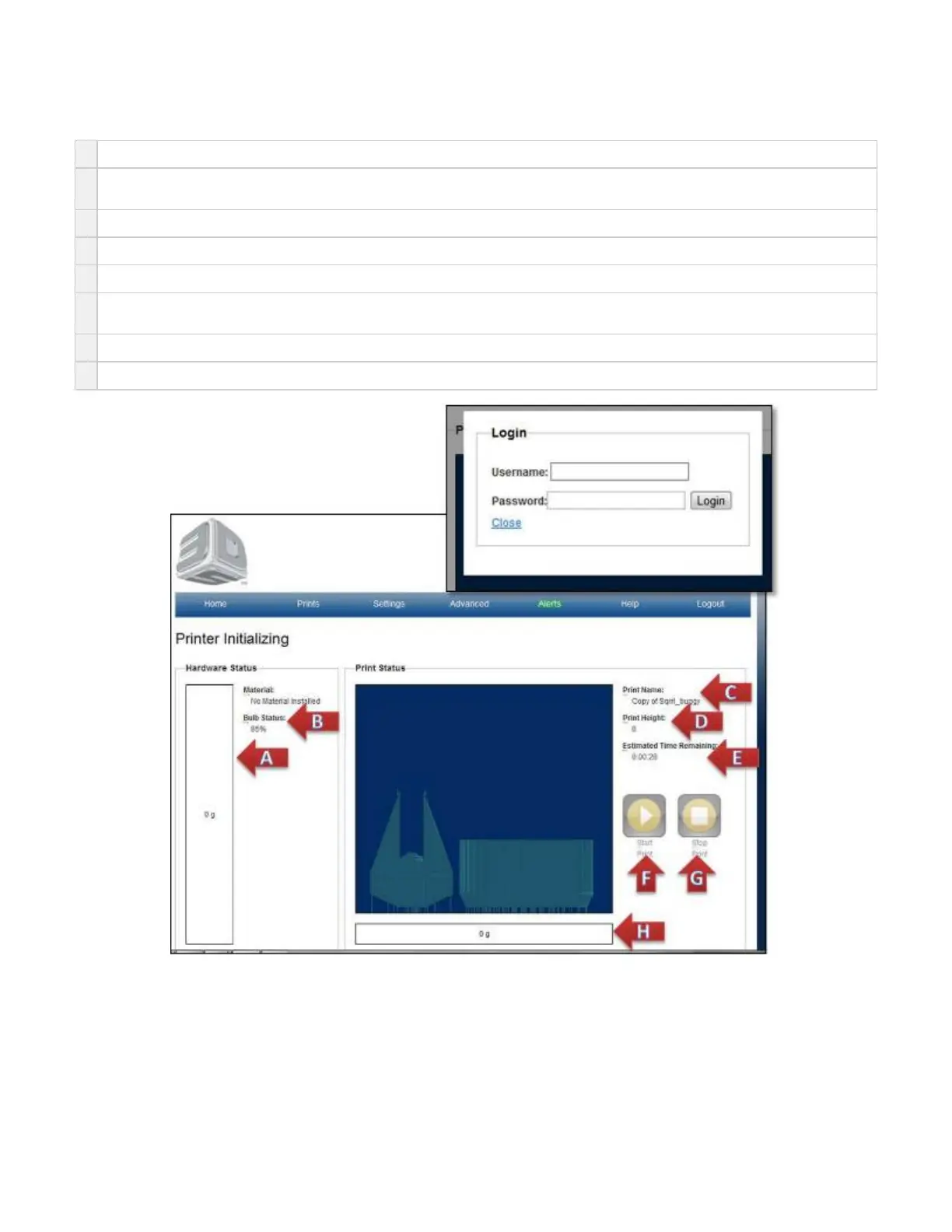
Home Page
A
Material: shows how much material is in cartridge.
B
Bulb Status: shows current bulb energy status. When this gets to 50%, you will be prompted to change the bulb for better performance
printer performance.
C
Print Name: name of current print being printed
D
Print Height: the current height the print is built to. It will increase with the print until the print is complete.
E
Estimated Time Remaining:is the current time left to complete the print. Unit are in hr., min., sec.
F
Start: used to start the print. This button is changed to Pause after the build begins and back to Start after the build is completed. Pause
allows build to be restarted
G
Stop: does NOT allow for print to restart. It will abort the print job that is currently printing.
H
Build: Consumption is the dynamic cumulative amount of material used. Just hold mouse over weight and get popup.



 To Next Page